
Nikon AF-S DX NIKKOR 18-55mm f/3.5-5.6GVR ED: Focusing, zooming, and depth of field Focusing (Fig. A)
Focusing, zooming, and depth of field Focusing (Fig. A): Nikon AF-S DX NIKKOR 18-55mm f/3.5-5.6GVR ED
Table of contents
- Notes on Safety Operations
- Nomenclature
- Major features Mounting the lens Using the lens hood HB-45 1* (Fig. B)
- Focusing, zooming, and depth of field Focusing (Fig. A)
- Vibration reduction mode (VR)
- Flash photography using cameras with Lens care a built-in flash
- Optional accessories Incompatible accessories Specifications
- Notes on using wide or super-wide angle AF Nikkor lenses
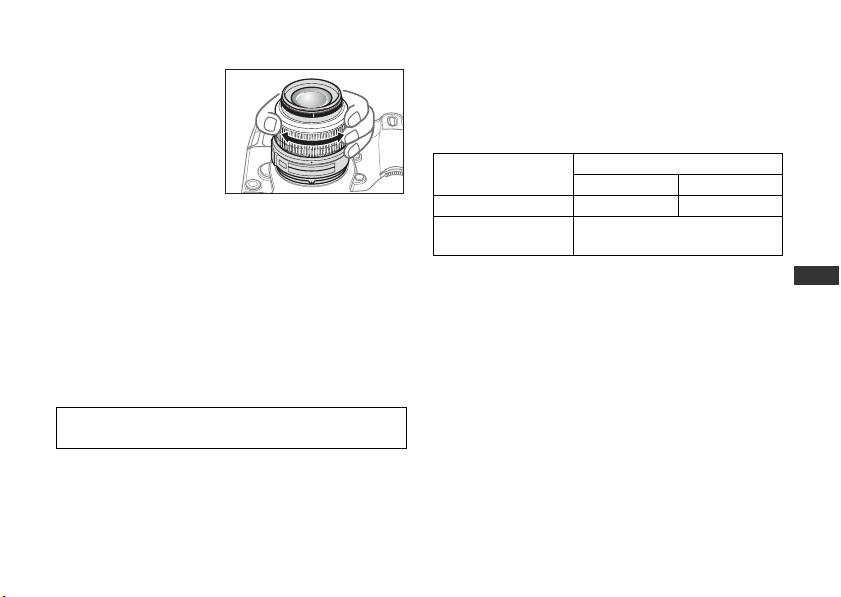
Focusing, zooming, and depth of field
Manual focus mode
Before focusing, rotate
Set the A-M mode switch 9 on the lens to [M]. Rotate
the zoom ring 4 to
the focus ring 3 manually to focus. Shooting is
adjust the focal length
possible when camera focus mode is set to either AF or
until the desired
M.
composition is framed in
Lens’ A-M mode
Camera focus mode
the viewfinder.
switch 9
AF-A/AF-S/AF-C M
If your camera has a
AAutofocus—
depth of field preview (stop-down) button or lever,
Manual focus
depth of field can be previewed through the camera
M
(focus assist is available)
viewfinder.
Jp
For more information on camera focus modes, refer to
En
Focusing (Fig. A)
your camera’s User’s Manual.
De
Autofocus mode
Getting good results with autofocus
Fr
Set the camera focus mode to AF-A, AF-S or AF-C and
Refer to “Notes on using wide or super-wide angle AF
set the A-M mode switch 9 on the lens to [A]. The
Es
Nikkor lenses” (P. 19).
camera focuses automatically (autofocus) while the
Se
shutter-release button is pressed halfway.
Ru
Nl
Be careful not to touch the focus ring 3 when it is turning
during autofocus operation.
It
Ck
Ch
Kr
15
