
Nikon 70-200mm-f4G-ED-AF-S-VR-Zoom-Nikkor: The Lens Hood Focusing Screens
The Lens Hood Focusing Screens: Nikon 70-200mm-f4G-ED-AF-S-VR-Zoom-Nikkor
Table of contents
- For Your Safety
- Parts of the Lens
- Compatibility Focus
- A/M (Autofocus with Manual Override/AF Priority) The Focus Limit Switch Zoom and Depth of Field Aperture
- Built-in Flash Units Vibration Reduction Using the Vibration Reduction ON/OFF Switch Using the Vibration Reduction Mode Switch
- Using Vibration Reduction: Notes
- The Lens Hood Focusing Screens
- The Optional RT-1 Tripod Collar Ring Attaching the Tripod Collar Ring Positioning the Camera Removing the Tripod Collar Ring
- Lens Care Supplied Accessories Compatible Accessories
- Specifications
■
The Lens Hood
The lens hoods protect the lens and block stray light that would
otherwise cause flare or ghosting.
En
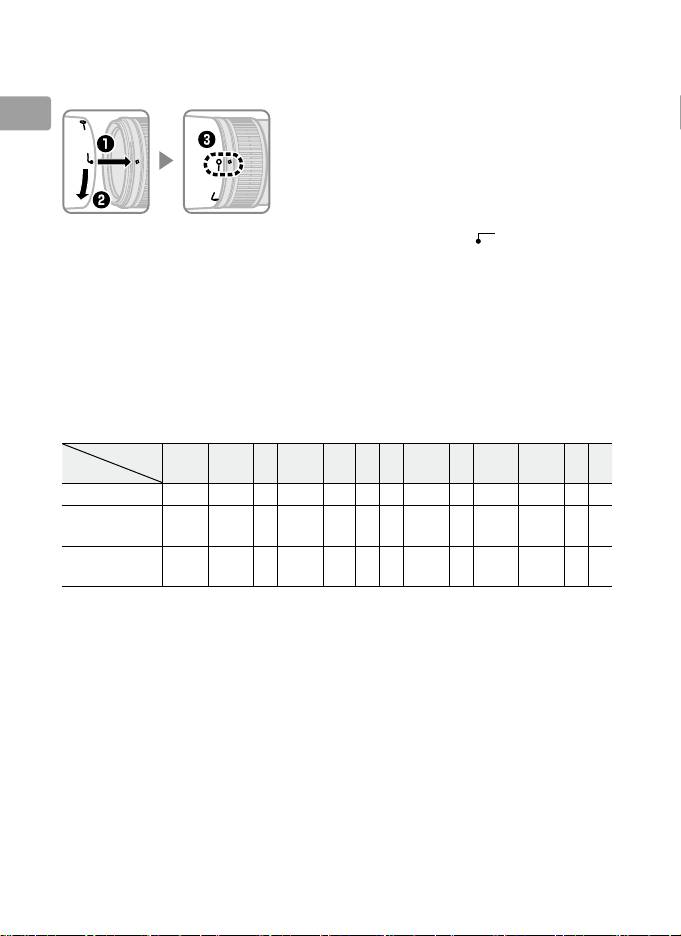
Align the lens hood lock mark (—) with the
lens hood mounting mark (●) on the lens (e).
When attaching or removing the hood, hold it near the symbol on its
base and avoid gripping it too tightly.
Vignetting may occur if the hood is
not correctly attached.
The hood can be reversed and mounted on the lens when not in use.
When the hood is reversed, it can be attached and removed by rotating it
while holding it near the lock mark (—).
■
Focusing Screens
The following cameras support a variety of focusing screens for use in
different situations.
Screen
EC‑B
Camera A B C E
EC‑E G1 G2 G3 G4 J L M U
F6
—
— — — — —
F5+DP-30
(+0.5)
F5+DA-30
(+1.0)
(+0.5)
(+0.5)
(–1.0)
(+0.5)
(+1.0)
: Recommended.
: Vignetting visible in viewfinder (photographs are not affected).
—: Not compatible with camera.
( ): Figures in parentheses give the exposure compensation for center-
weighted metering.
Select “Other screen” for Custom Setting b6
(“Screen comp.”) when adjusting exposure compensation for the F6;
note that with screens other than B or E, “Other screen” must be
selected even when the value for exposure compensation is 0.
Exposure compensation for the F5 can be adjusted using Custom
Setting 18; see the camera manual for details.
Empty cell: Not suited to use with this lens.
Note that type M screens can
however be used for photomicrography and macro photography at
magnifications of 1 : 1 or higher.
Note: The F5 supports matrix metering with A, B, E, EC-B/EC-E, J, and L
18
focusing screens only.
En_03
