
Yamaha CDX-497: Repeat A-B
Repeat A-B: Yamaha CDX-497
Table of contents
- CAUTION: Read this before operating your unit.
- CONTENTS
- SUPPORTED DISC TYPES FEATURES
- UNPACKING NOTES ABOUT THE REMOTE CONTROL
- CONNECTIONS
- IDENTIFICATION OF COMPONENTS Front panel Display
- Remote control
- BASIC OPERATION
- To pause playback To turn off the power To play back the desired track To stop playback To search an folder/file on an MP3 or WMA disc (CDX-497 only)
- To advance or reverse playback rapidly (Manual search) To skip to the beginning of the desired track (Skip search)
- Changing display
- Adjusting the output level (CDX-497 only) Changing brightness of the display Automatic spacing
- RANDOM-SEQUENCE PLAY REPEAT PLAY Repeat a selected item
- Repeat A-B
- PROGRAM PLAY
- INDEX SEARCH
- TRACK PROGRAMMING FOR RECORDING TO TAPE Automatic tape-programming (for Audio CD)
- Notes
- Manual tape-programming (for Audio CD)
- Random sequential tape-programming (for Audio CD)
- Automatic searching for the peak level on a disc (for Audio CD)
- CD SYNCHRONIZED RECORDING
- Notes about handling compact discs Discs playable with this unit NOTES ABOUT DISCS
- TROUBLESHOOTING
- SPECIFICATIONS
English
13
En
Repeat A-B
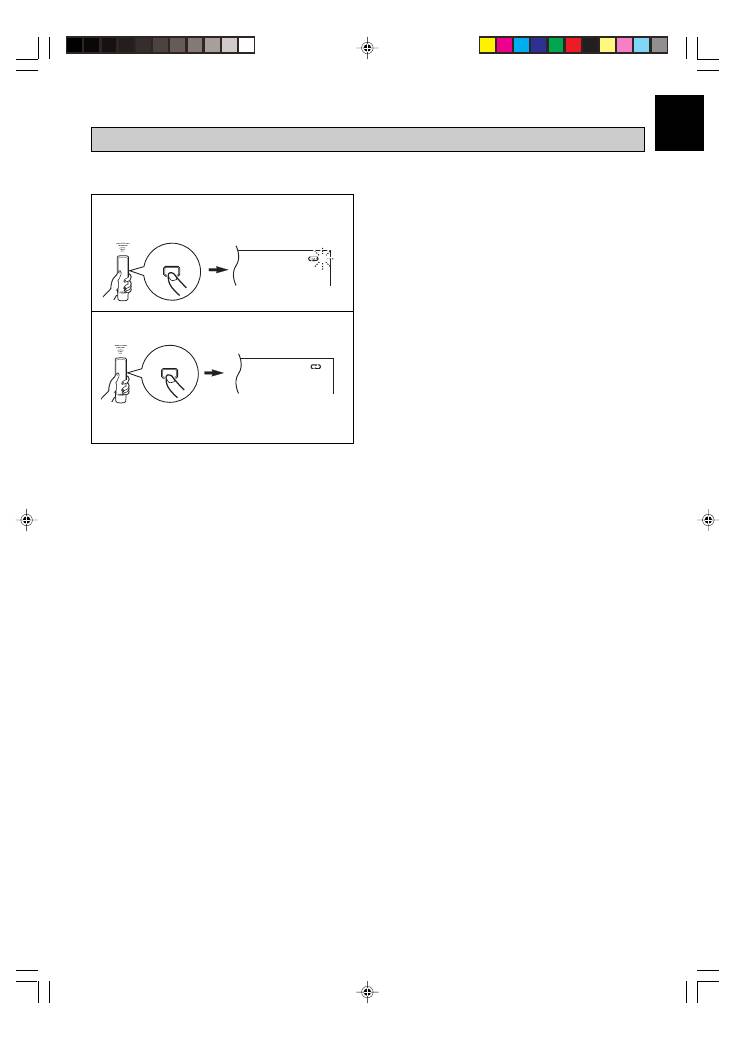
You can repeat the specified section of the disc by setting two points (start and end point).
1
Press
A-B
to select the start point of repeat play.
2
Press
A-B
to select the end point of repeat play.
The selected section is played back repeatedly.
“A
”
” lights up
and “B” blinks.
“A
”
B” lights up.
A–B
A–B
To cancel the repeat A-B
Press
A-B
repeatedly until “A
”
”
”
”
”
B” disappears from the
display.
A
B
A
B
01_En_02_BOD_CDX-397_497_G.pm
4/27/06, 3:06 PM
13
Top 10 manuals
100.00
NZXT HALE90 1000W99.99
Samsung SM-R38099.97
AEG BSB 18C99.97
Dell 2700W99.97
Smeg KSEC70X99.96
Beurer HDE 4099.96
Pyramida KH 50 v.299.96
MSI CSM-H81M-P3299.96
AEG HR 562799.95
Melissa 640-048