
Yamaha CDX-497: RANDOM-SEQUENCE PLAY REPEAT PLAY Repeat a selected item
RANDOM-SEQUENCE PLAY REPEAT PLAY Repeat a selected item: Yamaha CDX-497
Table of contents
- CAUTION: Read this before operating your unit.
- CONTENTS
- SUPPORTED DISC TYPES FEATURES
- UNPACKING NOTES ABOUT THE REMOTE CONTROL
- CONNECTIONS
- IDENTIFICATION OF COMPONENTS Front panel Display
- Remote control
- BASIC OPERATION
- To pause playback To turn off the power To play back the desired track To stop playback To search an folder/file on an MP3 or WMA disc (CDX-497 only)
- To advance or reverse playback rapidly (Manual search) To skip to the beginning of the desired track (Skip search)
- Changing display
- Adjusting the output level (CDX-497 only) Changing brightness of the display Automatic spacing
- RANDOM-SEQUENCE PLAY REPEAT PLAY Repeat a selected item
- Repeat A-B
- PROGRAM PLAY
- INDEX SEARCH
- TRACK PROGRAMMING FOR RECORDING TO TAPE Automatic tape-programming (for Audio CD)
- Notes
- Manual tape-programming (for Audio CD)
- Random sequential tape-programming (for Audio CD)
- Automatic searching for the peak level on a disc (for Audio CD)
- CD SYNCHRONIZED RECORDING
- Notes about handling compact discs Discs playable with this unit NOTES ABOUT DISCS
- TROUBLESHOOTING
- SPECIFICATIONS
12
En
Note
If the power is switched off during random-sequence play,
pressing
POWER
again to turn on the unit automatically restores
random-sequence play.
ALL
”
(Single repeat)
A single track is played back repeatedly.
*
This also works for program play and random-sequence play.
(If repeat play is switched off, program play or random-
sequence play is resumed.)
”
(Folder repeat)
MP3,WMA
(CDX-497 only)
*
The all files in the selected folder are played back repeatedly.
ALL
”
(Full repeat)
All tracks (the entire disc) are played back repeatedly.
*
During program play, all programmed tracks are played back
repeatedly.
*
If the power is switched off during full repeat play, pressing
POWER
again to turn on the unit automatically restores full
repeat.
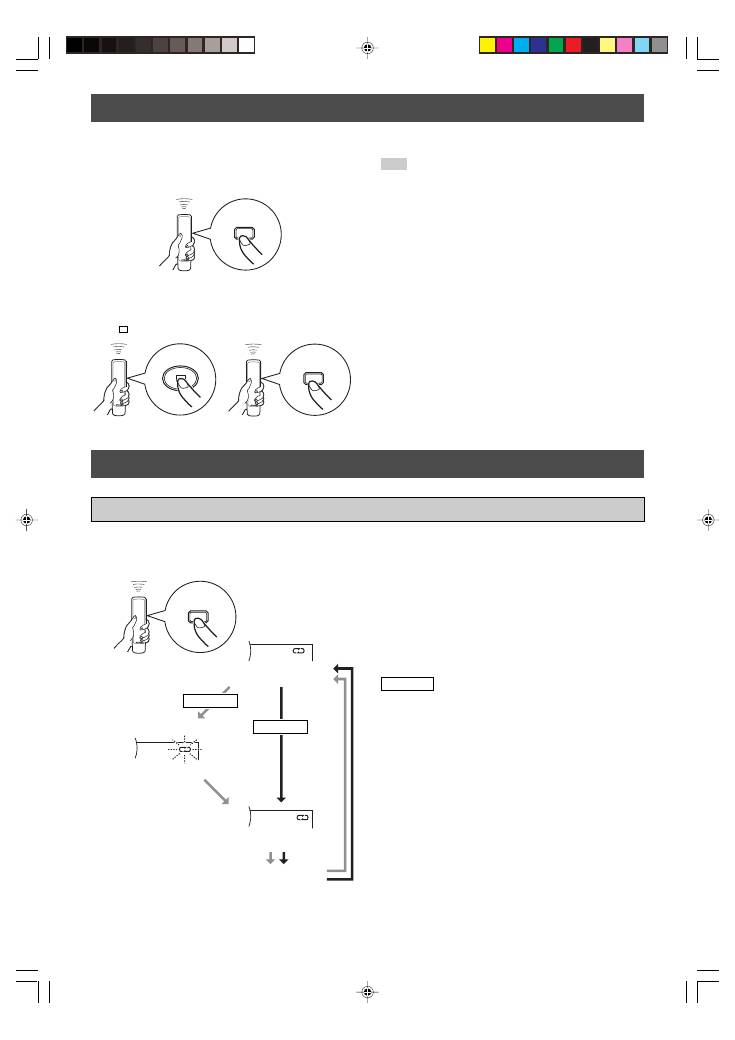
You can play back the tracks on a disc in a random sequence.
RANDOM-SEQUENCE PLAY
To perform random-sequence play
Press
RANDOM.
To cancel random-sequence play
Press
or
RANDOM.
You can play back any desired track, album or the entire disc repeatedly by pressing
REPEAT
. The repeat playback mode
changes whenever you press
REPEAT
.
REPEAT PLAY
or
RANDOM
RANDOM
REPEAT
(Single repeat)
(Full repeat)
(off)
Repeat a selected item
Blinks.
MP3, WMA
Audio CD
(Folder repeat)
01_En_02_BOD_CDX-397_497_G.pm
4/27/06, 3:06 PM
12
