
Yamaha AX-397: Adjust the tonal quality by using the BASS, TREBLE, BALANCE and LOUDNESS controls or the CD/DVD DIRECT AMP switch on the front panel.
Adjust the tonal quality by using the BASS, TREBLE, BALANCE and LOUDNESS controls or the CD/DVD DIRECT AMP switch on the front panel.: Yamaha AX-397
Table of contents
- CAUTION: READ THIS BEFORE OPERATING YOUR UNIT.
- FEATURES SUPPLIED ACCESSORIES
- CONTROLS AND FUNCTIONS
- CONTROLS AND FUNCTIONS Remote control sensor Opening and closing the front panel door
- Remote control
- Installing batteries in the remote control Using the remote control
- Rear panel
- Connecting speakers and other components
- Remove approximately 10 mm (3/8 in) of insulation from the end of each speaker cable and twist the exposed wires of the cable together to prevent short circuits. Connecting the banana plug (With the exception of Asia, Korea, U.K. and Europe models)
- Connecting the power supply cord
- Play the source. Playing a source
- Adjust the tonal quality by using the BASS, TREBLE, BALANCE and LOUDNESS controls or the CD/DVD DIRECT AMP switch on the front panel.
- Adjusting the BALANCE control Using the CD/DVD DIRECT AMP switch Using the PURE DIRECT switch Adjusting the BASS and TREBLE controls Adjusting the LOUDNESS control Adjusting the tonal quality
- AX-497 Recording a source to a tape or an MD
- AX-397
- General TROUBLESHOOTING Problem
- Remote control Problem
- SPECIFICATIONS
12
PLAYING AND RECORDING
7
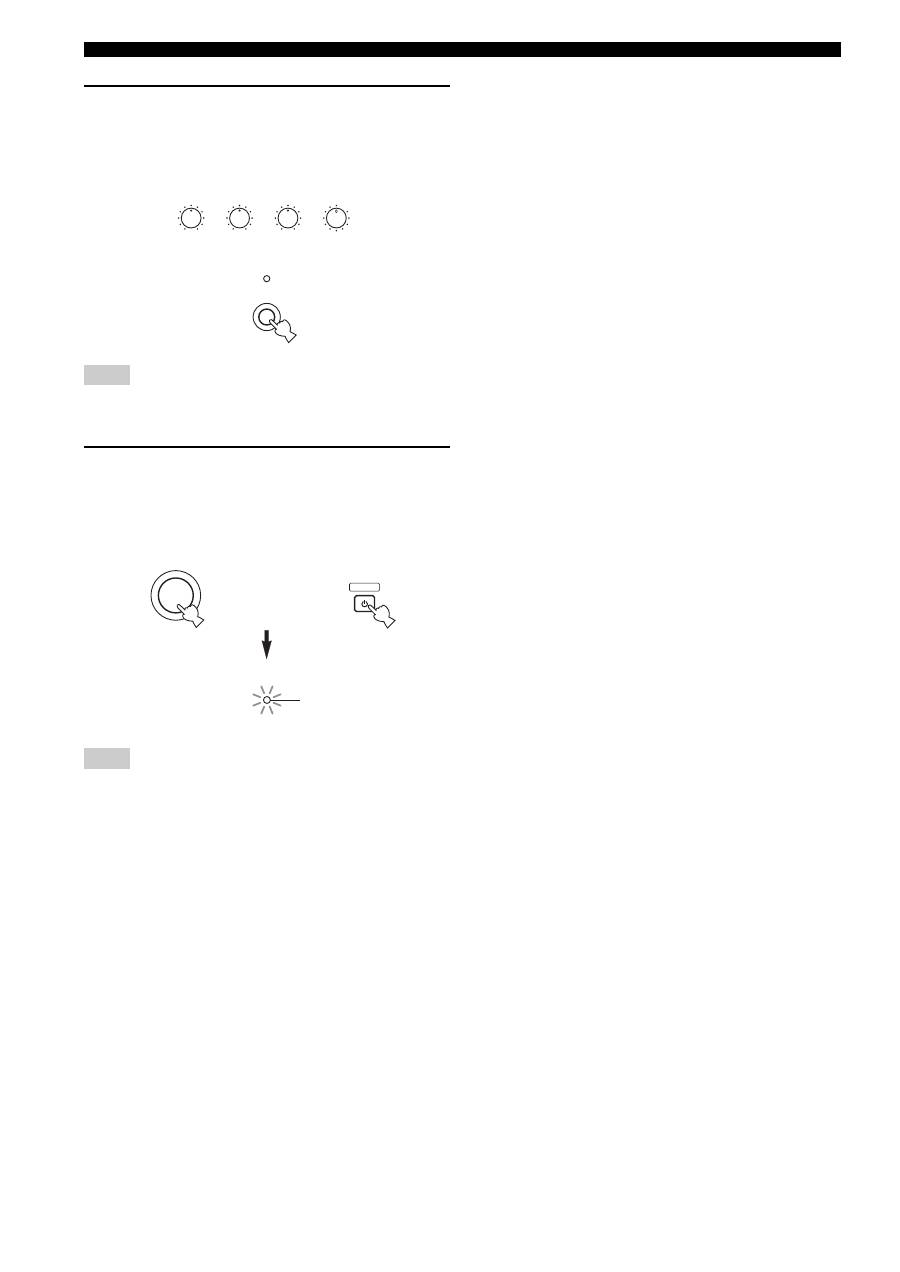
Adjust the tonal quality by using the BASS,
TREBLE, BALANCE and LOUDNESS controls
or the CD/DVD DIRECT AMP switch on the
front panel.
As for AX-497 only, you can also adjust the tonal quality by
using PURE DIRECT on the front panel.
8
Press STANDBY/ON on the front panel again
(or STANDBY on the remote control) to finish
using this unit and set it to the standby
mode.
The STANDBY indicator lights up.
To completely cut off power supply from the AC wall outlet,
press POWER on the front panel to release it outward to the OFF
position.
Note
Note
BASS
5
1
4
2
3
5
1
4
2
3
+
–
TREBLE
5
1
4
2
3
5
1
4
2
3
+
–
BALANCE
5
1
4
2
3
5
1
4
2
3
R
L
LOUDNESS
7
–30dB
FLAT
10
9
5
6
1
4
2
3
8
CD/DVD DIRECT AMP
or
STANDBY
/ON
STANDBY
STANDBY
Remote control
Front panel
or
Lights up
Top 10 manuals
100.00
NZXT HALE90 1000W99.99
Samsung SM-R38099.97
AEG BSB 18C99.97
Dell 2700W99.97
Smeg KSEC70X99.96
Beurer HDE 4099.96
Pyramida KH 50 v.299.96
MSI CSM-H81M-P3299.96
AEG HR 562799.95
Melissa 640-048