
Nikon 55-300: ■ Attaching and Removing the Lens ■ The Lens Hood
■ Attaching and Removing the Lens ■ The Lens Hood: Nikon 55-300
Table of contents
Jp
■ Attaching and Removing the Lens
En
Attaching the Lens
z
Turn the camera off and remove the camera body cap.
De
x
Remove the lens cap.
Fr
c
Attach the lens.
Keeping the lens mounting mark aligned with the
Es
mounting mark on the camera body, position the lens in
Sv
the camera’s bayonet mount and then rotate the lens
counter-clockwise until it clicks into place with the lens
Ru
mounting mark at the top.
Removing the Lens
Nl
z
Turn the camera off.
It
x
Remove the lens.
To remove the lens, press the lens release button while
Cz
turning the lens clockwise.
Sk
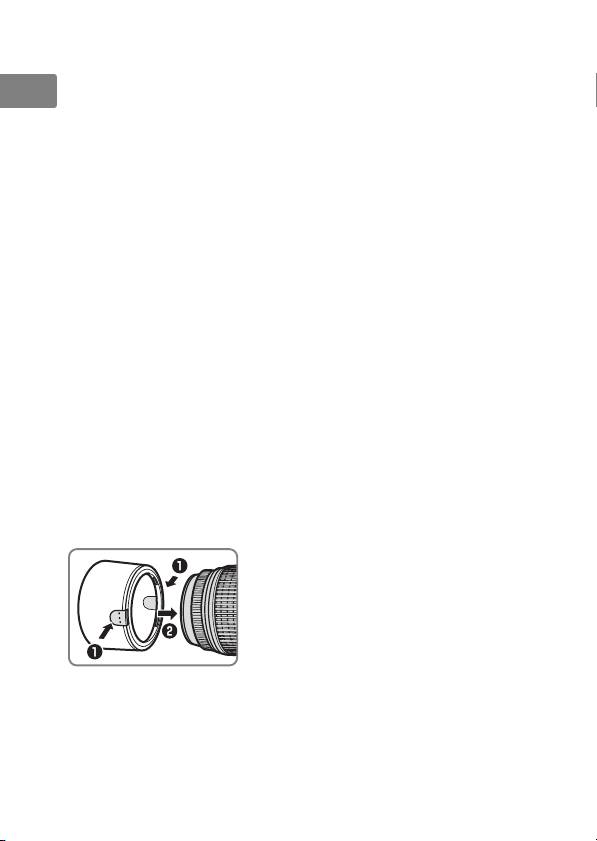
■ The Lens Hood
The lens hood protects the lens and blocks stray light that
Ro
would otherwise cause flare or ghosting.
Ua
Attaching the Hood
The hood can be reversed and
Ck
mounted on the lens when not in
Ch
use.
Kr
14
