
Samsung L310W: When Using the Camera for the First Time
When Using the Camera for the First Time: Samsung L310W
When Using the Camera for the First Time
Charge the rechargeable battery fully before using the camera for the
first time.
When the camera is turned on for the first time, a menu will be
displayed in the LCD monitor to set date, time and language.
This menu will not be displayed again after setting up the date, time
and language. Set up the date, time and language before using this
camera.
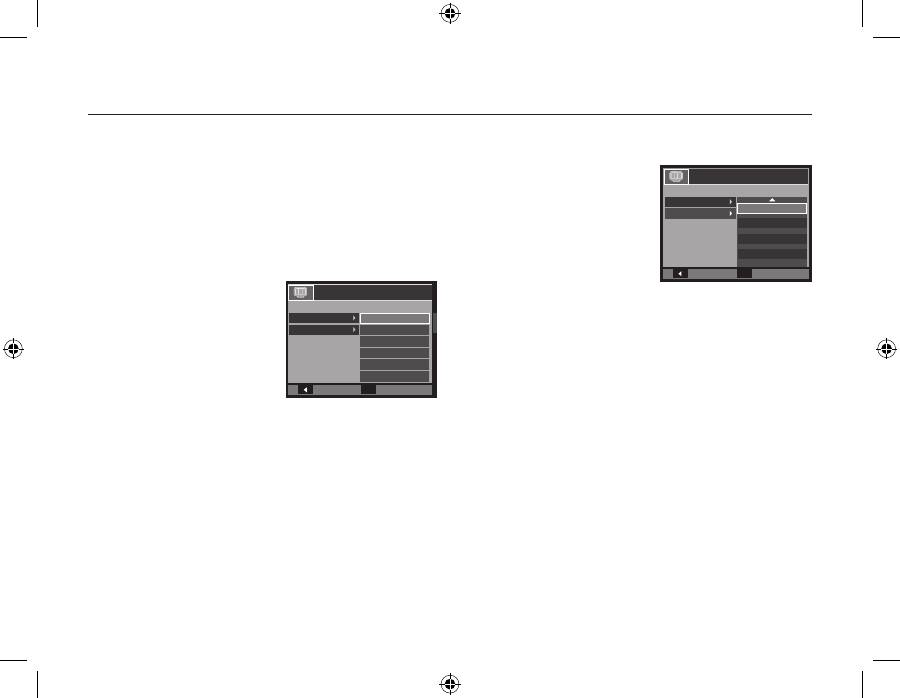
Setting up the language
1.
Select the [Language] menu by
pressing the
Up/Down
button
and press the
Right
button.
2.
Select the desired sub menu by
pressing the
Up/Down
button
and press the
OK
button.
– You can select one of 26
languages. These are listed
below:
English, Korean, French, German, Spanish, Italian, S.Chinese,
T.Chinese, Japanese, Russian, Portuguese, Dutch, Danish,
Swedish, Finnish, Thai, Bahasa (Malay / Indonesian), Arabic,
Czech, Polish, Hungarian, Turkish, Estonian, Lituanian, Latvian
and Persian.
Setting up the date, time and date type
1.
Select the [Date&Time] menu by
pressing the
Up/Down
button
and press the
Right
button.
2.
Select the desired sub menu
by pressing the
Up
/
Down
/
Left
/
Right
button and press the
OK
button.
Right
button:
Selects world time/year/ month/ day/hour/
minute/date type
Left
button:
Moves the cursor to the [Date&Time] main
menu if the cursor is at the first item of the
date and time setup. In all other instances,
the cursor will be shifted to the left of its
current position.
Up/Down
button: Changes the value of each item.
For more information on setting World Time, please refer to the
documentation included with the software CD.
Back
Set
OK
ENGLISH
한국어
FRANÇAIS
DEUTSCH
ESPAÑOL
ITALIANO
DISPLAY
Language
Date&Time
Back
Set
OK
DISPLAY
Language
Date&Time
+ Seoul, Tokyo
08 / 08 / 01
13 : 00
Off
EN-6
Table of contents
- Getting to know your camera
- Getting to know your camera
- Getting to know your camera
- Identification of features / Contents of camera
- Battery life & Number of shot (Recording time)
- When Using the Camera for the First Time
- LCD monitor indicator
- Mode dial
- Taking a picture
- Playingback, Deleting and Protecting Images
- Downloading images
- Specifications
- Die Kamera kennen lernen
- Die Kamera kennen lernen
- Die Kamera kennen lernen
- Identifikation der Funktionen / Lieferumfang der Kamera
- Batteriebetriebsdauer und Anzahl der Aufnahmen (Aufnahmezeit)
- Wenn die Kamera zum ersten Mal benutzt wird
- LCD-Monitoranzeige
- Betriebsarten-Einstellrad
- Fotografieren
- Wiedergabe, Löschen und Schützen von Bildern
- Herunterladen von Bildern
- Technische Daten
- Kameraan tutustuminen
- Kameraan tutustuminen
- Kameraan tutustuminen
- Toimintojen tunnistaminen / kameran sisältö
- Akun kesto ja kuvien määrä (tallennusaika)
- Kameran käyttöönottaminen
- LCD-näytössä näkyvät kuvakkeet
- Tilanvalitsin
- Kuvan ottaminen
- Kuvien toistaminen, poistaminen ja suojaaminen
- Kuvien lataaminen
- Tekniset tiedot
- Att bli bekant med din kamera
- Att bli bekant med din kamera
- Att bli bekant med din kamera
- Identifiering av egenskaper / innehåll hos kamera
- Batteriets livslängd & antalet tagningar (inspelningstid)
- När du använder kameran första gången
- LCD-skärm indikator
- Lägesomkopplare
- Att ta en blid
- Uppspelning, radering och skyddande av bilder
- Nedladdning av bilder
- Specifi kationer
- Lær dit kamera at kende Korrekt bortskaffelse af dette produkt
- Lær dit kamera at kende
- Lær dit kamera at kende
- Kameraets funktioner/Kameraets indhold
- Batterilevetid og antal billeder (optagetid)
- Når du bruger kameraet for første gang
- Indikatorer på LCD-skærmen
- Funktionsknap
- Optagelse af et billede
- Afspilning, sletning og beskyttelse af billeder
- Overførsel af billeder
- Specifikationer
- Знакомство с фотокамерой
- Знакомство с фотокамерой
- Знакомство с фотокамерой
- Рабочие элементы / содержимое упаковки
- Ресурс батарей и доступное количество снимков (время записи)
- Подготовка к первому включению фотокамеры
- Информация, отображаемая на ЖК-дисплее
- Селектор режимов
- Фотосъемка
- Воспроизведение, удаление и защита изображений
- Загрузка изображений
- Технические характеристики
- Iepazīstiet savu kameru
- Iepazīstiet savu kameru
- Iepazīstiet savu kameru
- Funkciju / kameras komplektācijas identifikācija
- Baterijas/akumulatora lādiņš un uzņēmumu skaits (ieraksta laiks)
- Pirmoreiz izmantojot kameru
- LCD monitora indikators
- Režīmu skala
- Attēla uzņemšana
- Attēlu atskaņošana/rādīšana, dzēšana un aizsargāšana
- Attēlu lejupielāde
- Specifi kācijas
- Susipažinimas su fotoaparatu
- Susipažinimas su fotoaparatu
- Susipažinimas su fotoaparatu
- Savybių identifikavimas / fotoaparato turinys
- Akumuliatoriaus veikimo laikas ir nuotraukos numeris (įrašymo laikas)
- Naudojantis fotoaparatu pirmą kartą
- LCD monitoriaus indikatorius
- Režimo rankenėlė
- Fotografavimas
- Vaizdų paleidimas, naikinimas ir apsauga
- Nuotraukų atsisiuntimas
- Techniniai duomenys
- Kaamera tundmaõppimine
- Kaamera tundmaõppimine
- Kaamera tundmaõppimine
- Funktsioonide kirjeldus / fotoaparaadi osad
- Aku eluiga ja piltide arv (salvestusaeg)
- Kaamera esmakordsel kasutamisel
- LCD-ekraani indikaator
- Režiimivaliku ketas
- Pildistamine
- Piltide taasesitamine, kustutamine ja kaitsmine
- Piltide allalaadimine
- Tehnilised andmed
- Memo


