
Yamaha Soavo-3: FEATURES PLACING THE SPEAKERS
FEATURES PLACING THE SPEAKERS: Yamaha Soavo-3
Table of contents
English
FEATURES
• Type: 3-way, 3-speaker bass-reflex floor standing tower speaker for main channels. Aluminum diecast stand
included.
• Woofer: Dual 16 cm A-PMD cone, Midrange: 13 cm A-PMD cone, Tweeter: 3 cm Aluminum dome.
PLACING THE SPEAKERS
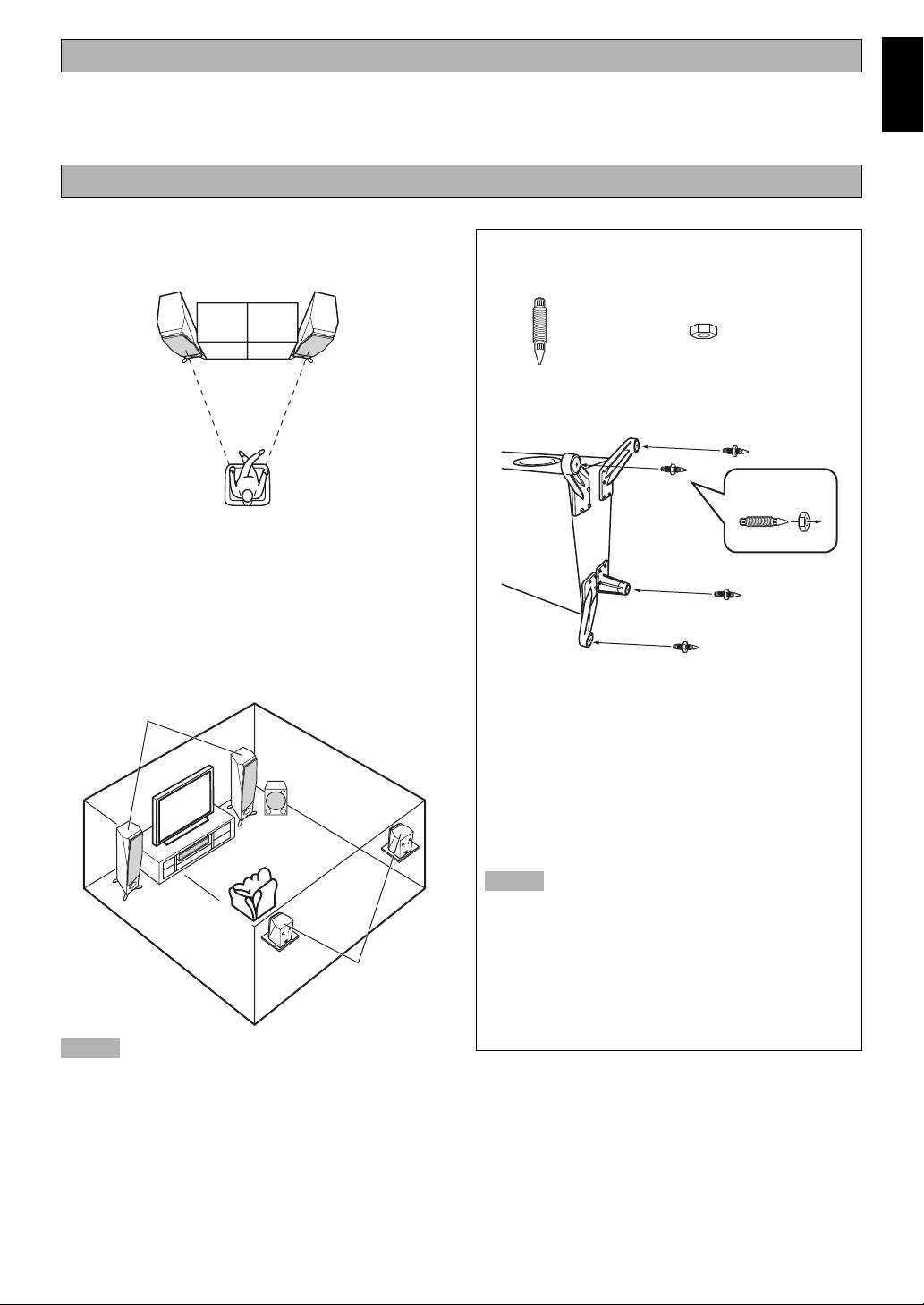
■ Using as 2ch stereo speakers
When setting up this unit on a thick
Better stereo images will be obtained when the speakers are
carpet etc.
slightly angled in towards the listeners.
Spike x 4 Nut x 4
Attach the spikes at the four point on the speaker stand to
increase stability and improve sound quality.
2
■ Using as front speakers in a multi
channel system
3
Position the speakers on both sides of the TV. The positioning
of speakers is important, because it controls the whole sound
quality of a multi channel system. Set up the speakers on the
basis of your listening position by following the owner’s
manual supplied with your amplifier.
How to attach the spike:
1 Lay down this unit on the floor.
Soavo-3
2 Turn the nut and position it near the tip of the spike.
3 Screw the spikes into the hole of the stands.
Subwoofer
4 Place the speaker in the desired location in an upright
position and adjust the length of the spike to match the
depth of the carpet. (repeat step 1, 2 and 3.)
5 When adjustment is finished, turn the nut up to the base
Center
of the stand firmly.
Notes
• The tips of the spikes may scratch or damage the
flooring. Please be careful when positioning the
speakers.
• Do not push or lean against the speaker to prevent
Surround
falling over, which may cause damage to this unit or
personal injury.
• As this unit is heavy, whenever it is moved, two
people are required to transport it safely.
Notes
• Do not remove the stands attached to the bottom of the
speaker as this might cause the serious accidents,
resulting from falling over of the speaker.
• Placing this unit too close to a CRT TV set might impair
picture color or create a buzzing noise. Should this
happen, move the speaker away (more than 20 cm (7-7/
8”)) from the TV set.
When using a PDP or LCD TV, it would not happen.
2 En
