
Yamaha PJP-25UR: ■ Other ■ Functions of the LEDs
■ Other ■ Functions of the LEDs: Yamaha PJP-25UR
Table of contents
- IMPORTANT SAFETY INSTRUCTIONS
- COMPLIANCE INFORMATION STATEMENT FCC INFORMATION (for US customers)
- CAUTION: READ THIS BEFORE OPERATING YOUR UNIT.
- Introduction
- Controls and Functions
- ■ Other ■ Functions of the LEDs
- Connecting this unit Connection Check the following before connecting this unit to the computer
- Specifications General Audio
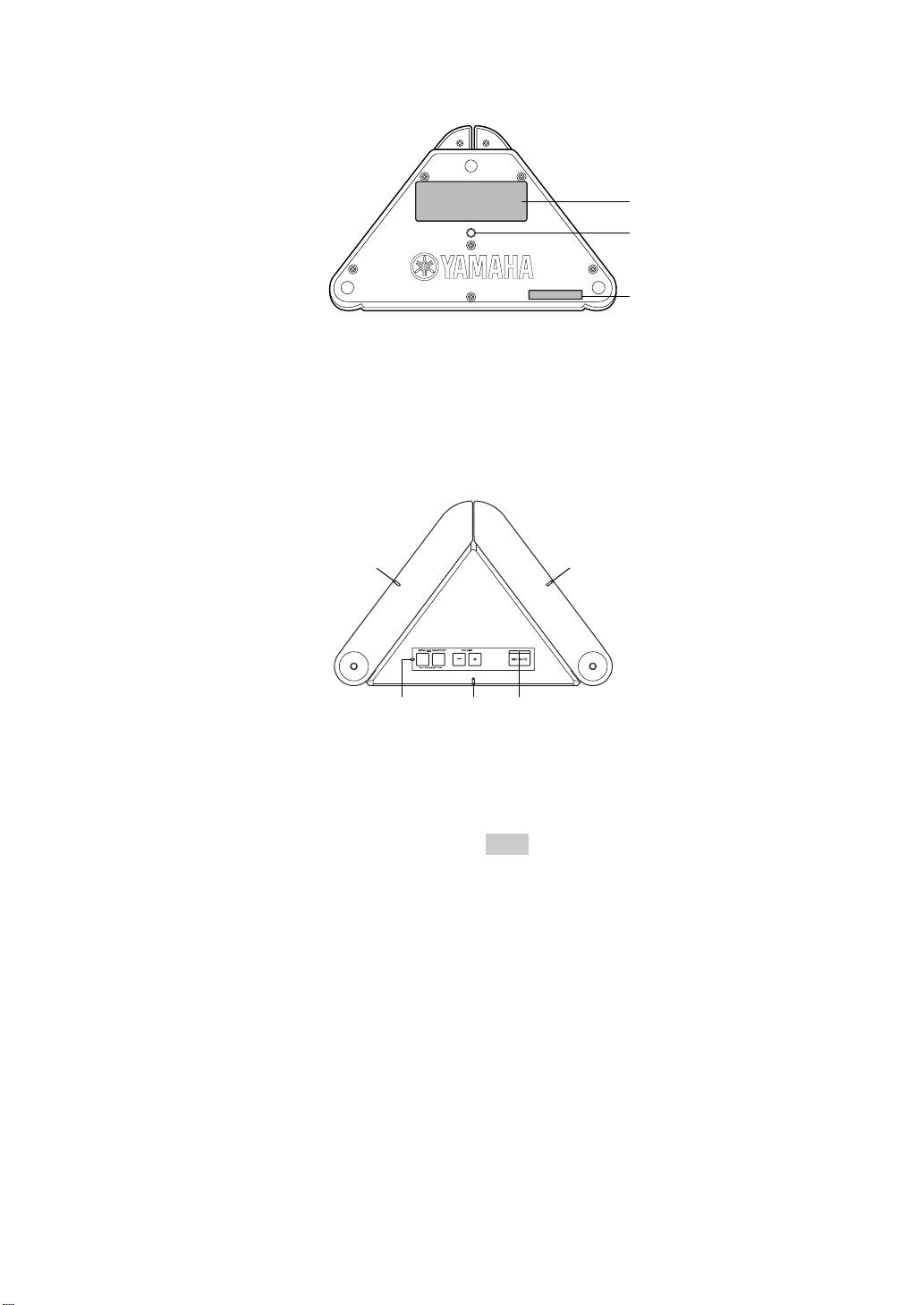
■ Other
1
2
1
1 Label
2 Tripod socket hole
Provides the following information.
Use to connect a commercially available tripod.
• MODEL No.: Model number of this unit
• SER.: Serial number of this unit
■ Functions of the LEDs
1
1
1 23
1 Microphone LEDs
3 Information LED
• Mic&Speaker mode: light in orange
• Function assigned to SHORTCUT is being used:
• Speaker mode: turn off
lights in orange
• Maximum speaker volume: blink in orange five times
• Voltage reduction: blinks in orange
• Changing “Environment” (Conference Room):
blink in orange for three seconds
Note
• Changing “Environment” (Normal): blink in orange
The voltage may decrease if this unit is continuously used at high
for three seconds (middle LED only)
audio levels. In this case, turn down the volume or use the AC
• Reset operation:
blink in orange twice (from left to right)
adapter (sold separately).
2 MIC MUTE LED
• Normal: turns off
• MIC mute: lights in orange
14 English
