
JVC KD-LHX552: ! Adjust the volume.
! Adjust the volume.: JVC KD-LHX552
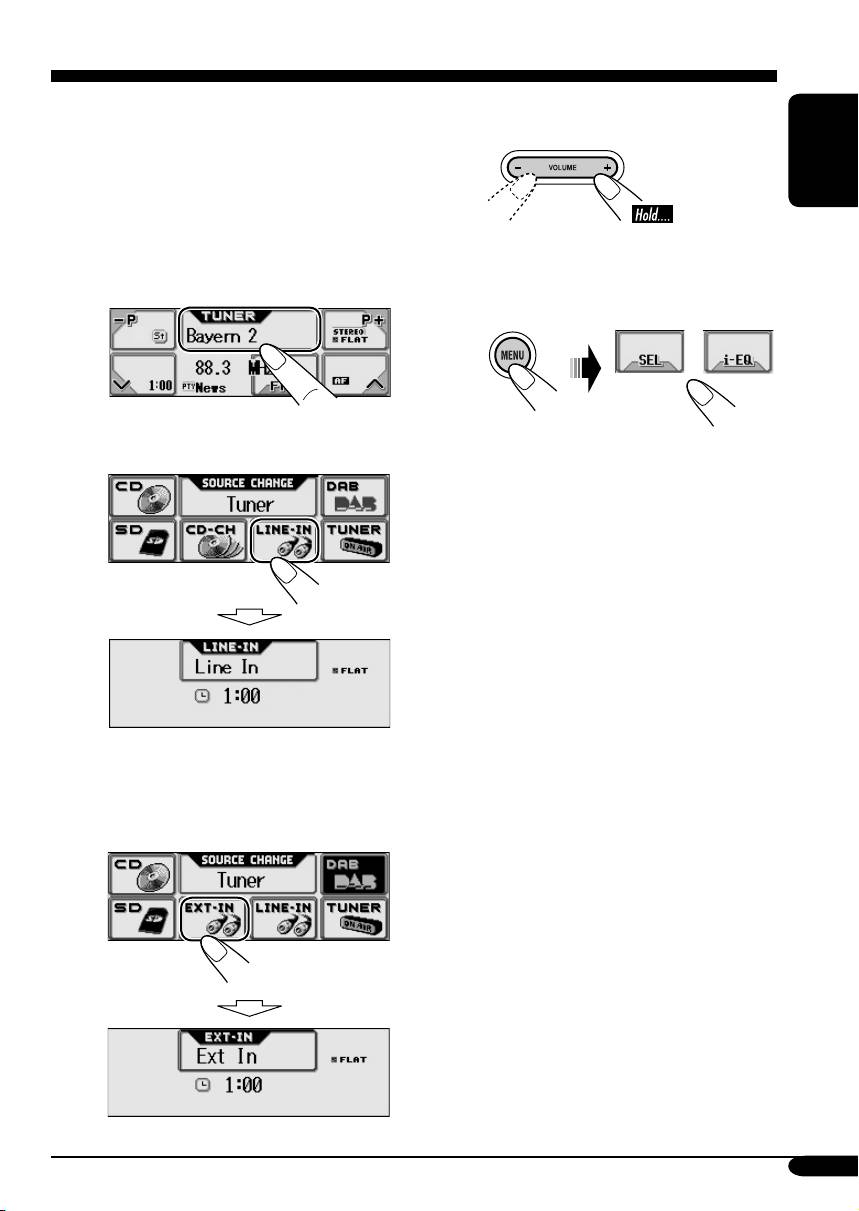
External component operations
You can connect an external component to
the LINE IN plugs on the rear—LINE-IN and
! Adjust the volume.
another to the CD changer jack on the rear
using the Line Input Adapter KS-U57 (not
supplied)—EXT-IN.
ENGLISH
• For connection, see Installation/Connection
Manual (separate volume).
⁄ Adjust the sound as you want.
(See pages 24 and 25.)
~
Ÿ • To select “LINE-IN”
• To select “EXT-IN”
Before operating the external
component, select the external input
correctly (see page 34).
39
EN38-43_LHX552_1[EX_EU]f.indd 39EN38-43_LHX552_1[EX_EU]f.indd 39 12/2/04 10:42:45 AM12/2/04 10:42:45 AM
Table of contents
- KD-LHX552/KD-LHX551
- ~
- ~ Select “TUNER.”
- ~
- ~ Select “CD-CH.”
- ! Attach the control panel.
- ~
- ~ Insert a CD-R, an SD card, or
- ! Adjust the volume.
- ~ Select “DAB.”
- ~
- ~ Wählen Sie „TUNER“.
- ~
- ~ Wählen Sie „CD-CH“.
- ! Anbringen des Bedienfelds.
- ~
- ~ Setzen Sie eine CD-R, SD-Karte
- ! Stellen Sie die Lautstärke ein.
- ~ Wählen Sie „DAB“.
- ~
- ~ Выберите “TUNER”.
- ~
- ~ Выберите “CD-CH”.
- ! Подключите панель управления.
- ~
- ~ Вставьте компакт-диск
- ! Настройка громкости.
- ~ Выберите “DAB”.
Top 10 manuals
100.00
NZXT HALE90 1000W99.99
Samsung SM-R38099.97
AEG BSB 18C99.97
Dell 2700W99.97
Smeg KSEC70X99.96
Beurer HDE 4099.96
Pyramida KH 50 v.299.96
MSI CSM-H81M-P3299.96
AEG HR 562799.95
Melissa 640-048