
Acer AO533: Closedfrontview Leftview
Closedfrontview Leftview: Acer AO533
Table of contents
Series
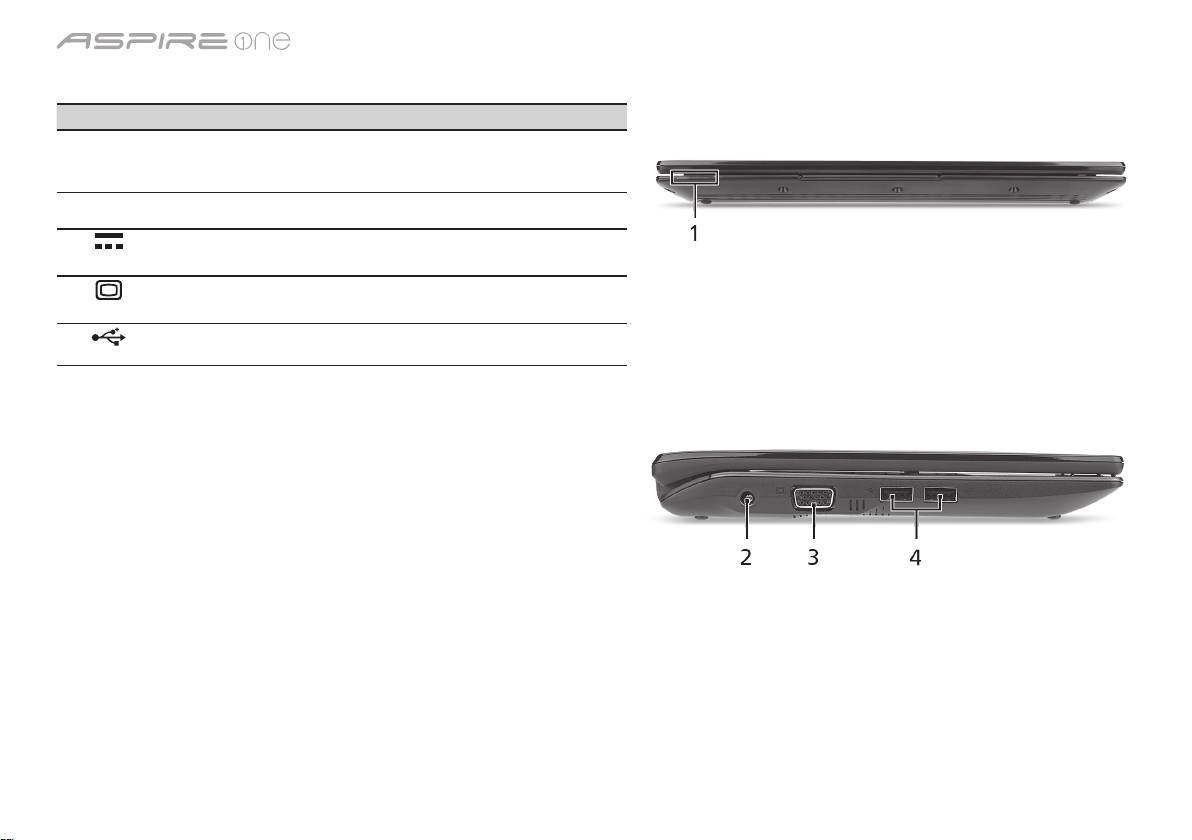
Closedfrontview
# Icon Item Description
1
Status indicators Light-Emitting Diodes (LED) that light up to
show the status of the computer's functions
and components.
Leftview
2
DC-in jack Connects to an AC adapter.
3
External display
Connects to a display device (e.g., external
(VGA) port
monitor, LCD projector).
4
USB 2.0 port Connects to USB 2.0 devices (e.g., USB
mouse, USB camera).
5
Top 10 manuals
100.00
NZXT HALE90 1000W99.99
Samsung SM-R38099.97
AEG BSB 18C99.97
Dell 2700W99.97
Smeg KSEC70X99.96
Beurer HDE 4099.96
Pyramida KH 50 v.299.96
MSI CSM-H81M-P3299.96
AEG HR 562799.95
Melissa 640-048