
JVC KD-G332: Troubleshooting
Troubleshooting: JVC KD-G332
Troubleshooting
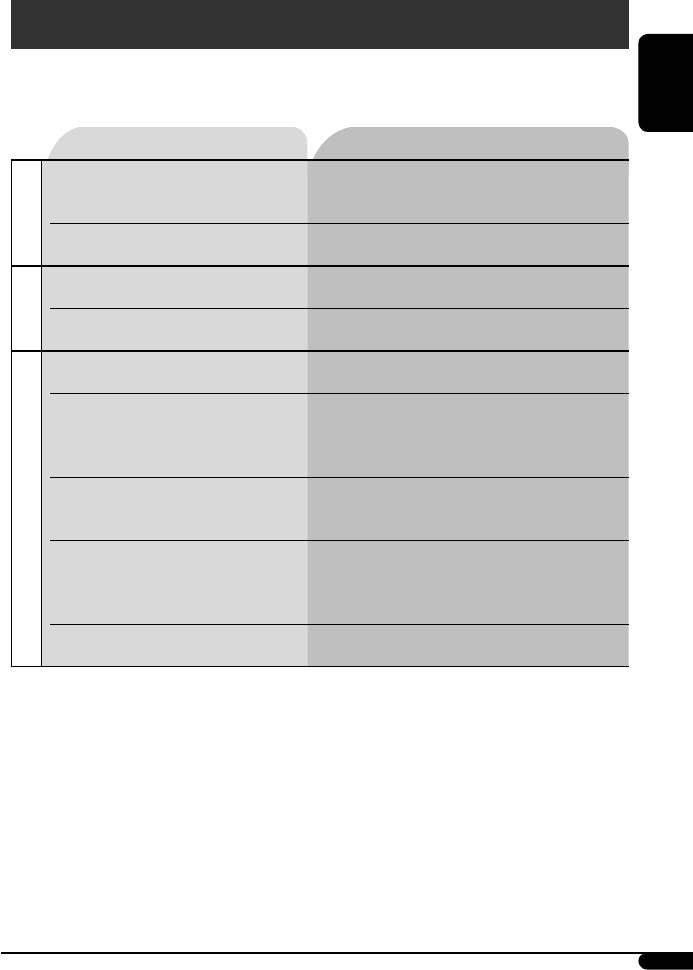
What appears to be trouble is not always serious. Check the following points before calling a service center.
ENGLISH
Symptoms Remedies/Causes
• Sound cannot be heard from the speakers. • Adjust the volume to the optimum level.
• Check the cords and connections.
General
• The unit does not work at all. Reset the unit (see page 2).
• SSM automatic presetting does not work. Store stations manually.
FM/AM
• Static noise while listening to the radio. Connect the aerial firmly.
• Disc cannot be played back. Insert the disc correctly.
• CD-R/CD-RW cannot be played back.
• Insert a finalized CD-R/CD-RW.
• Tracks on the CD-R/CD-RW cannot be skipped.
•
Finalize the CD-R/CD-RW with the component which you
used for recording.
• Disc can be neither played back nor ejected. • Unlock the disc (see page 10).
• Eject the disc forcibly (see page 2).
Disc playback
• Disc sound is sometimes interrupted. • Stop playback while driving on rough roads.
• Change the disc.
• Check the cords and connections.
• “NO DISC” appears on the display. Insert a playable disc into the loading slot.
Continued on the next page
17
EN12-19_KD-G333_003A_2.indd 17EN12-19_KD-G333_003A_2.indd 17 8/15/06 9:19:28 AM8/15/06 9:19:28 AM
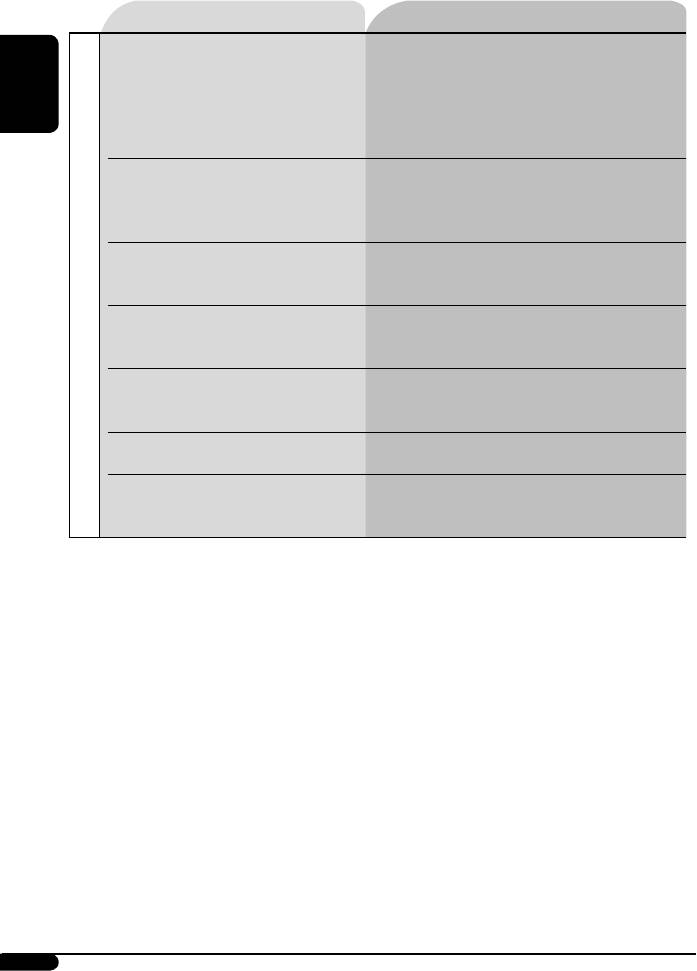
Symptoms Remedies/Causes
• Disc cannot be played back. • Use a disc with MP3/WMA tracks recorded in the format
compliant with ISO 9660 Level 1, Level 2, Romeo, or
Joliet.
ENGLISH
• Add the extension code <.mp3> or <.wma> to the file
names.
• Noise is generated. Skip to another track or change the disc. (Do not add the
extension code <.mp3> or <.wma> to non-MP3 or WMA
tracks.)
• A longer readout time is required (“CHECK”
Do not use too many hierarchies and folders.
keeps flashing on the display).
• Tracks are not played back in the order you
Playback order is determined when the files are recorded.
MP3/WMA playback
have intended.
• Elapsed playing time is not correct. This sometimes occurs during play. This is caused by how
the tracks are recorded on the disc.
• “PLEASE EJECT” appears on the display. Insert a disc that contains MP3/WMA tracks.
• Correct characters are not displayed (e.g.
This unit can only display alphabets (upper case),
album name).
numbers, and a limited number of symbols.
• Microsoft and Windows Media are either registered trademarks or trademarks of Microsoft Corporation in the
United States and/or other countries.
18
EN12-19_KD-G333_003A_f.indd 18EN12-19_KD-G333_003A_f.indd 18 9/18/06 11:14:09 AM9/18/06 11:14:09 AM
Table of contents
- CONTENTS
- Control panel — KD-G333/KD-G332/KD-G331
- Getting started
- Radio operations
- ~ The last selected PTY code
- Ÿ
- Sound adjustments
- General settings — PSM
- Maintenance
- More about this unit
- Troubleshooting
- Specifications
- INHALT
- Bedienfeld — KD-G333/KD-G332/KD-G331
- Erste Schritte
- Bedienung des Tuners
- ~ Der zuletzt gewählte
- Ÿ
- Klangeinstellungen
- Allgemeine Einstellungen — PSM
- Wartung
- Weitere Informationen zu
- Störungssuche
- Technische Daten
- CОДЕРЖАНИЕ
- Панель управления — KD-G333/KD-G332/KD-G331
- Начало работы
- Операции с
- ~
- Ÿ
- Настройки звучания
- Общие настройки — PSM
- Обслуживание
- Дополнительная
- Устранение проблем
- Технические характеристики


