
Yamaha NS-P150: Installing the speakers Installing the center speaker
Installing the speakers Installing the center speaker: Yamaha NS-P150
Table of contents
- Precautions
- Package contents
- Installing the speakers Installing the center speaker
- Wall-mounting the speakers
- Connecting the speakers Connection diagram
- ■ Operating the speaker terminals Specifications
Installing the speakers
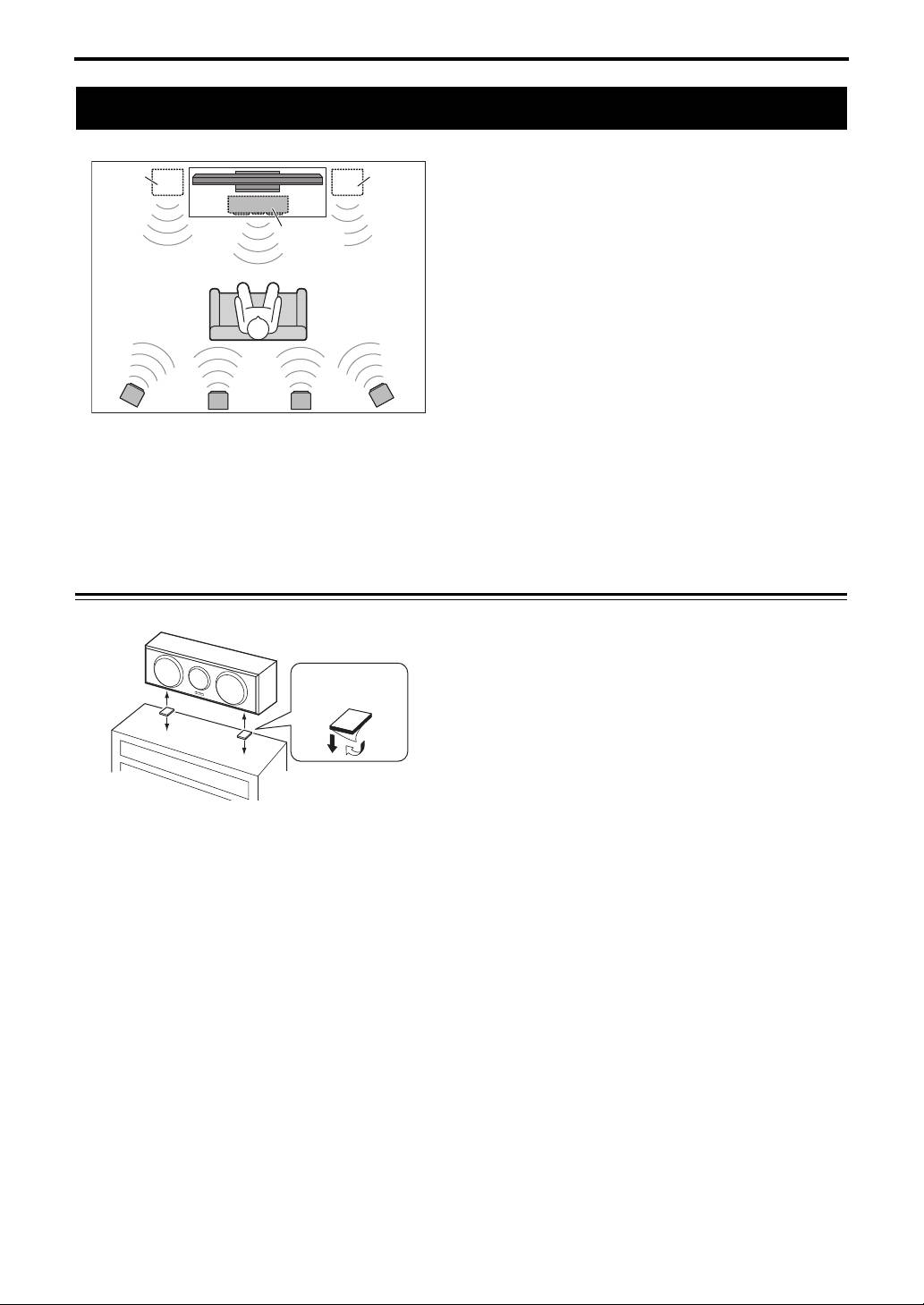
Installing the speakers
Before you connect the speakers, place each speaker in
its respective location. Speaker positioning is very
important as it affects the overall sound quality of the
system. Place the speakers in locations that will
optimize the sound quality at your listening position.
Refer to the illustration.
Note
• Placing the speakers too close to a CRT-type TV may
impair the picture color or cause a buzzing noise. In
this case, move the speakers at least 20 cm (8") away
from the TV. This is not an issue with LCD and plasma
TVs.
•
*
Place the two front speakers (commercially available) on the left and right sides of the TV, facing directly forward.
** Place the left and right surround speakers behind your listening position, facing slightly inward.
Installing the center speaker
Place the center speaker centrally between the front
speakers, facing directly forward.
When placing it on a flat surface (TV rack, etc), affix
the supplied fasteners to bottom of the speaker.
Refer to the illustration.
When wall-mounting it, see “Wall-mounting the
speakers” (page 3).
Note
• Wipe the surface clean before affixing the fasteners. If
the surface is dirty, oily or wet, adhesive strength is
weakened and the speaker may fall.
2 En
* Front
* Front
left
right
Center
NS-C150
** Surround left
Surround back
** Surround right
NS-B150
NS-B150
NS-B150
(NS-PA150 only)
Fastener
Peel off the seal.
TV rack, etc.


