
Gorenje SMO-20 DGW: 7. Auto defrost 8. Auto cooking 9. Child lock 10. Preset function
7. Auto defrost 8. Auto cooking 9. Child lock 10. Preset function: Gorenje SMO-20 DGW
Table of contents
- OWNERS INSTRUCTION MANUAL GB SPECIFICATIONS Installation Before you call for service Radio interference
- IMPORTANT Important safety instructions Safety instructions for general use
- IMPORTANT-COOKWARE NOT TO USE IN YOUR MICROWAVE OVEN
- Computer control panel Feature diagram
- Operation Instruction 1. Setting digital clock 2. Microwave cooking 3. Quick start 4. Grill 5. Combination 1 6. Combination 2
- 7. Auto defrost 8. Auto cooking 9. Child lock 10. Preset function
- Care of your microwave oven Guarantee & service Environment
38
7. Auto defrost
The oven allows defrosting food based on the
weight users input. The defrosting power levels
and time are automatically set once weight is
programmed. The weight of food to be defrosted
varies between 100g~1800g.
FOR EXAMPLE: Suppose you want to defrost
600g frozen shrimps
1. Turn the dial to auto defrost .
2. Press + or to indicate the desired weight.
3. Press button.
Note:
During defrosting program, the system will pause
to remind user to turn food over, and then press
to resume the defrosting.
8. Auto cooking
For the following foods or cooking operation, you
do not need to input cooking power and time. Try
to focus on telling the oven what you want to
cook and the food weighs or amounts. The oven
starts to work after you pressing the .
For example:To cook 150g of pizza.
1. In standby mode, turn the dial to AUTO
COOK.
2. +--2.
3. Press to confirm.
4. +-
weight or amount.
5. Press button.
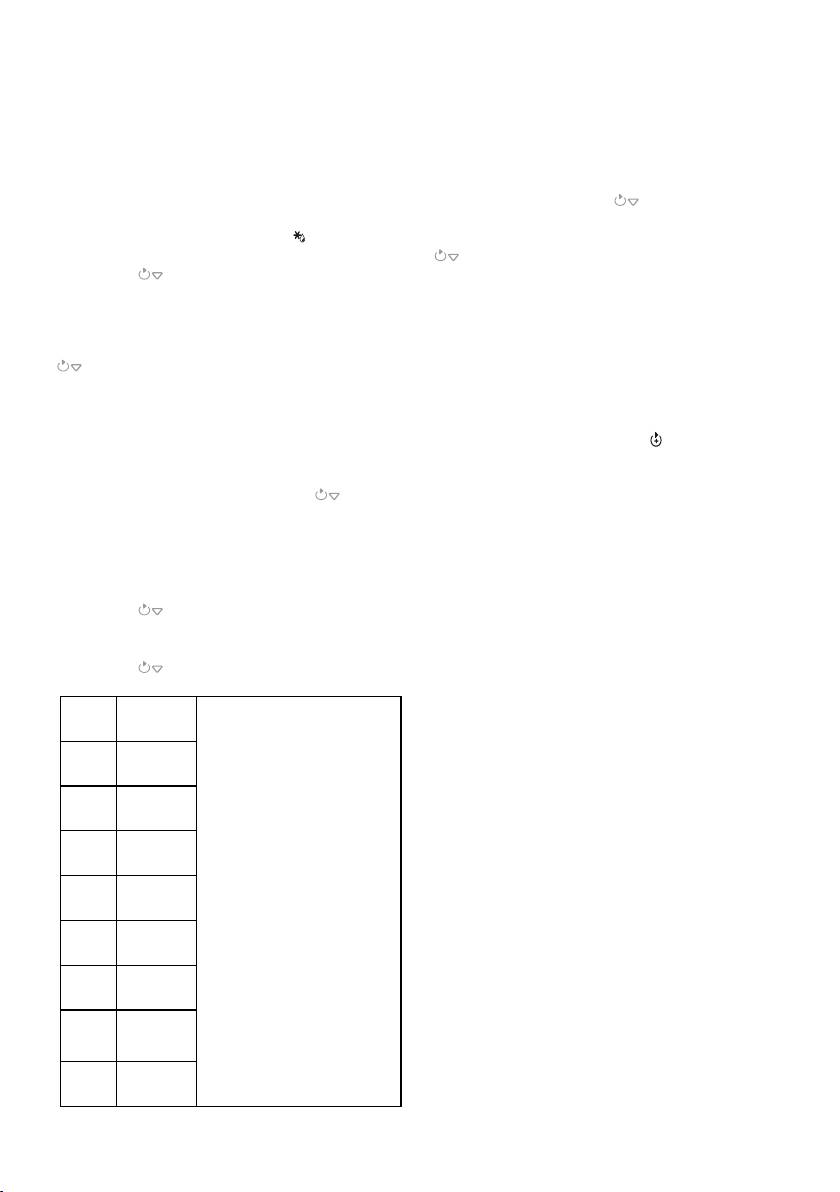
Code
Food
For Beverage and Potatoes, the
screen will show the number of
serving instead of food weight
when pressing +-
For cooking Meat, the oven
pauses during cooking to remind
you turn the food over for uniform
cooking.
The result of auto cooking
depends on factors such as
voltage fluctuation, the shape and
size of food, your personal
preference as to the doneness of
certain foods and even how well
you happen to place food in the
oven. If you find the result at any
rate not quite satisfactory, please
adjust the cooking time a little bit
accordingly.
A1
Beverage
(200ml/cup)
A2
Pizza (g)
A3
Pasta (g)
A4
Potatoes
(230g /
portion)
A5
Reheat (g)
A6
Vegetables
(g)
A7
Pizza
defrost (g)
A8
Meat (g)
9. Child lock
Use to prevent unsupervised operation of the
oven by little children. The CHILD LOCK
indicator will show up on display screen, and the
oven can not be operated while the CHILD
LOCK is set.
To set the CHILD LOCK: In standby mode of the
oven, press and hold the button for 3
seconds, a beep sounds and lock indicator lights.
To cancel the CHILD LOCK: Press and hold the
button for 3 seconds until lock indicator on
display turns off.
10. Preset function
This function allow you to program a cooking
program to start at a later time.
For example: Suppose the present time is 9:00,
and you want the oven to start a 5 minutes gill
cooking program at 10:30.
1. Turn the dial to PRESET .
2. +-
START/STOP/CANCEL to confirm.
3. +-
the START/STOP/CANCEL to confirm
again.
4. Turn the dial to GRILL.
5. +-
cooking time 5:00.
6. Press START/STOP/CANCEL to start.
NOTE:
1. When it is time to 10:30, the desired
cooking program start automatically.
2. In the process of presetting, turn the dial to
PRESET can check the presetting time.
Press START/STOP/CANCEL once or turn
the dial to the right can cancel the PRESET
function.
3. AUTO DEFROST can not be set in the
PRESET program.


