
Acer AOD255: Hotkey Icon Function Description Using the communication key*
Hotkey Icon Function Description Using the communication key*: Acer AOD255
Table of contents
- First things first Your guides
- Your Acer notebook tour Top view # Icon Item Description
- # Icon Item Description Hotkeys Hotkey Icon Function Description
- Hotkey Icon Function Description Using the communication key*
- Closed front view Rear view
- Left view Right view
- Base view Environment
6
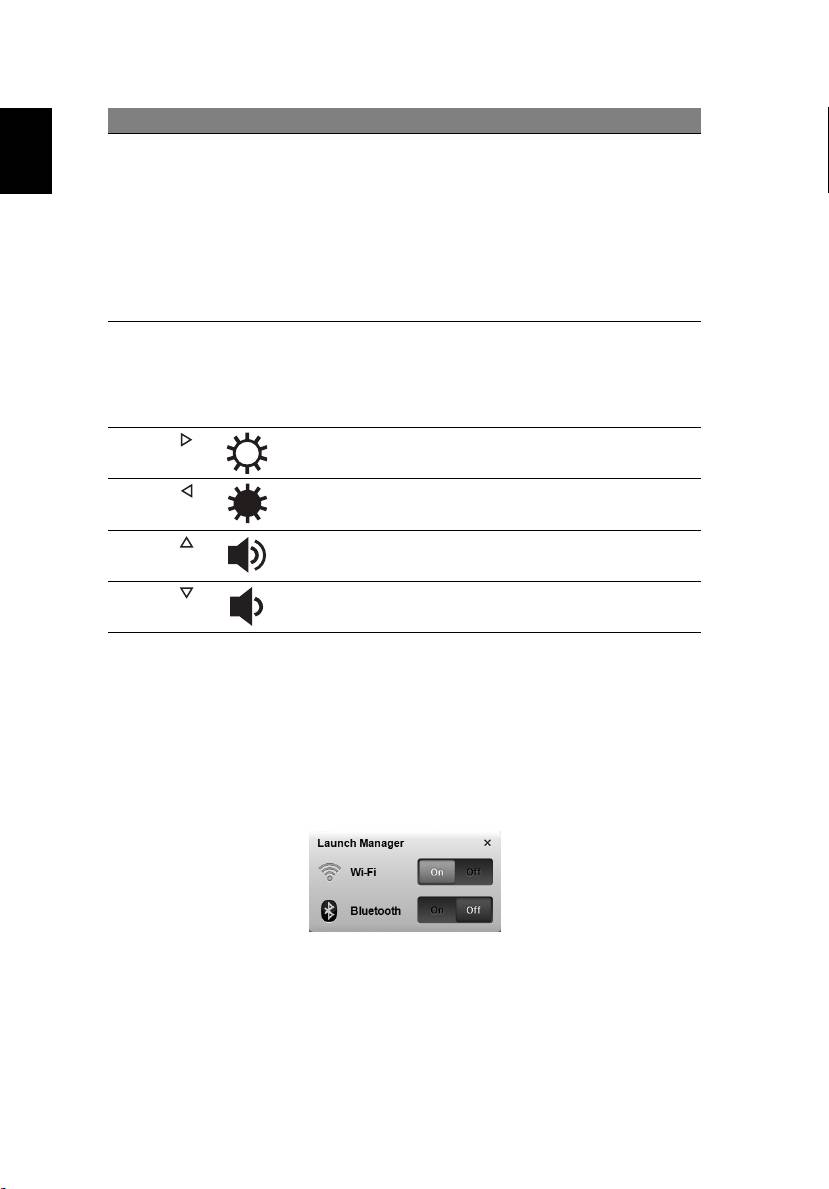
Hotkey Icon Function Description
<Fn> + <F11> Num Lock When Num Lock is on, the embedded
keypad is in numeric mode. The keys
English
function as a calculator (complete
with the arithmetic operators +, -, *,
and /). Use this mode when you need
to do a lot of numeric data entry. A
better solution would be to connect
an external keypad.
<Fn> + <F11> only for certain models.
<Fn> + <F12> Scroll Lock When Scroll Lock is on, the screen
moves one line up or down when you
press the up or down arrow keys
respectively. Scroll Lock does not work
with some applications.
<Fn> + < >
Brightness up Increases the screen brightness.
<Fn> + < >
Brightness
Decreases the screen brightness.
down
<Fn> + < >
Volume up Increases the sound volume (only for
certain models).
<Fn> + < >
Volume down Decreases the sound volume (only for
certain models).
Using the communication key*
Here you can enable and disable the various wireless connectivity devices on
your computer.
Press <Fn> + <F3> to bring up the Launch Manager window panel.
A red toggle indicates the device is off. Click On to enable wireless/Bluetooth
connection. Click Off to disable connection.
* Communication devices may vary by model.
