
Acer AOD255: Closed front view Rear view
Closed front view Rear view: Acer AOD255
Table of contents
7
English
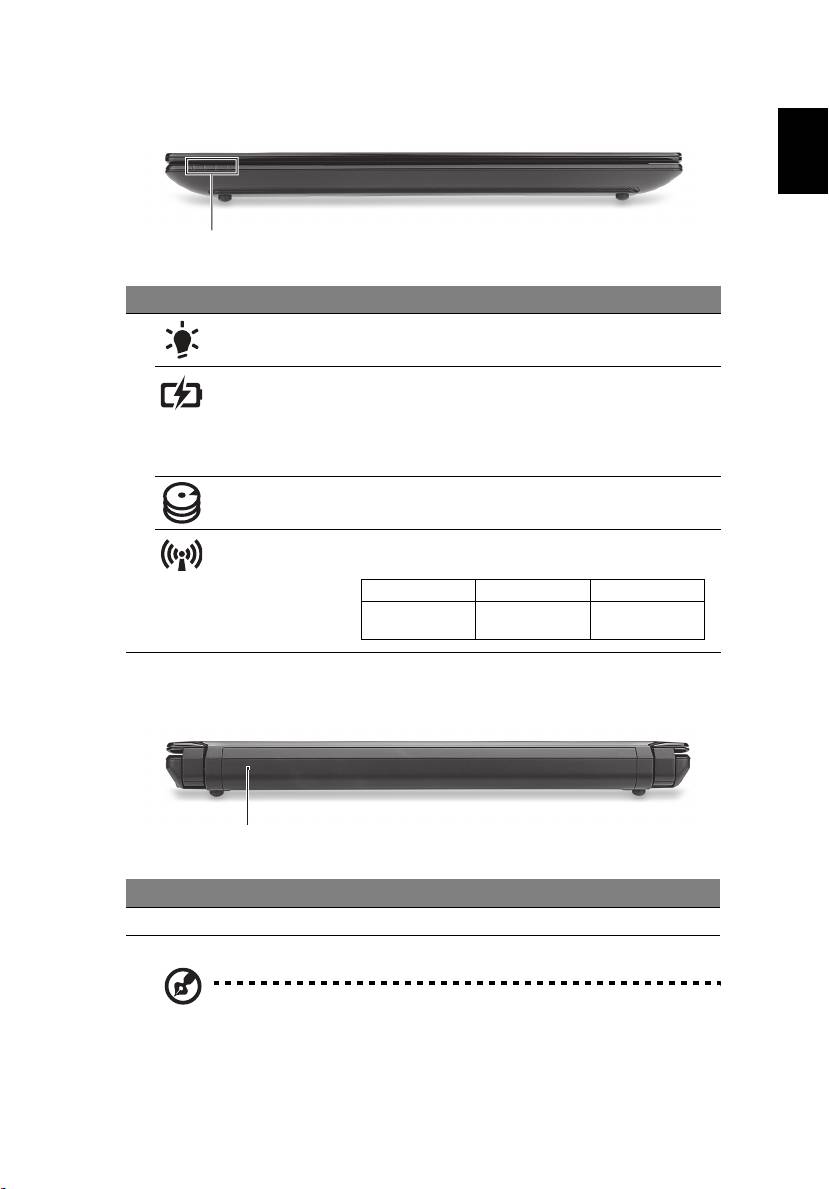
Closed front view
1
# Icon Item Description
1 Power indicator Indicates the computer's power status.
Battery indicator Indicates the computer's battery status.
1. Charging: The light shows amber when the
battery is charging.
2. Fully charged: The light shows blue when in
AC mode.
HDD indicator Indicates when the hard disk drive is active.
Communication
Indicates the status of 3G/Wireless LAN
indicator
communication
Blue light on Orange light on Not lit
3G on / Wi-Fi on
3G off / Wi-Fi on 3G off / Wi-Fi off
3G on / Wi-Fi off
Rear view
1
# Item Description
1 Battery bay Houses the computer’s battery pack.
Note: Your computer may be equipped with a different battery to
the one in the picture.
Top 10 manuals
100.00
NZXT HALE90 1000W99.99
Samsung SM-R38099.97
AEG BSB 18C99.97
Dell 2700W99.97
Smeg KSEC70X99.96
Beurer HDE 4099.96
Pyramida KH 50 v.299.96
MSI CSM-H81M-P3299.96
AEG HR 562799.95
Melissa 640-048