
Olympus µ 760: Take a picture
Take a picture: Olympus µ 760
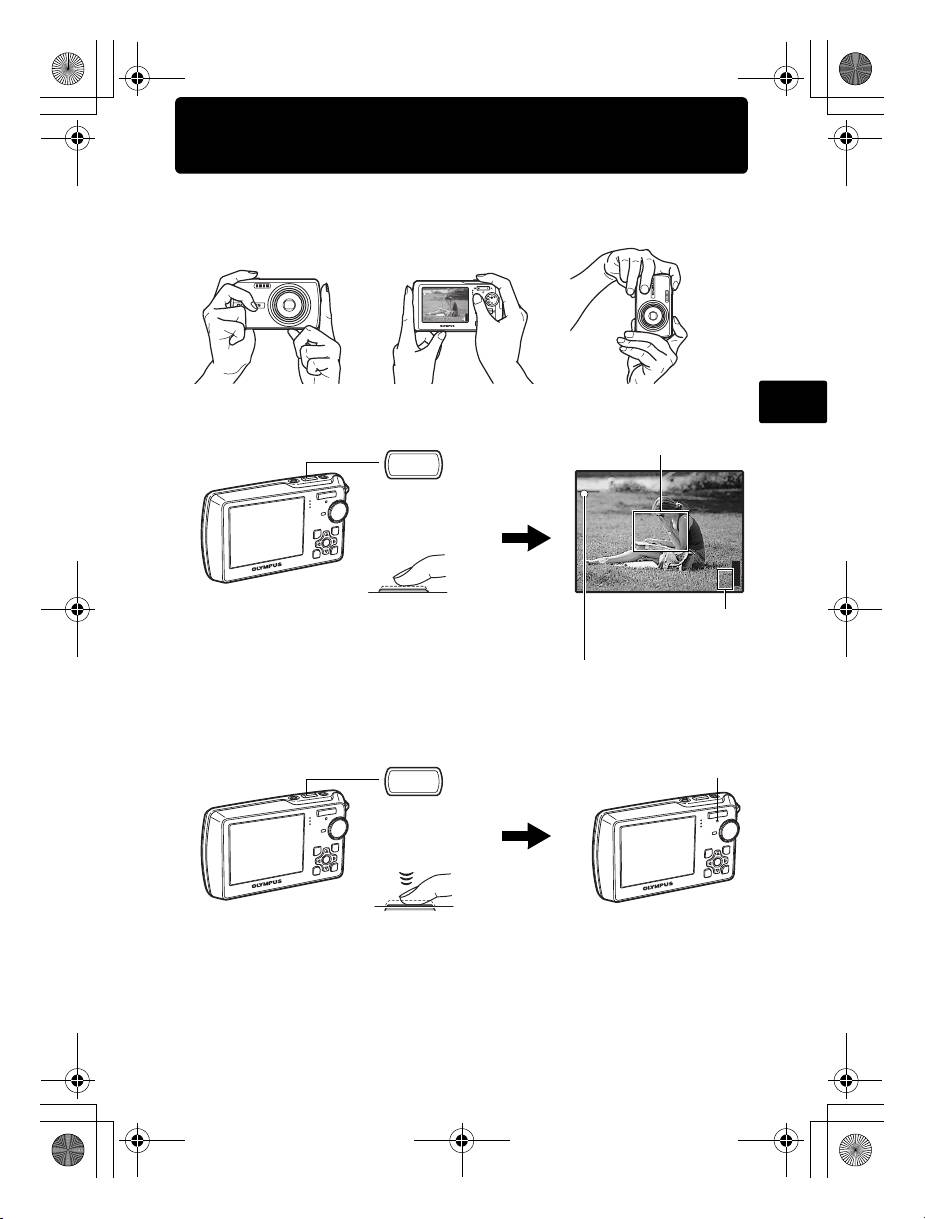
Take a picture
a. Hold the camera
Horizontal grip Vertical grip
En
b. Focus
Place this mark over your
subject.
P
Shutter Button
(Pressed
halfway)
HQ
The number of storable
still pictures is displayed.
The green lamp indicates the focus
and exposure are locked.
c. Shoot
9
HQ
3072
3072
×
2304
2304
[
IN
IN
d4328_basic_e_00.book Page 9 Wednesday, December 13, 2006 10:29 AM
[ ]
]
44
The card access lamp blinks.
Shutter Button
(Pressed
completely)
Table of contents
- Table of Contents
- Gather these items (box contents)
- Prepare the battery
- Turn the camera on
- Set date and time
- Select a language
- Take a picture
- View pictures
- Basic operation
- Menus and settings
- Connecting the camera
- Transfer images
- OLYMPUS Master Software
- Specifications
- Safety precautions
- Содержание
- Выньте из коробки эти предметы
- Подготовьте аккумулятор
- Включите фотокамеру
- Установите дату и время
- Выберите язык
- Съемка
- Просмотр снимков
- Основные операции
- Меню и настройки
- Подсоединение фотокамеры
- Перенос изображений
- Программное обеспечение OLYMPUS Master
- Технические характеристики
- Меры предосторожности
Top 10 manuals
100.00
NZXT HALE90 1000W99.99
Samsung SM-R38099.97
AEG BSB 18C99.97
Dell 2700W99.97
Smeg KSEC70X99.96
Beurer HDE 4099.96
Pyramida KH 50 v.299.96
MSI CSM-H81M-P3299.96
AEG HR 562799.95
Melissa 640-048