
Lacie LaPlug: Accessing LaCie Dashboard
Accessing LaCie Dashboard: Lacie LaPlug
Accessing LaCie Dashboard
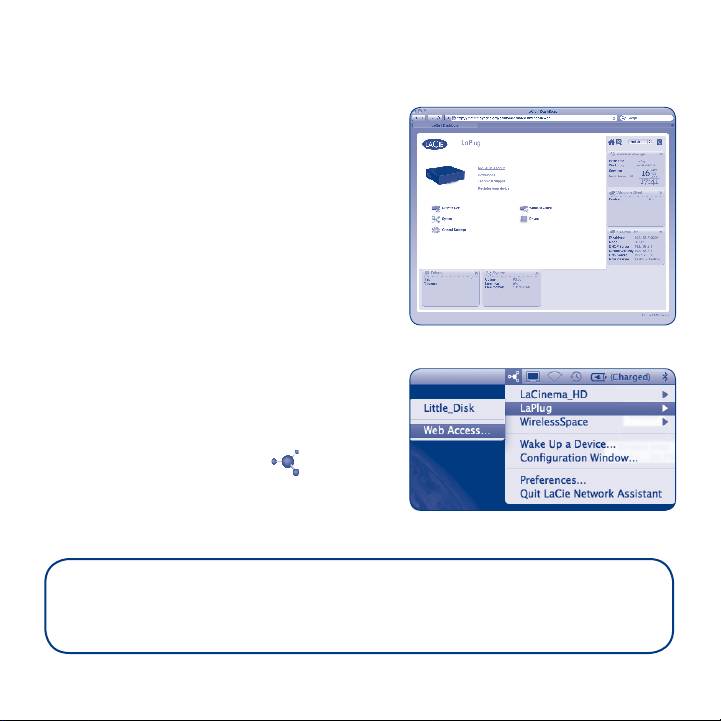
Use the Dashboard administration tool to
manage your LaCie LaPlug. You can check
the status of attached USB hard drives,
set up remote access, change the device
network settings, and much more. See the
User Manual for further information.
Fig. 10
Launch the Dashboard using LaCie
Network Assistant:
Right-click (Windows) or click (Mac) the
LaCie Network Assistant icon
and select LaPlug > Web Access...
Fig. 11
For more details on administration settings and on using your LaPlug, refer
to the User Manual at manuals.lacie.com/laplug.
Table of contents
Top 10 manuals
100.00
NZXT HALE90 1000W99.99
Samsung SM-R38099.97
AEG BSB 18C99.97
Dell 2700W99.97
Smeg KSEC70X99.96
Beurer HDE 4099.96
Pyramida KH 50 v.299.96
MSI CSM-H81M-P3299.96
AEG HR 562799.95
Melissa 640-048