
Toshiba Gigaframe Q-Series: Following information is only valid for EU-member states
Following information is only valid for EU-member states: Toshiba Gigaframe Q-Series
Table of contents
- Introduction Table of Contents
- Safety Instructions
- Follow the instructions below to install and operate the unit. Step 1: Check the components System Requirements:
- Controls on the front Controls on the back
- Step 2: Install the adjustable foot stand.
- Step 3: Connect the AC power.
- Step 4: (Optional) Insert a memory card.
- Step 5: Turn on the unit.
- Step 6: Operate the unit.
- Installing the changeable frame
- Using the Photo mode Using the Calendar mode
- Using the Music mode Using the Video mode
- Additional features (available on PA3650*-1ET2 only) Built-in battery
- Built-in tilt sensor Built-in light sensor
- Frequently asked questions
- TOSHIBA support Regulatory Information
- Working Environment
- Following information is only valid for EU-member states
- Disposal of batteries and/or accumulators
GMH300038010_EEU.book Page 19 Friday, June 20, 2008 12:18 AM
Gigaframe (PA3650*)
Following information is only valid for
EU-member states
Disposal of products
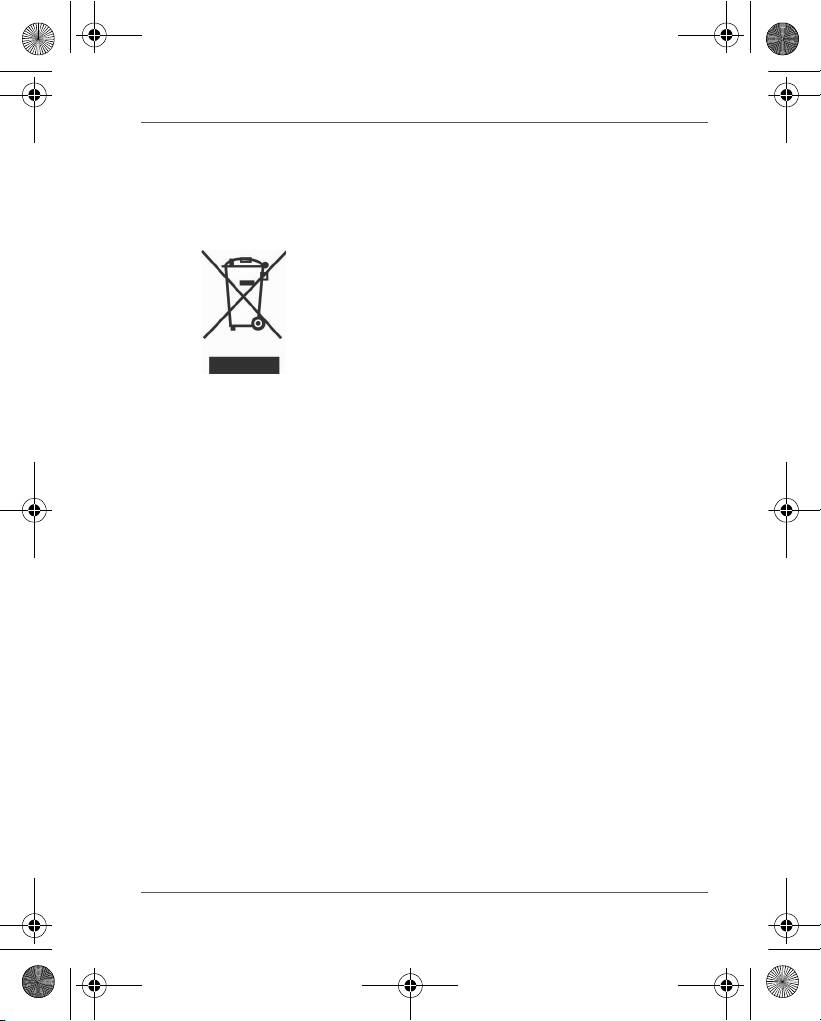
The crossed out wheeled dust bin symbol indicates that
products must be collected and disposed of separately
from household waste. Integrated batteries and
accumulators can be disposed of with the product. They
will be separated at the recycling centres.
The black bar indicates that the product was placed on
the market after August 13, 2005.
By participating in separate collection of products and
batteries, you will help to assure the proper disposal of
products and batteries and thus help to prevent potential
negative consequences for the environment and human
health.
For more detailed information about the collection and
recycling programmes available in your country, please
visit our website (http://eu.computers.toshiba-
europe.com) or contact your local city office or the shop
where you purchased the product.
User’s Manual EN-19
