
Toshiba Gigaframe Q-Series: Built-in tilt sensor Built-in light sensor
Built-in tilt sensor Built-in light sensor: Toshiba Gigaframe Q-Series
Table of contents
- Introduction Table of Contents
- Safety Instructions
- Follow the instructions below to install and operate the unit. Step 1: Check the components System Requirements:
- Controls on the front Controls on the back
- Step 2: Install the adjustable foot stand.
- Step 3: Connect the AC power.
- Step 4: (Optional) Insert a memory card.
- Step 5: Turn on the unit.
- Step 6: Operate the unit.
- Installing the changeable frame
- Using the Photo mode Using the Calendar mode
- Using the Music mode Using the Video mode
- Additional features (available on PA3650*-1ET2 only) Built-in battery
- Built-in tilt sensor Built-in light sensor
- Frequently asked questions
- TOSHIBA support Regulatory Information
- Working Environment
- Following information is only valid for EU-member states
- Disposal of batteries and/or accumulators
Gigaframe (PA3650*)
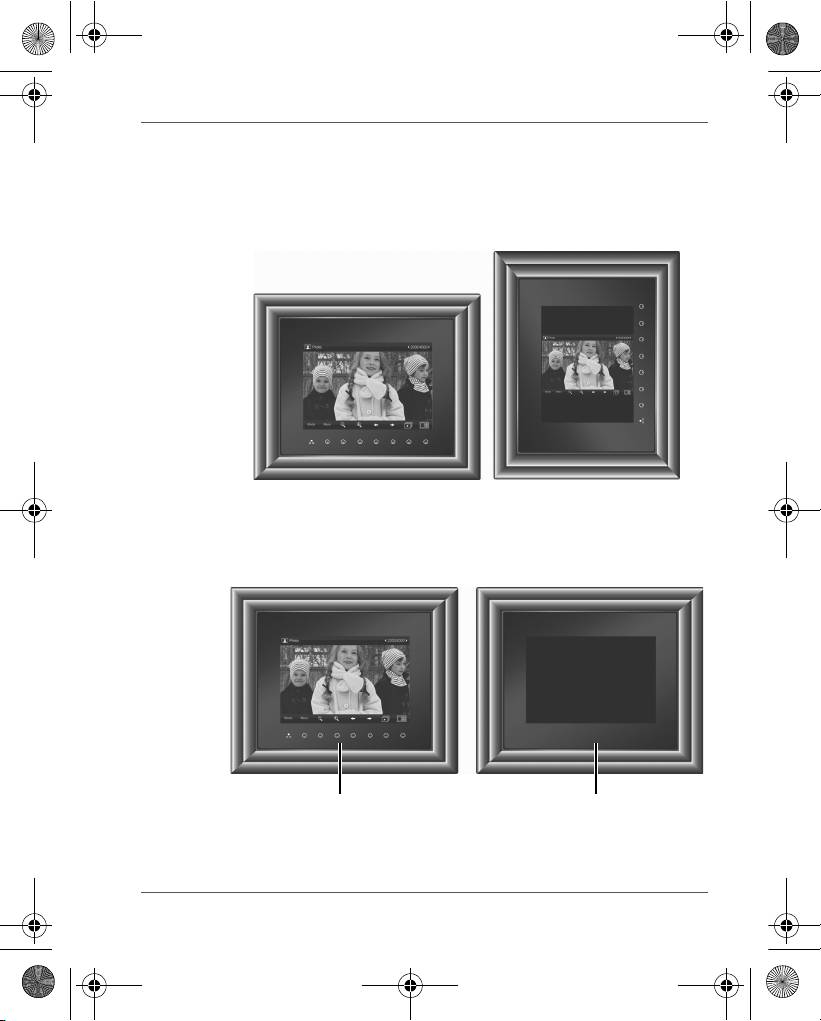
Built-in tilt sensor
On the PA3650*-1ET2 model, the photo frame has a built-in tilt
sensor that allows the photo frame to determine its own orientation
relative to gravity and thereby automatically switch from displaying
pictures vertically to displaying pictures horizontally.
Built-in light sensor
On the PA3650*-1ET2 model, the photo frame has a built-in light
sensor that can automatically turn on/off the panel display, when the
ambient lights in a room are turned on/off.
User’s Manual EN-15
When lights in a room are turn on When lights in a room are turn off
GMH300038010_EEU.book Page 15 Friday, June 20, 2008 12:18 AM
Top 10 manuals
100.00
NZXT HALE90 1000W99.99
Samsung SM-R38099.97
AEG BSB 18C99.97
Dell 2700W99.97
Smeg KSEC70X99.96
Beurer HDE 4099.96
Pyramida KH 50 v.299.96
MSI CSM-H81M-P3299.96
AEG HR 562799.95
Melissa 640-048