
Brother PR-1000: instruction
Class: Sewing Equipment
Type: Sewing machine
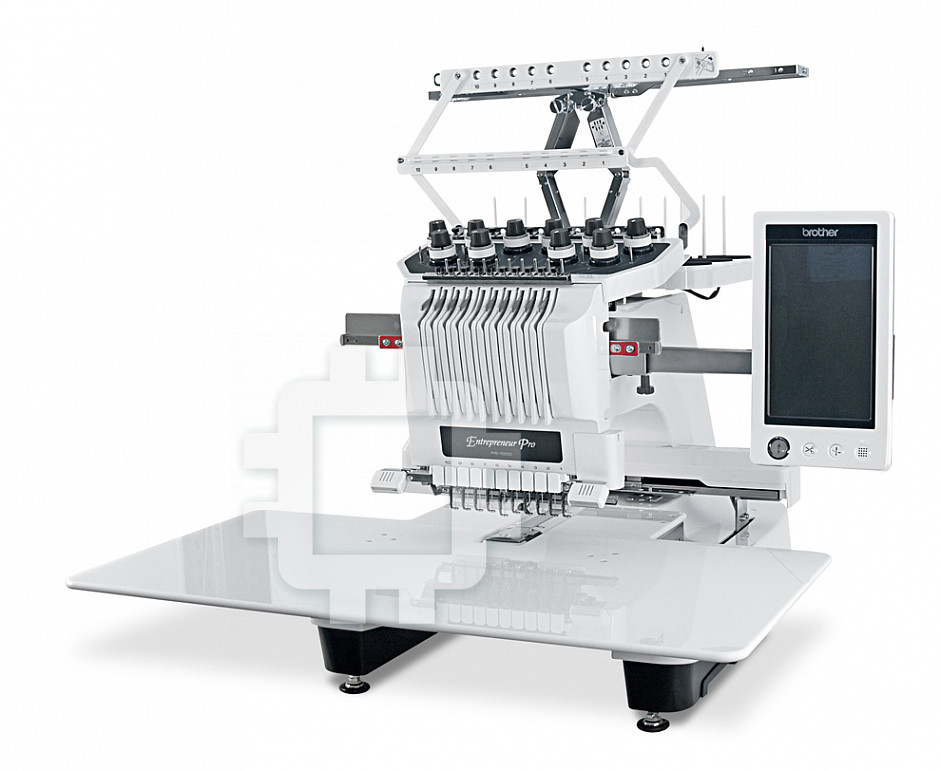
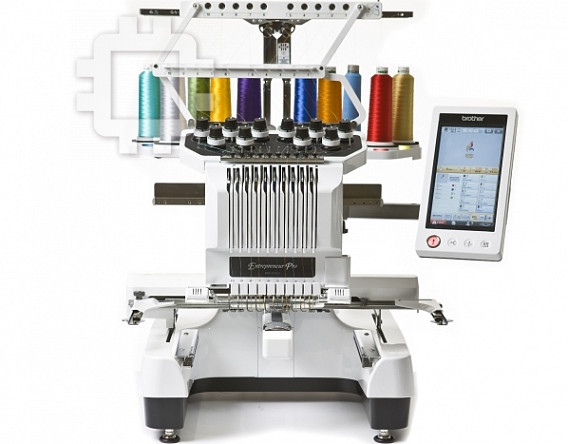
Manual for Brother PR-1000
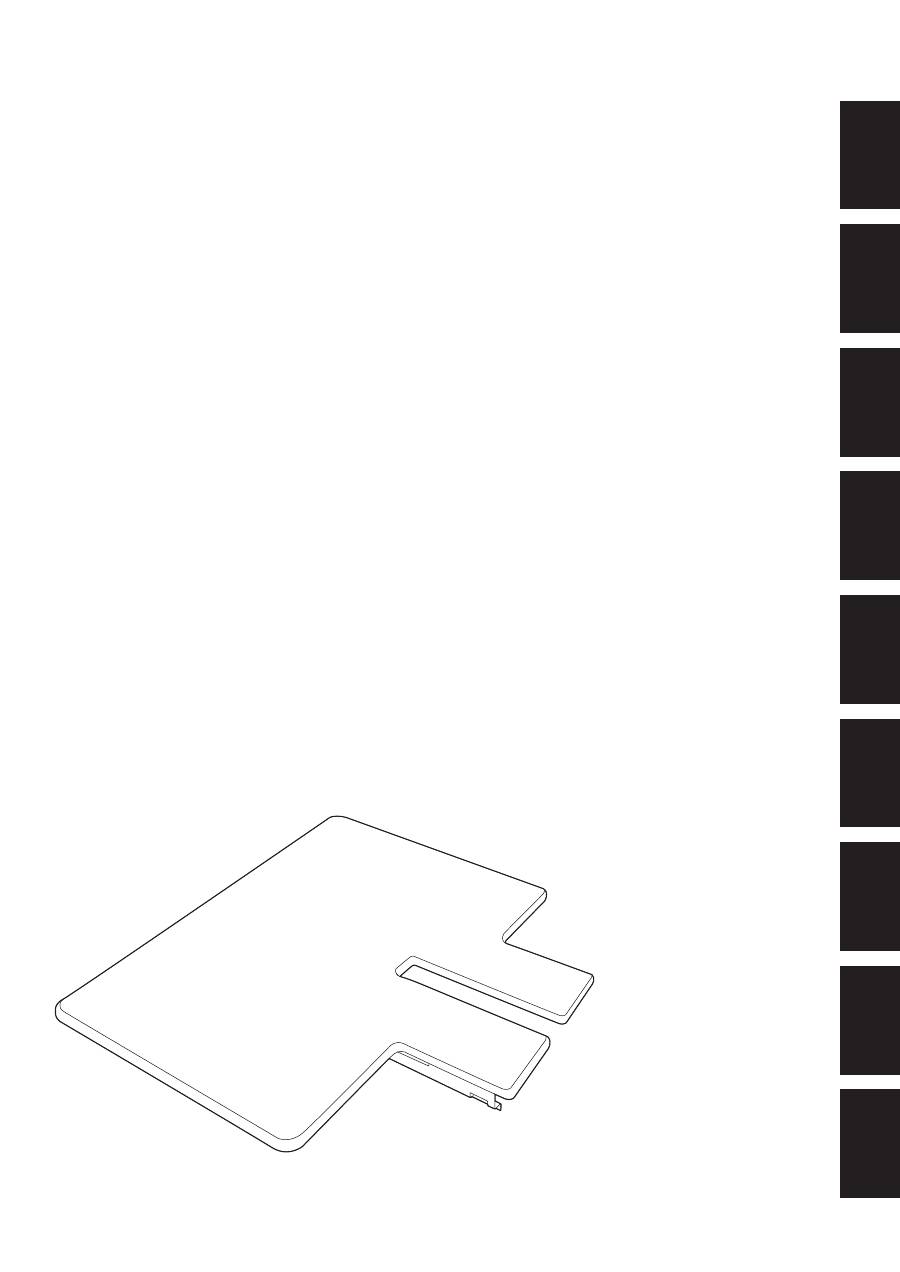
Table Set Installation Manual
Tischset-Installationsanleitung
Manuel d'installation de l'ensemble de table
Installatiehandleiding tafelset
Manuale di installazione del tavolo prolunga
Manual de instalación de la tabla
Manual de Instalação do Conjunto de Mesa
Инструкции по установке комплекта столика
ΞȜήσΓΛΠ৾ե୰ྶ
ENGLISH
DEUTSCH
FRANÇAIS
NEDERLANDS
IT
ALIANO
ESP
AÑOL
PORTUGUÊS
РУ
ССКИЙ
ུࢊ
———————————————————————————————————————————————————————————————————————————————————
1/4
Table Set Installation Manual
When using the border, quilt, flat or jumbo frame, it is recommended that the table be used for additional
support.
Note
●
When carrying the table, be sure to hold it
with both hands.
●
Attach the table to the machine before
installing the embroidery frame.
●
Do not place heavy objects on top of the
installed table or press down on it.
●
Remove the table from the machine while
using embroidery frame that do no need to
be used with the table or while
embroidering tubular items, bags or caps.
The embroidery frames for these types of
objects cannot be installed while the table
is attached to the machine.
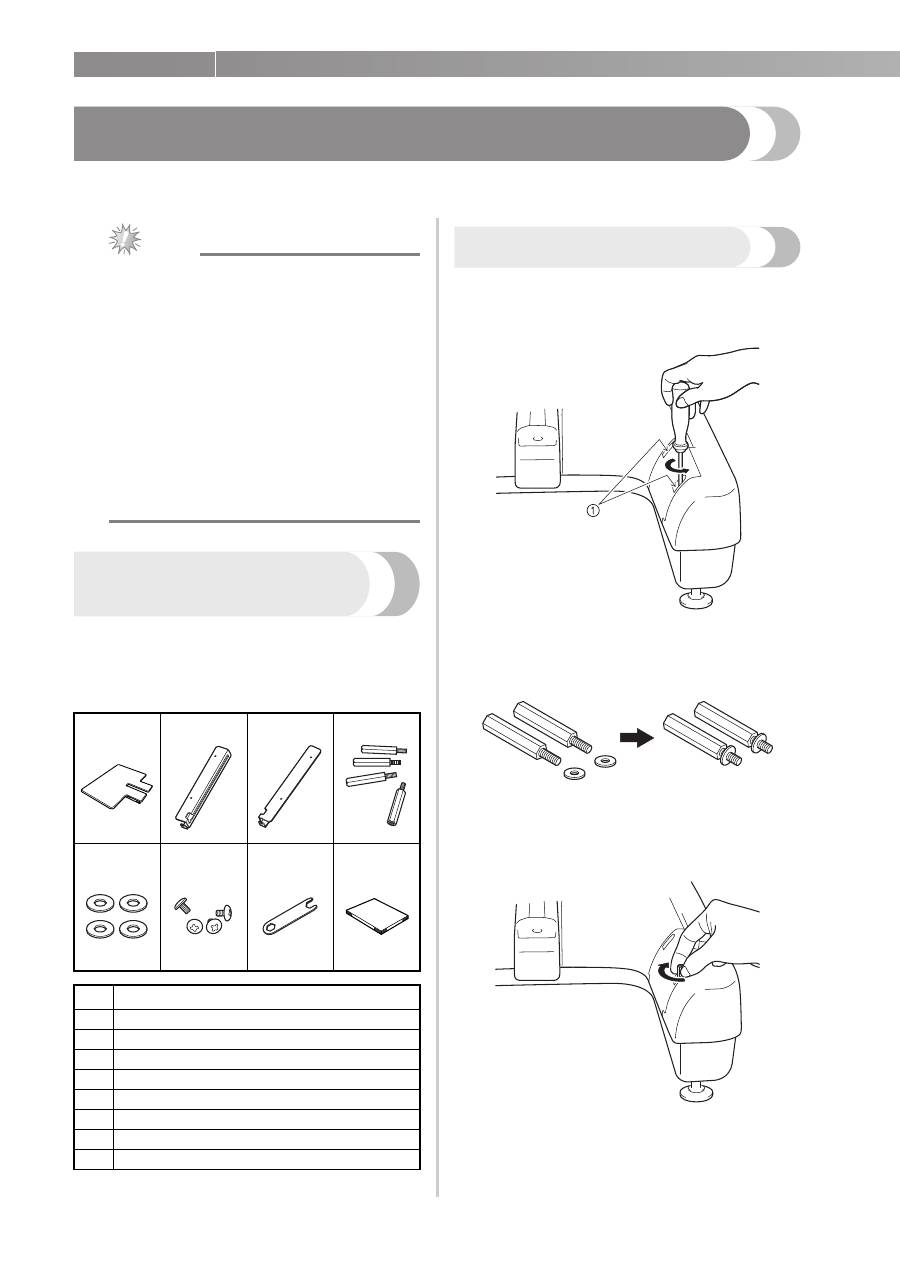
Verifying the package contents
Check that the following parts are included. If any
item is missing or damaged, contact your
authorized sales representative.
■
Included parts
Preparing for installation
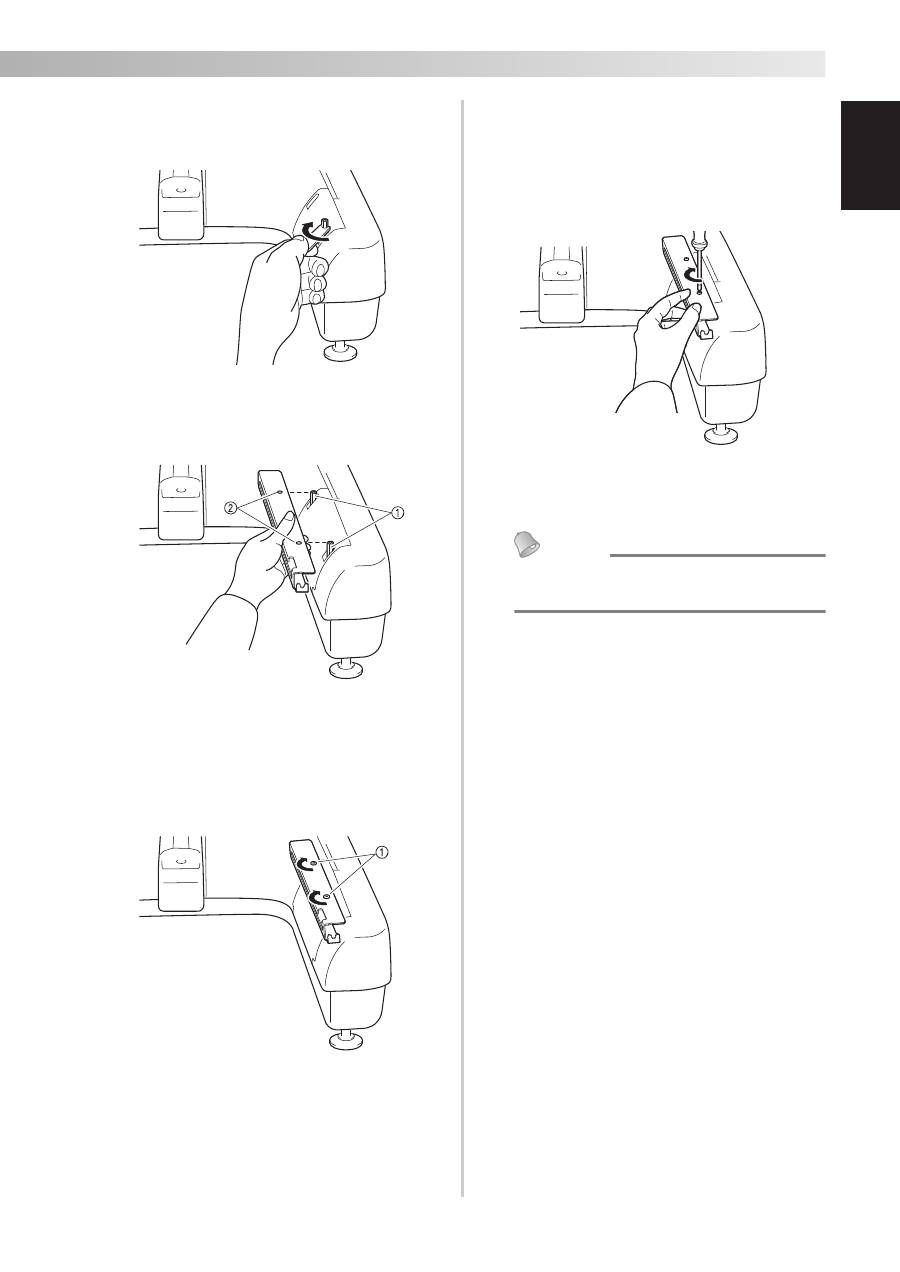
1
Remove the two screws on each machine
arm using the Phillips screwdriver included
with your machine or one of your own.
1
Screws on machine arm
2
Place a washer onto each of the four
hexagonal support screws.
3
Insert the hexagonal support screws with
washers (two on each side).
Hand-tighten each hexagonal support screw.
1.
2.
3.
4.
5.
6.
7.
8.
No.
Part Name
1
Table
2
Left table bracket
3
Right table bracket
4
Hexagonal support screws (4)
5
Washers (4)
6
Screws (4)
7
Wrench
8
Installation manual
ENGLISH
2/4
—————————————————————————————————————————————————————————————————————————————————————
4
Using the included wrench, firmly tighten
each hexagonal support screw (two on each
side).
5
Align the holes in the right table bracket
with the hexagonal support screws on the
right side of the machine.
1
Hexagonal support screws
2
Holes in right table bracket
6
Align the right table bracket with the holes
in the two hexagonal supports, insert the
screws and lightly tighten to hold the
bracket in place.
1
Screws
7
Attach the left table bracket following steps
5
and
6
for the left side.
8
Using the Phillips screwdriver included with
your machine or one of your own, firmly
tighten all screws.
X
The right and left table brackets are
installed on the machine.
Memo
●
Even if you sew without using the table,
you can leave the brackets attached.
———————————————————————————————————————————————————————————————————————————————————
3/4
Installing the table
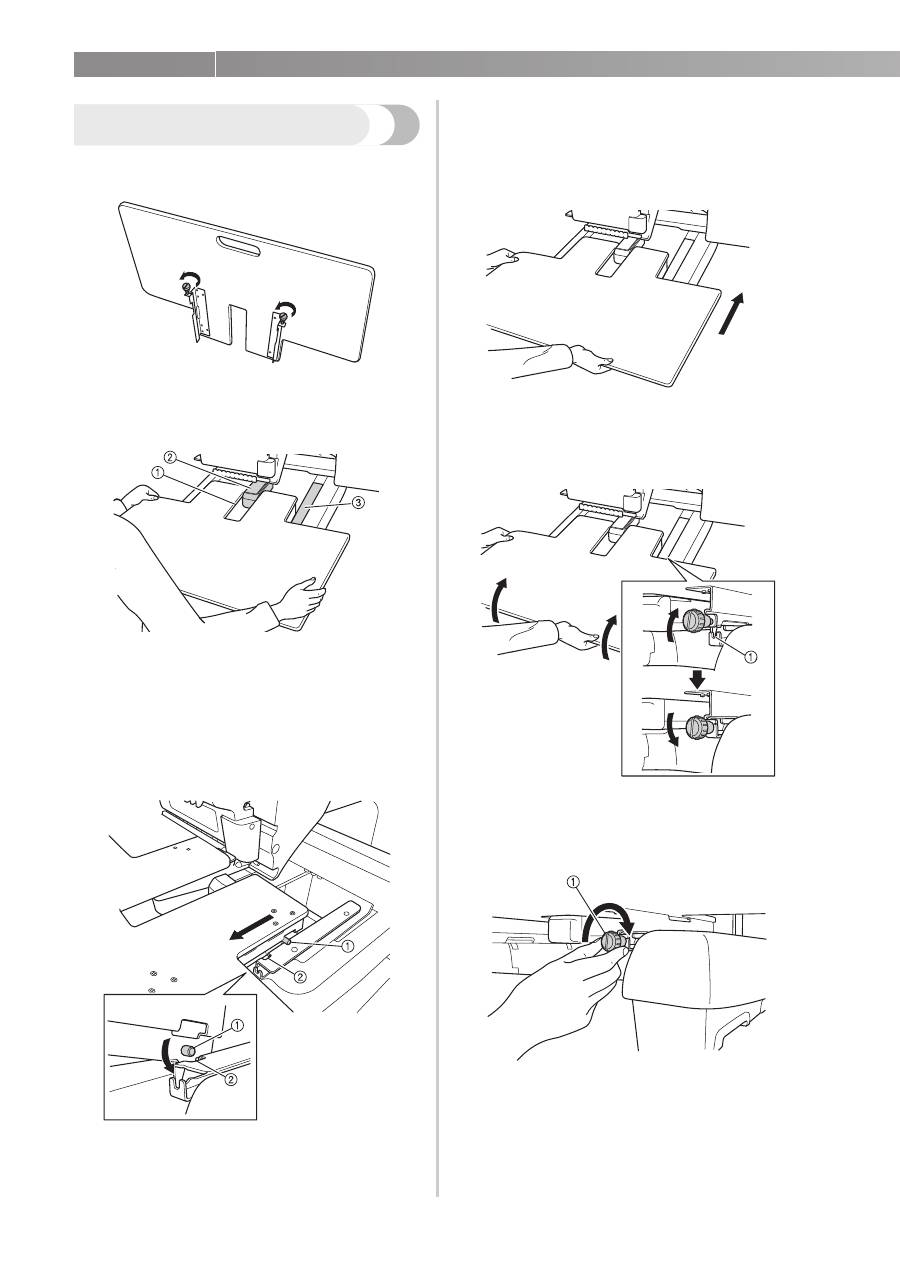
1
Loosen the two thumb screws 5 to 6 turns.
2
Position the table so that the notch at the
center aligns with the machine bed, and then
place the table flat on the guide plates.
1
Notch in table
2
Machine bed
3
Guide plate
3
Pull the table toward you slowly, until the
pins on the mounting brackets (attached on
each side to the bottom of the table) fit into
the notches in the guide plates.
1
Pin
2
Notch
4
Slide in the table while supporting it so that
it remains level. Push the table in until it
lightly touches the machine.
• If the table does not move smoothly,
slightly lift it up, and then slide it in.
5
While looking below the table, lightly lift it
up, and then lower it so that the screw fits
into the notch at the front of the guide plate.
1
Notch at front
6
Tighten the two thumb screws so that the
table is secured.
1
Thumb screw
4/4
—————————————————————————————————————————————————————————————————————————————————————
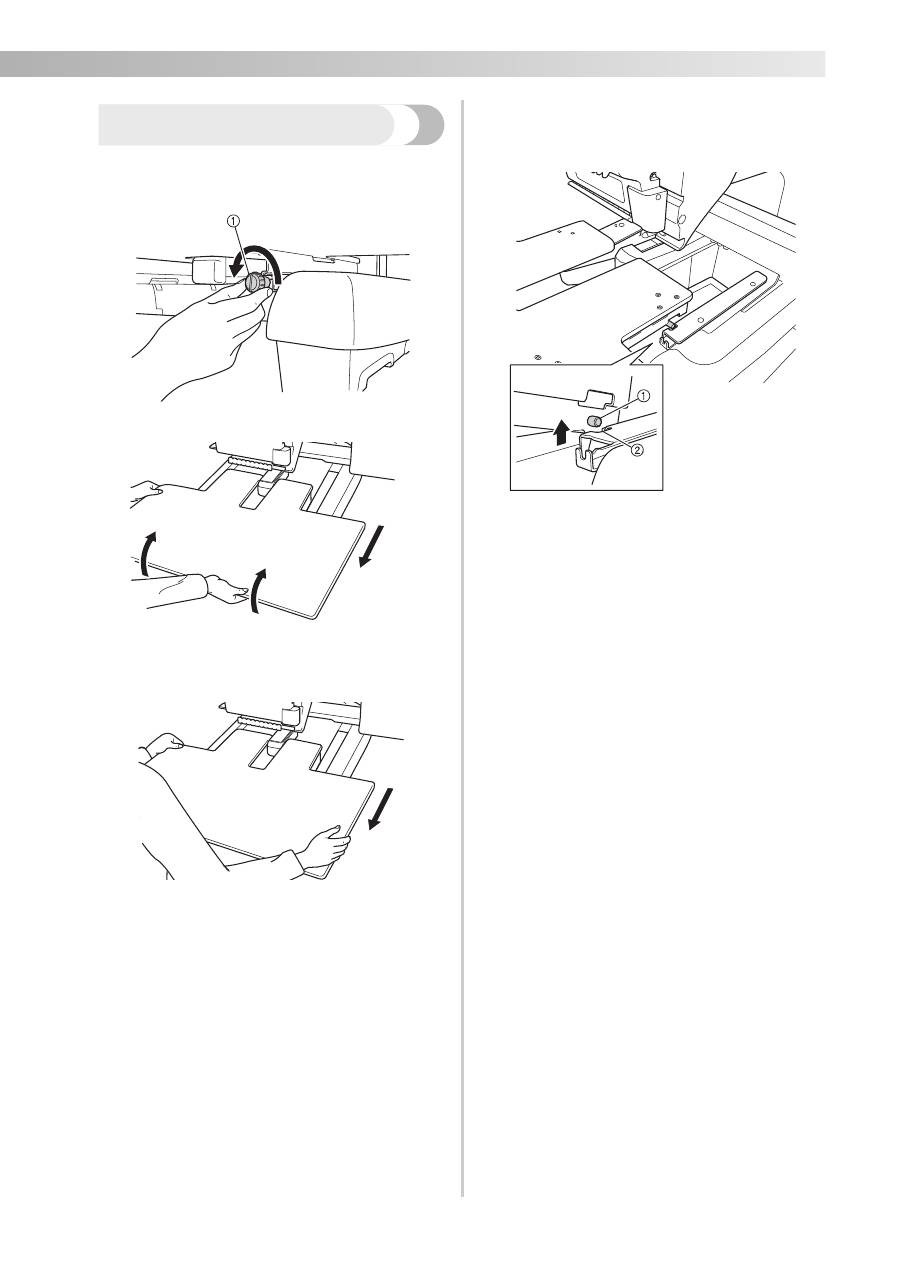
Removing the table
1
Loosen the two thumb screws, lift up the
table, and then pull it off toward you.
1
Thumb screw
2
Carefully pull out the table so that it does
not hit the machine.
3
After the pins on each side reach the notches
in the guide plates, raise the table to lift the
pins up through the notches.
1
Pin
2
Notch
X
Remove the table from the machine.
4
Slightly tighten the thumb screws on the
table to prevent loss.
Table of contents
- Table Set Installation Manual
- Tischset-Installationsanleitung
- Manuel d’installation de l’ensemble de table
- Installatiehandleiding tafelset
- Manuale di installazione del tavolo prolunga
- Manual de instalación de la tabla
- Manual de Instalação do Conjunto de Mesa
- Инструкции по установке комплекта столика
- 同梱品の内容確認
- テーブルを取り付ける
- テーブルを取り外す




