
Alpine CDE-173BT: BLUETOOTH
BLUETOOTH: Alpine CDE-173BT
01.00CDE174BT-QRG.book Page 12 Wednesday, October 31, 2012 1:39 PM
BLUETOOTH
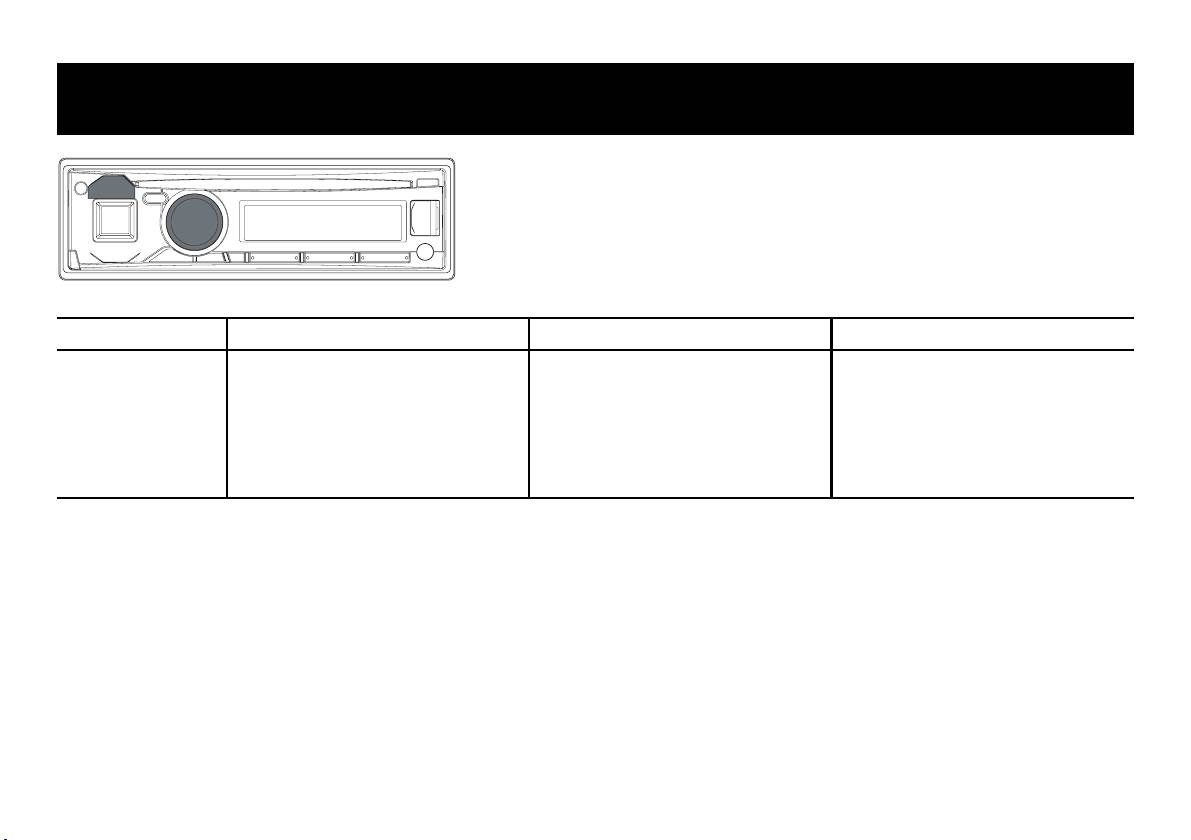
* The illustration is for CDE-173BT. / Die Abbildung zeigt das Modell CDE-173BT. / Le mode CDE-173BT a été choisi pour l’illustration.
English Deutsch Français
About BLUETOOTH
Informationen zu BLUETOOTH
A propos de BLUETOOTH
BLUETOOTH is a wireless technology
BLUETOOTH ist eine Funktechnologie, die
BLUETOOTH est une technologie sans fil
allowing communication between a mobile
über kurze Strecken eine Kommunikation
qui permet à un appareil mobile et à un
device or personal computer over short
zwischen mobilen Geräten und PCs
ordinateur de communiquer entre eux sur
distances. This enables a hands-free call
ermöglicht. Damit können Sie freihändig
de courtes distances. Elle permet d’établir
or data transmission between
Anrufe tätigen oder Daten zwischen
des communications mains libres et de
BLUETOOTH compatible devices.
BLUETOOTH-kompatiblen Geräten
transmettre des données entre des
übertragen.
appareils compatibles BLUETOOTH.
12
01.04CDE174BT-QRG.fm
ALPINE CDE-174BT 68-21627Z79-A (EN/DE/FR)
01.00CDE174BT-QRG.book Page 13 Wednesday, October 31, 2012 1:39 PM
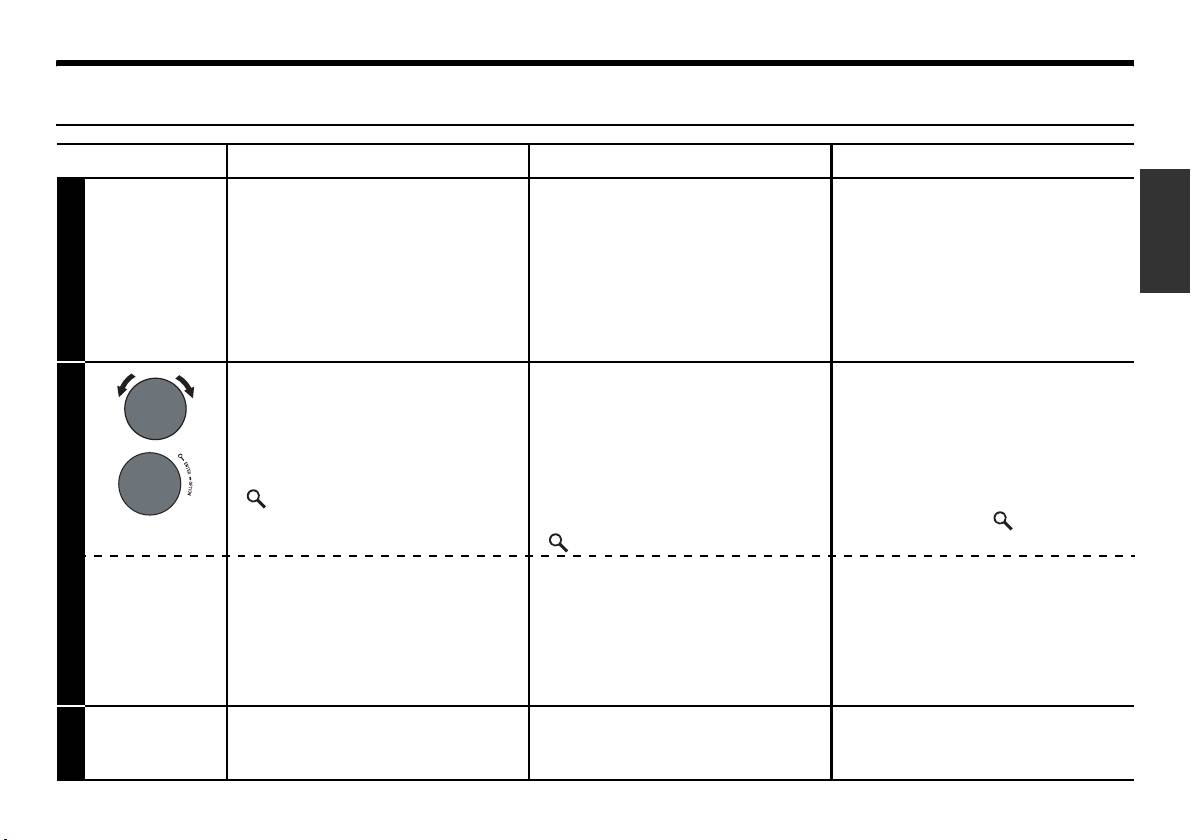
Pairing with a BLUETOOTH compatible device / Mit einem BLUETOOTH fähigen Gerät koppeln /
Association d’un appareil compatible BLUETOOTH
English Deutsch Français
Use your BLUETOOTH
Verwenden Sie Ihr BLUETOOTH
Recherchez puis sélectionnez
compatible device to search and
fähiges Gerät für die Suche und
« Alpine CD Receiver »
select “Alpine CD Receiver”
wählen Sie „Alpine CD
(CDE-174BT/CDE-173BT
(CDE-174BT/CDE-173BT only)/
Receiver“ (nur CDE-174BT/
uniquement)/« Alpine Digital
1
“Alpine Digital Media Receiver”
CDE-173BT)/„Alpine Digital
Media Receiver » (UTE-72BT
(UTE-72BT only).
Media Receiver“ (nur
uniquement) depuis votre
UTE-72BT).
appareil compatible
BLUETOOTH.
<For devices with Secure
<Für Geräte mit Secure Simple
<Pour les appareils
Simple Pairing (SSP)>
Pairing (SSP)>
compatibles Secure Simple
Pairing (SSP)>
The head unit will ask to “PAIR”.
Das Hauptgerät fordert Sie zum
Turn the Rotary encoder to select
Ausführen von „PAIR“ auf.
L’autoradio affichera le message
“YES”, and then press
Drehen Sie den Drehgeber, um
« PAIR »
. Tournez le
Bouton
/ENTER.
„YES“ auszuwählen und
rotatif
pour sélectionner
« YES »
,
drücken Sie dann auf
puis appuyez sur
/ENTER
.
2
/ENTER.
<For all other devices>
<Für alle anderen Geräte>
<Pour tous les autres
appareils>
When prompted by the head unit,
Wenn Sie vom Hauptgerät dazu
input the PIN code “0000” on the
aufgefordert werden, geben Sie
Lorsque l’autoradio le demande,
BLUETOOTH compatible device.
den PIN-Code „0000“ auf dem
entrez le code PIN « 0000 » sur
BLUETOOTH fähigen Gerät ein.
votre appareil compatible
BLUETOOTH.
When pairing is successful,
Wenn die Kopplung erfolgreich
Lorsque l’association est réussie,
3
“CONNECTED” will be
war, wird „CONNECTED“ auf
le message « CONNECTED »
displayed on the head unit.
dem Hauptgerät eingeblendet.
s’affiche sur l’autoradio.
13
01.04CDE174BT-QRG.fm
ALPINE CDE-174BT 68-21627Z79-A (EN/DE/FR)
01.00CDE174BT-QRG.book Page 14 Wednesday, October 31, 2012 1:39 PM
Calling / Tätigen von Anrufen / Appel
English Deutsch Français
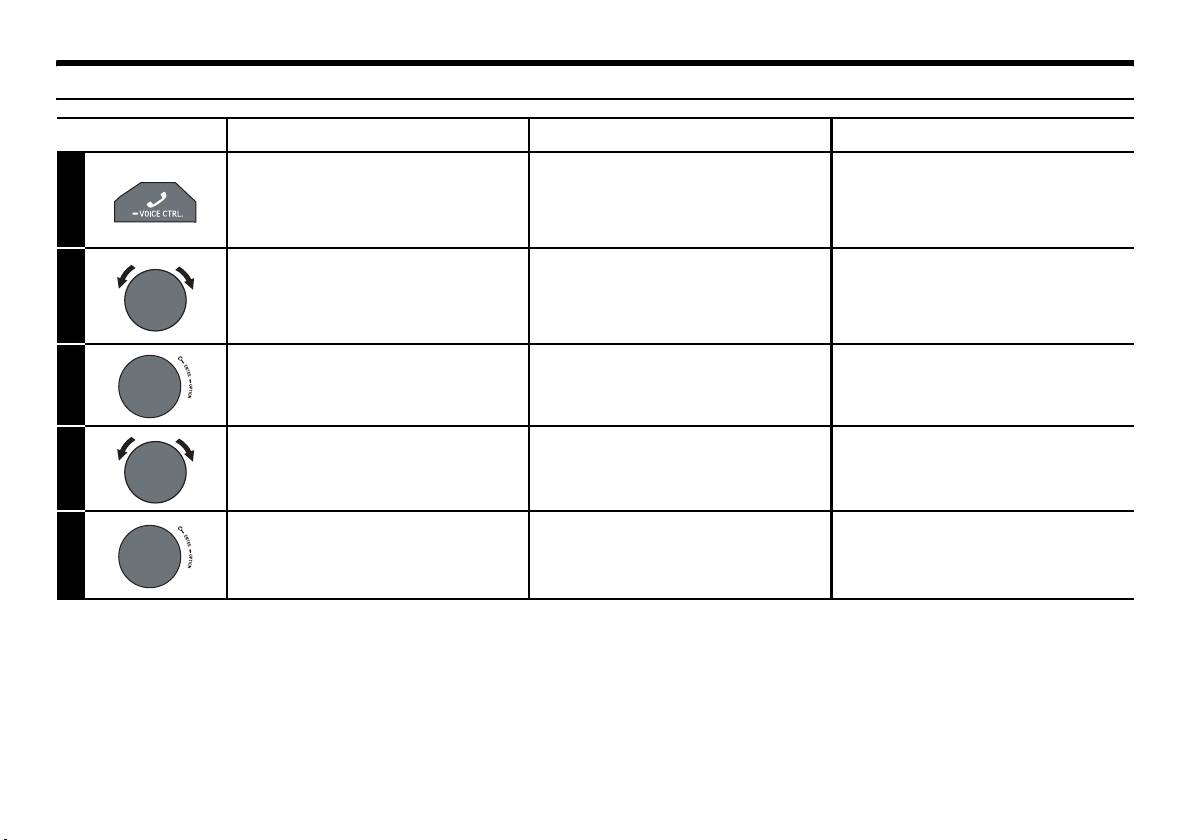
Activate the outgoing method
Aktivieren Sie den
Activez le mode de sélection
list selection mode.
Auswahlmodus für das
de la liste de la méthode
1
Vorgehen bei zu tätigenden
sortante.
Anrufen.
Select a desired outgoing
Wählen Sie den gewünschten
Choisissez le mode de sortie
mode from DIALLED/
Modus für ausgehende Anrufe
désiré parmi DIALLED/
2
RECEIVED/MISSED/PHONE
unter DIALLED/RECEIVED/
RECEIVED/MISSED/PHONE
BOOK.
MISSED/PHONE BOOK.
BOOK.
Enter. Drücken Sie zum Bestätigen
Entrée.
3
Enter.
Select the desired name or
Wählen Sie den gewünschten
Sélectionnez le nom ou le
telephone number.
Namen oder die
numéro de téléphone souhaité.
4
Telefonnummer.
Enter.
Drücken Sie zum Bestätigen
Entrée.
The selected telephone will be called.
Enter.
Le téléphone sélectionné est appelé.
5
Der ausgewählte Telefonanschluss wird
angerufen.
14
01.04CDE174BT-QRG.fm
ALPINE CDE-174BT 68-21627Z79-A (EN/DE/FR)
01.00CDE174BT-QRG.book Page 15 Wednesday, October 31, 2012 1:39 PM
Answering the Incoming Call / Annehmen eines eingehenden Anrufs / Répondre à un appel entrant
English Deutsch Français
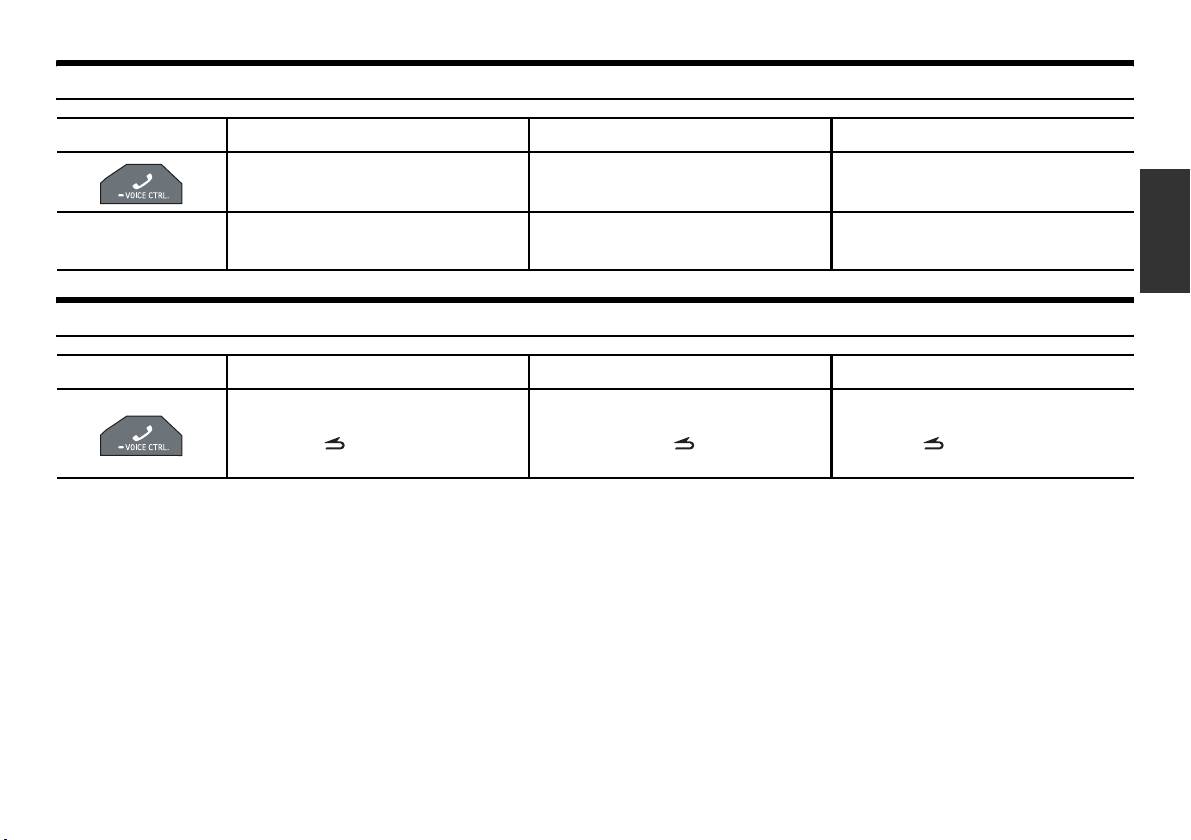
Answer the call.
Nehmen Sie den Anruf an.
Répondez à l’appel.
The call starts.
Der Anruf wird durchgestellt.
L’appel commence.
• When “AUTO ANS” is set to AT ANS ON,
• Wenn die Option „AUTO ANS“ auf AT ANS
• Lorsque « AUTO ANS » est réglé sur AT ANS
the call is answered automatically after
ON gesetzt wurde, wird der Anruf automatisch
ON, l’appel est automatiquement pris après
about 5 seconds.
nach 5 Sekunden entgegen genommen.
environ 5 secondes.
Hanging up the Telephone / Auflegen des Telefonhörers / Raccrocher le téléphone
English Deutsch Français
End the call.
Beenden Sie den Anruf.
Terminez l’appel.
You can also hang up the call by pressing
Sie können den Anruf auch auflegen,
Vous pouvez aussi terminer l’appel en
and holding for at least 2 seconds.
indem Sie die Taste für mindestens 2
maintenant enfoncé au moins 2
Sekunden gedrückt halten.
secondes.
15
01.04CDE174BT-QRG.fm
ALPINE CDE-174BT 68-21627Z79-A (EN/DE/FR)
01.00CDE174BT-QRG.book Page 16 Wednesday, October 31, 2012 1:39 PM
Voice Control Operation / Sprachsteuerungsbetrieb / Fonction de contrôle vocal
English Deutsch Français
Press and hold for at least 2
Halten Sie mindestens 2
Maintenez cette touche
seconds to activate the Voice
Sekunden lang gedrückt, um
enfoncée pendant au moins 2
1
Recognition mode.
den Spracherkennungsmodus
secondes pour activer le mode
zu aktivieren.
de reconnaissance vocale.
After the Voice Recognition
Nachdem die
Une fois le mode de
mode is activated and
Spracherkennungs-Betriebsart
reconnaissance vocale activé
“SPEAK” is displayed, you can
aktiviert wurde und „SPEAK“
et l’indication « SPEAK »
angezeigt wird, können Sie
affichée, vous pouvez passer
make a phone call, play a
über diese Einheit telefonieren,
un appel, lire un morceau, etc.,
song, etc., via this unit by
einen Titel wiedergeben usw.,
via cet appareil en créant des
2
inputting voice control
indem Sie
commandes de contrôle
commands*.
Sprachsteuerungsbefehle
vocal*.
* Please refer to your Smartphone manual for
eingeben
*
.
* Reportez-vous à la documentation de votre
other voice control commands.
Smartphone pour connaître les autres
* Beachten Sie die Bedienungsanleitung Ihres
commandes de contrôle vocal.
Smartphones, um Informationen zu weiteren
Sprachbefehlen zu erhalten.
16
01.04CDE174BT-QRG.fm
ALPINE CDE-174BT 68-21627Z79-A (EN/DE/FR)

01.00CDE174BT-QRG.book Page 17 Wednesday, October 31, 2012 1:39 PM
• You can perform this operation only when a
• Sie können diesen Vorgang nur durchführen,
• La reconnaissance vocale est disponible
Voice recognition compatible mobile phone is
wenn ein Mobiltelefon verbunden ist, das mit
uniquement lorsque vous connectez un
connected. If the mobile phone is not compatible
der Spracherkennung kompatibel ist. Wenn das
téléphone portable compatible avec cette
with the Voice recognition, “NO SUPPORT” is
Mobiltelefon nicht mit der Spracherkennung
fonction. Si votre téléphone portable n’est pas
displayed for 2 seconds.
kompatibel ist, wird 2 Sekunden lang „NO
compatible avec la fonction de reconnaissance
• The Voice recognition function performance
SUPPORT“ angezeigt.
vocale, l’indication « NO SUPPORT » s’affiche
depends on the recognition range of the mobile
• Die Leistung der Spracherkennungsfunktion
pendant 2secondes.
phone and mounting location of the
hängt vom Erfassungsbereich des Mobiltelefons
• Les performances de la fonction de
microphone. Please pay attention when the
und des Einbauorts des Mikrofons ab. Bei
reconnaissance vocale dépendent de la capacité
microphone is mounted.
Einbau des Mikrofons darauf achten.
de détection du téléphone portable et de
• Voice recognition operation depends on the
• Der Spracherkennungsvorgang hängt von der
l’emplacement d’installation du microphone.
function of the mobile phone. For details, refer
Funktion des Mobiltelefons ab. Erläuterungen
Tenez compte de l’emplacement de fixation du
to the Owner’s Manual of the mobile phone.
dazu finden Sie in der Bedienungsanleitung des
microphone.
• If a called person that you say is not found, “NO
Mobiltelefons.
• La reconnaissance vocale dépend des
CALL” is displayed for 2 seconds.
• Wenn der von Ihnen gesprochene Name der
fonctionnalités du téléphone portable. Pour plus
• Please obey all local traffic laws while using
Person nicht gefunden wird, wird 2 Sekunden
d’informations, reportez-vous au mode d’emploi
this function.
lang „NO CALL“ angezeigt.
du téléphone portable.
• Befolgen Sie bei Verwendung dieser Funktion
• Si le nom ou le numéro de la personne appelée
alle geltenden Verkehrsvorschriften.
n’est pas détecté, l’indication « NO CALL »
s’affiche pendant 2 secondes.
• Veillez à respecter la législation en matière de
circulation routière lorsque vous utilisez cette
fonction.
17
01.04CDE174BT-QRG.fm
ALPINE CDE-174BT 68-21627Z79-A (EN/DE/FR)
Table of contents
- Getting Started / Vorbereitungen / Mise en route
- Radio
- CD/MP3/WMA/AAC (CDE-174BT/CDE-173BT only) / CD/MP3/WMA/AAC (nur CDE-174BT/CDE-173BT) / CD/MP3/WMA/AAC (CDE-174BT/CDE-173BT uniquement)
- USB Memory (Optional) / USB-Speicher (Optional) / Clé USB (en option)
- BLUETOOTH
- iPod/iPhone (Optional) / iPod/iPhone (Optional) / iPod/iPhone (en option)
- Specifications / Technische Daten / Spécifications
- Installation
- Connections / Anschlüsse / Raccordements
- Primeros pasos / Operazioni preliminari / Komma igång
- Radio
- CD/MP3/WMA/AAC (solo CDE-174BT/CDE-173BT) / CD/MP3/WMA/AAC (solo CDE-174BT/CDE-173BT) / CD/MP3/WMA/AAC (endast CDE-174BT/CDE-173BT)
- Memoria USB (opcional) / Memoria USB (opzionale) / USB-minne (tillval)
- BLUETOOTH
- iPod/iPhone (opcional) / iPod/iPhone (opzionale) / iPod/iPhone (tillval)
- Especificaciones / Caratteristiche tecniche / Tekniska data
- Instalación / Installazione / Installation
- Conexiones / Collegamenti / Anslutningar
- Aan de slag / Приступая к работе / Czynności wstępne
- Radio / Радио / Radio
- CD/MP3/WMA/AAC (enkel CDE-174BT/ CDE-173BT) / CD/MP3/WMA/AAC (только для моделей CDE-174BT/CDE-173BT) / CD/MP3/WMA/ AAC (tylko model CDE-174BT/CDE-173BT)
- USB-geheugen (optioneel) / Память USB (приобретается дополнительно) / Pamięć USB (opcja)
- BLUETOOTH
- iPod/iPhone (optioneel) / iPod/iPhone (приобретается дополнительно) / iPod/iPhone (opcja)
- Specificaties / Технические характеристики / Dane techniczne
- Installatie / Установка / Instalacja
- Aansluitingen / Соединения / Połączenia


