
Lacie LaCinema Classic: Setup Steps
Setup Steps: Lacie LaCinema Classic
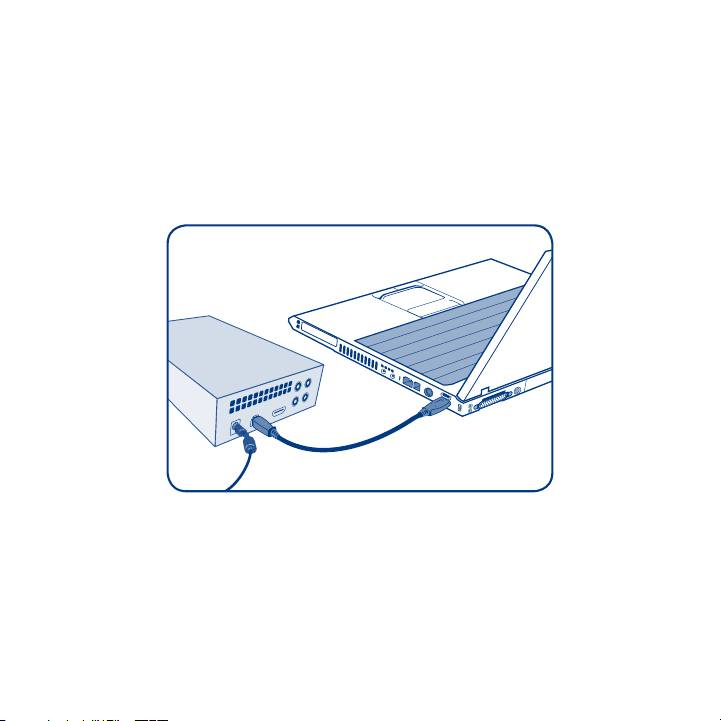
Setup Steps
1. Connect the power supply which turns on the LaCinema Classic.
2. Connect the USB cable to the LaCinema Classic and to your computer.
3. Copy your multimedia files to the LaCinema Classic hard disk.
4. Safely disconnect the LaCinema Classic and its power supply.
IMPORTANT NOTICE: The LaCie LaCinema Classic is not designed or intended for use in
violation of copyrights or other intellectual property rights. The LaCie LaCinema Classic
may only be used in conjunction with materials legally owned or licensed by the user and
only to the extent that such ownership or license rights permit such use.
Table of contents
Top 10 manuals
100.00
NZXT HALE90 1000W99.99
Samsung SM-R38099.97
AEG BSB 18C99.97
Dell 2700W99.97
Smeg KSEC70X99.96
Beurer HDE 4099.96
Pyramida KH 50 v.299.96
MSI CSM-H81M-P3299.96
AEG HR 562799.95
Melissa 640-048