
Huawei Mate 9: Your phone at a glance
Your phone at a glance: Huawei Mate 9
Table of contents
- For more information
- Your phone at a glance
- Getting started
- Dual card dual standby single pass Safety Information Viewing the safety and regulatory information
- Operation and safety
- EU regulatory conformance Body worn operation Statement
- FCC Regulatory Compliance Body worn operation Certification information (SAR)
- FCC statement
- Privacy Policy Legal Notice Trademarks and Permissions
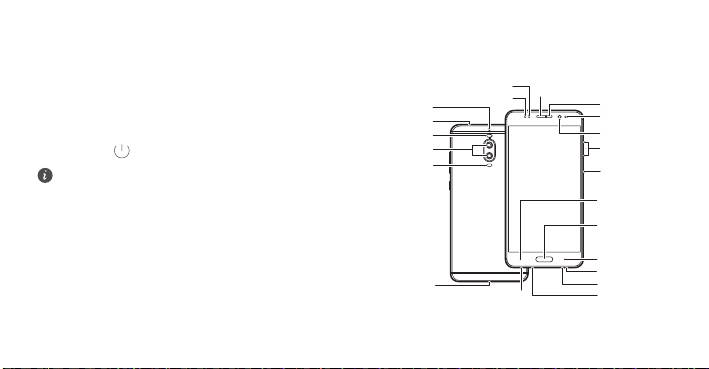
Your phone at a glance
Before you start, let's take a look at your new phone.
Optical proximity sensor
•
To turn on your phone, press and hold the power button until
Earpiece
Status indicator
Secondary
Secondary
microphone 2
your phone vibrates and the screen turns on.
microphone 1
Ambient light
Infrared sensor
sensor
•
To turn off your phone, press and hold the power button, and
Dual-tone flash
Front camera
Dual-lens
then touch .
Volume button
camera
Laser sensor
Power button
To forcibly restart your phone, press and hold the power
button until your phone vibrates.
Left navigation
key
Primary
navigation key/
Fingerprint
scanner
Right navigation
key
Speaker
Primary
USB-C port
microphone 2
Primary microphone 1
Headset jack
2
Top 10 manuals
100.00
NZXT HALE90 1000W99.99
Samsung SM-R38099.97
AEG BSB 18C99.97
Dell 2700W99.97
Smeg KSEC70X99.96
Beurer HDE 4099.96
Pyramida KH 50 v.299.96
MSI CSM-H81M-P3299.96
AEG HR 562799.95
Melissa 640-048