
ZyXEL Communications G-4100: 4 Generating and Printing Subscriber Account Statements
4 Generating and Printing Subscriber Account Statements: ZyXEL Communications G-4100
ENGLISH
9
4 Generating and Printing Subscriber Account Statements
If you have a statement printer connected and turned on, simply press the buttons to generate and print
subscriber account statements. If you are using a PC-connected printer, do the following.
1
Launch your web browser and go to
http://192.168.1.1
(as in section
3
on page
3
).
2
Enter the web-based account generator user name and password that you configured in the wizard (see
page
6
).
3
Click the buttons in the screen to generate accounts.
4
The details of each new account display in a separate window. Click the
button to print out the
account statement.
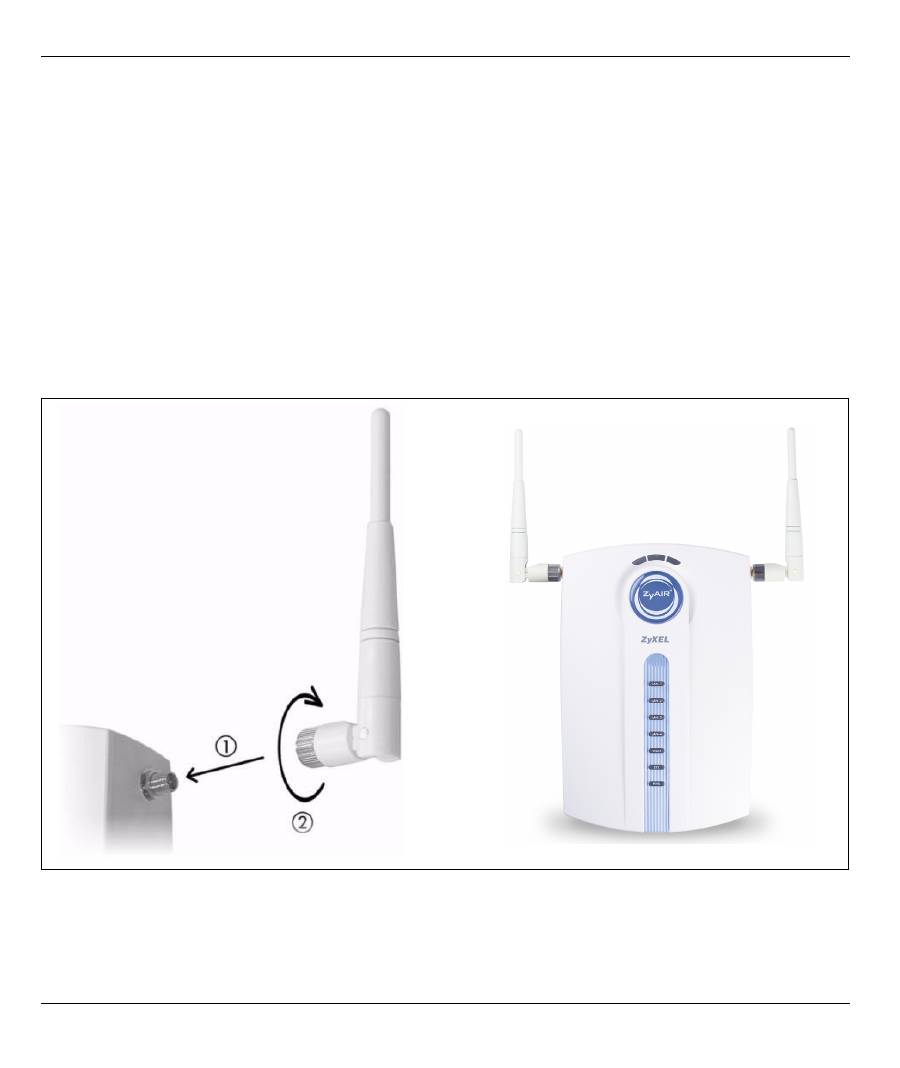
5 Attach the Antennas
The antennas should be perpendicular to the ground and parallel to each other.
Table of contents
- 1 Connecting the Hardware
- 2 Web Login3 Setup Wizard
- 4 Generating and Printing Subscriber Account Statements
- 6 Hardware Installation
- 7 Troubleshooting
- 8 Procedure to View a Product’s Certification(s)
- 1 Anschluß der Hardware
- 2 Web Login3 Einrichten Wizard
- 4 Erstellen und Drucken von Abonnenten-Kontoauszügen.
- 6 Installation der Hardware
- 7 Fehlersuche
- 8 Produktzertifizierungen anzeigen
- 1 Conectando el hardware
- 2 Inicio de sesión web3 Asistente de configuración
- 4 Generación e impresión de declaraciones de cuenta de suscriptor
- 6 Instalación del hardware
- 7 Solución de problemas
- 8 Procedimiento para ver la certificación de un producto
- 1 Connecter le matériel
- 2 Ouverture d'une session web3 Assistant d’installation
- 4 Générer et imprimer les relevés des comptes d'abonnés
- 6 Installation matérielle
- 7 Dépannage
- 8 Procédure pour afficher la (les) certification(s) d'un produit
- 1 Collegamento dell'hardware
- 2 Login Web3 Configurazione guidata
- 4 Generazione e stampa di resoconti di conti di sottoscrittore
- 6 Installazione hardware
- 7 Risoluzione dei problemi
- 8 Procedura per visualizzare le certificazioni di un prodotto
- 1 Подключение оборудования
- 2 Web имя пользователя 3 Мастер установки
- 4 Создание и печать выписки по учетной записи абонента
- 6 Установка оборудования
- 7 Устранение неисправностей
- 8 Процедура просмотра сертификата ( сертификатов ) продукта
- 1 Ansluta maskinvara
- 2 Webbinloggning3 Installationsguide
- 4 Generera och skriva ut prenumeranters kontoutdrag
- 6 Installation av maskinvara
- 7 Felsökning
- 8 Procedur för att visa en produkts certifikat
- 1 連接硬體
- 2 網路登入3 設定精靈
- 4 產生及列印用戶帳號報告單
- 7 疑難排解
- 8 檢視產品憑證的程序
Top 10 manuals
100.00
NZXT HALE90 1000W99.99
Samsung SM-R38099.97
AEG BSB 18C99.97
Dell 2700W99.97
Smeg KSEC70X99.96
Beurer HDE 4099.96
Pyramida KH 50 v.299.96
MSI CSM-H81M-P3299.96
AEG HR 562799.95
Melissa 640-048