
Saturn ST-PS1250: BODY FAT GUIDELINE FOR BODY FAT AMOUNT IN PERCENTAGE INFORMATION ON BODY FAT MEASUREMENT FIRST USE OF THE DEVICE Determining Weight, Body Fat and Body Liquid Percentage Programming Your Personal Data
BODY FAT GUIDELINE FOR BODY FAT AMOUNT IN PERCENTAGE INFORMATION ON BODY FAT MEASUREMENT FIRST USE OF THE DEVICE Determining Weight, Body Fat and Body Liquid Percentage Programming Your Personal Data: Saturn ST-PS1250
Table of contents
- BATHROOM SCALES SPECIAL SAFETY INSTRUCTIONS GENERAL SAFETY INSTRUCTIONS LOCATION OF CONTROLS SYMBOLS IN THESE INSTRUCTIONS FOR USE
- BODY FAT GUIDELINE FOR BODY FAT AMOUNT IN PERCENTAGE INFORMATION ON BODY FAT MEASUREMENT FIRST USE OF THE DEVICE Determining Weight, Body Fat and Body Liquid Percentage Programming Your Personal Data
- BATTERY CHANGE USAGE TIPS DISPLAY ERROR MESSAGES CLEANING TECHNICAL DATA SET
4
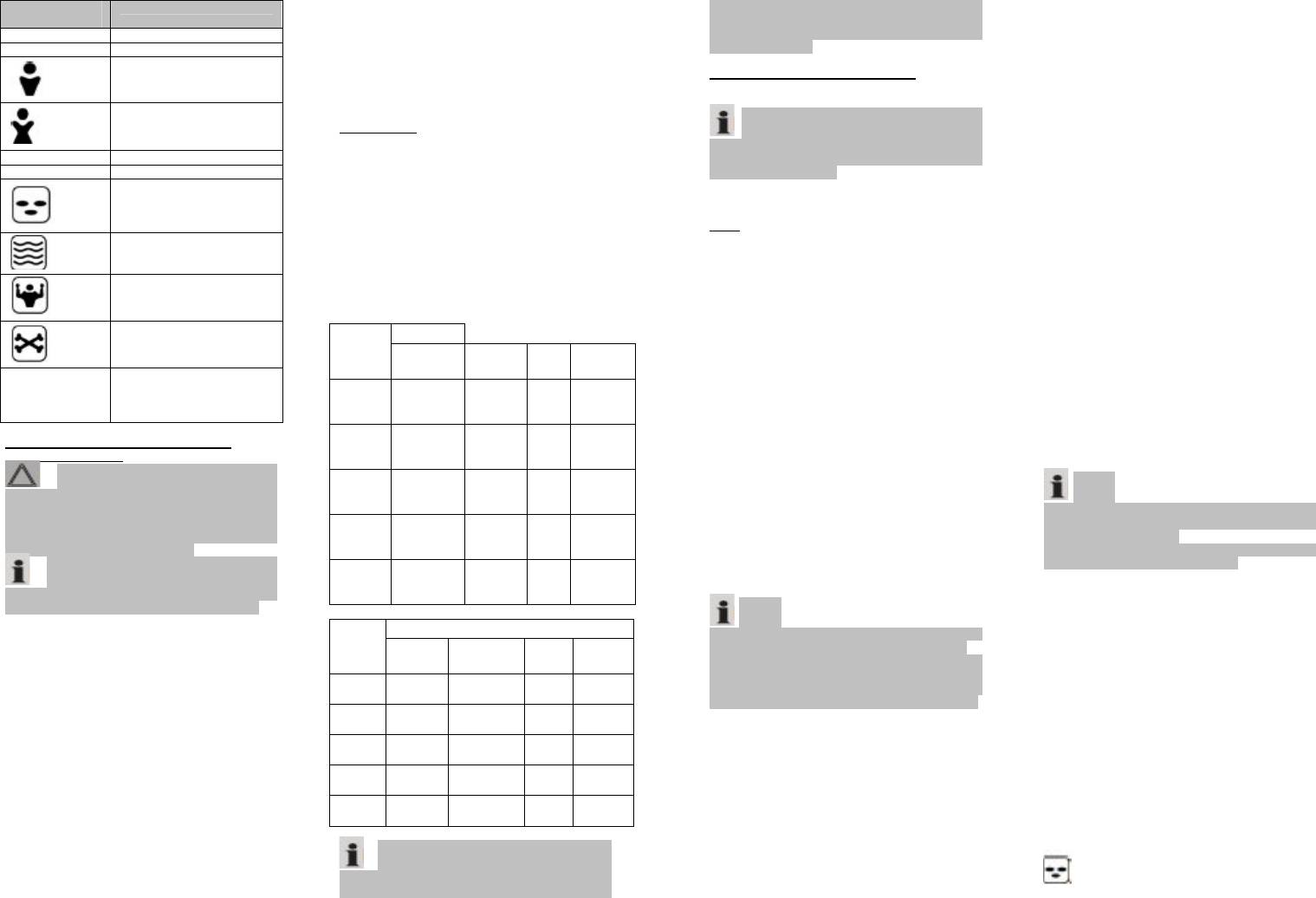
Display
Meaning
muscle mass, and there are seemingly
symbol
slim persons with significantly high
kg (Ib) Body weight
body fat values. Fat is a factor that
USER User memory space
puts serious strain on the body, in
particular the cardiovascular system.
Male
Therefore, controlling both values (fat
and weight) is a prerequisite for health
and fitness.
Female
BODY FAT
Body fat is an important component of
Age Age
the body. From protecting the joints as
cm (Ft:in) Body height
a vitamin repository to regulating the
body temperature, fat plays a vital
role in the body. Thus the goal is not
Body fat display
to radically reduce the proportion of
body fat, but rather to achieve and
maintain a healthy balance between
Body liquid display
muscle and fat.
GUIDELINE FOR BODY FAT
AMOUNT IN PERCENTAGE
Muscle mass display
(approximate values)
WomenAGE
Bone weight display
Under
Healthy Over
fat
fat
Percentage – body
fat/body liquid/
%
muscle mass/bone
weight
INFORMATION ON BODY FAT
MEASUREMENT
Caution: Persons, using a
pacemaker or other medical implant
with electronic parts are not advised
to use this scale. The power output of
the implant can be jeopardized,
resulting in its impairment.
Note: The device can only
function correctly, if you stand on the
contact surfaces with bare, dry feet!
The main principle of this device is
based on the measurement of the
electric impedance within the human
body. In order to determine the actual
body data, the device leads a weak,
unnoticeable electric signal through
your body.
The signal is generally safe! However,
please read our special safety
instructions!
The method of measurement is
referred to as “bioelectric impedance
analysis” (BIA), a factor which is
based on the relationship between
body weight and associated body
water percentages as well as on other
biological data (age, gender, body
weight).
There are heavy persons with a well-
balanced percentage between fat and
Obese
10-11 11-13% 14-
24-
>27%
23%
27
%
12-15 12-15% 16-
24-
>29%
24%
29
%
16-39 17-20% 21-
29-
>33%
28%
33
%
40-60 20-23% 23-
33-
>37%
32%
37
%
61-80 21-24% 25-
36-
>40%
35%
40
%
MenAGE
Under
Healthy Over
Obese
fat
fat
10-11 9-11% 11-20% 21-
>24%
24%
12-15 7-9% 10-19% 20-
>23%
23%
16-39 10-
13-20% 21-
>25%
12%
25%
40-60 13-
16-23% 24-
>29%
15%
29%
61-80 15-
18-26% 27-
>31%
17%
31%
Note: Due to the significant
fluctuation of body fat, it is difficult to
attain a standard value. On average,
5
the optimal testing time is between 6
Then press SET to go to the next
p.m. and 8 p.m., since the body fat
setting.
remains very consistent during this
§ The setting AGE will flash. Select
period of time.
your age by pressing UP or DOWN
button. Holding down one of the
FIRST USE OF THE DEVICE
buttons will accelerate the process.
Battery compartment (on the back
Confirm your entry by pressing SET.
of the scales)
§ The height setting will flash. Select
your height by pressing UP or DOWN
Note: The battery in the battery
button. Holding down one of the
compartment has been secured for
buttons will accelerate the process.
transport with a foil. This prolongs the
Confirm your entry by pressing SET.
life of the battery.
§ As a confirmation you will once
Please remove this foil to prepare the
again see all the entered settings in
scales for initial use.
the memory space.
§ When the digits 0.0 kg (0.0 lb)
USE
appears on the display, you can:
Weighing Function
§ Press the SET button to see the
· Place the scale on a hard, flat
selected settings again.
surface (avoid carpets). An uneven
§ Allocate further memory spaces.
floor contributes to inaccurate
There are 10 spaces available in total.
measurements.
Press SET and change the space by
· On the back side of the scale beside
pressing the UP or DOWN button.
the battery compartment a switch can
Proceed further as described above.
be found. Choose between the
§ Make changes by selecting the
measuring units “kg” and “lb”
particular memory space by pressing
(pound).
SET (the display will flash). Proceed
· Turn on the scale by pressing the
further as described above.
ON button.
§ You can immediately start
· The scale and the display conduct a
measuring.
self-test (8888). Shortly afterward the
digits “0.0” (kg) (0.0 lb) will appear.
Determining Weight, Body Fat and
· Stand with both feet on the contact
Body Liquid Percentage
surfaces (6) of the device and wait for
Record your personal data in the
the scale to determine your weight.
memory.
· The digits on the display will flash
before your exact weight will be
Note:
shown.
§ The device can only function
· In order to extend the battery life,
correctly, if you stand on the device
the device will automatically turn off
with bare, dry feet!
10 seconds after you have stepped off
§ If necessary, wipe the contact
the scale.
surfaces to improve results.
§ Turn on the scale by pressing the
Programming Your Personal Data
ON button.
§ Always wait until the digits 0.0 kg
Note:
(0.0 lb) appears on the display.
§ The scale has default values that
§ Press the button SET. The memory
you can change, as described below.
space will flash on the display. Select
§ You should perform the following
the memory space where your data
steps in order and within a few
has been saved by pressing the UP /
seconds; otherwise the device aborts
DOWN button. Wait until the memory
the programming mode automatically!
space stops flashing. It will display the
§ Turn the scale on by pressing the
saved values one after another.
ON button.
§ If the display stops at 0.0 kg (0.0
§ Always wait until the display shows
lb), stand with both feet on the
the digits 0.0 kg (0.0 lb).
contact surfaces (6) of the scale.
§ Press the button SET. The memory
§ First your weight will appear on the
space will flash on the display. Confirm
display. Afterwards the analysis will
the setting by pressing SET or select
begin. Remain standing on the scale
another memory space by pressing
during this process.
the UP / DOWN button. Then press
§ After a few seconds you will see the
SET to go to the next setting.
following information on the display
§ The symbol for “male” or “female”
- Your body fat percentage (Symbol
will flash. Confirm the setting by
pressing SET or use the DOWN button
)
to choose the symbol for your gender.
- Your body water percentage (Symbol


