
Eneo PTB-1125F19: DE
DE: Eneo PTB-1125F19

PPPoE is used to connect eneo products to PPPoE modem provided by
ISP. Since PPPoE needs verifi cation, ID and password are necessary to
access network. Type in ID and password.
Administrator password
To change the password for the administrator, click Admin Password on
DE
System Confi guration menu.
EN
FR
PL
RU
Default ID for admin account is fi xed as “root” and not allowed to change.
In Old Password fi eld, enter the current password. In both New Password
and Confi rm Password fi elds, enter the same new password. The password
must be between 4 and 23 alphanumeric letters. Click Apply button to put it
into eff ect.
Because you have replaced the password with a new one, the existing
network connection made with old password now is lost. You will have to
reconnect using the new password.
27
Camera setup
Accessing the setup menu
The setup menu can be accessed and controlled either by using the USB
connector or by using the RS-422 interface.
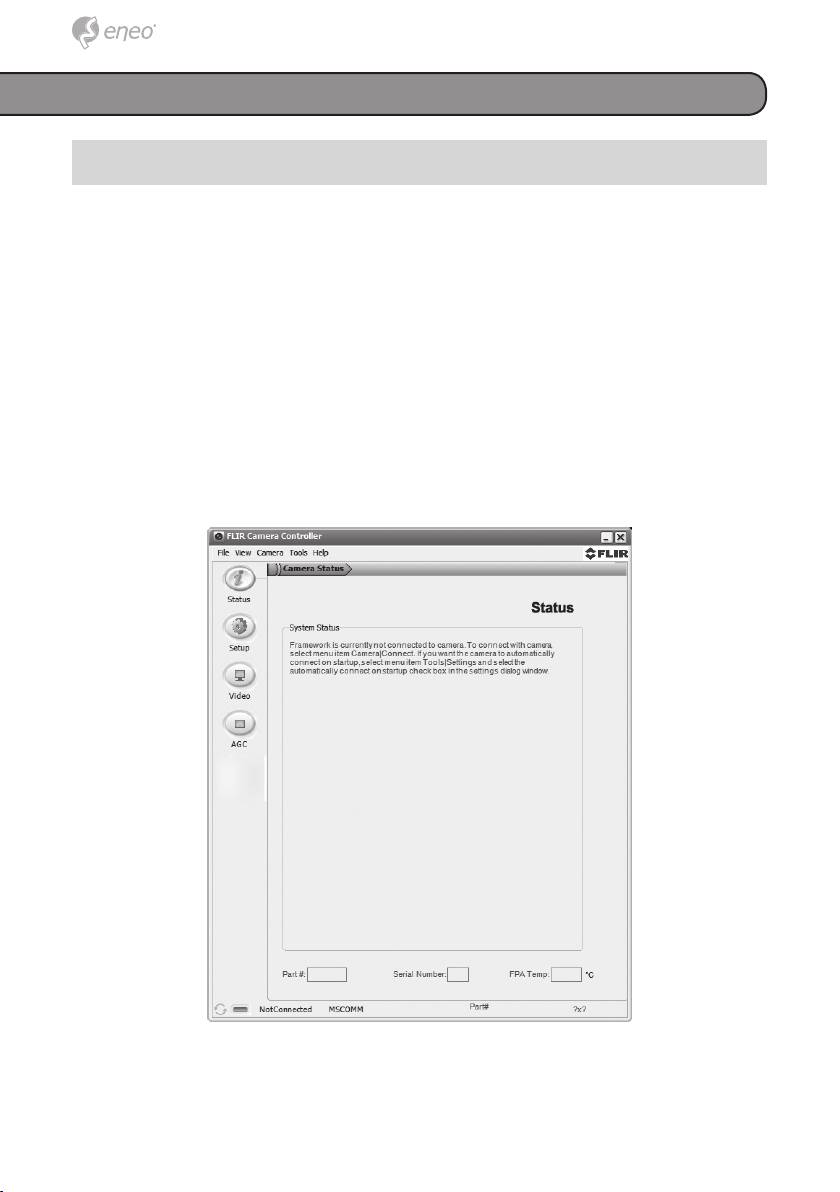
To access the setup menu please install the „Camera Controller GUI“ soft-
ware from the enclosed CD-ROM. During the installation, you will be promp-
ted to install Silicon Laboratories drivers. This portion of the installation is
necessary for using a USB connection to the camera.
Make sure that the camera is properly connected to the PC before running
the GUI.
Please select „LWIR“ mode. When the GUI first opens, it will display “Not
Connected” on the bottom left.
Connect to the camera by selecting „Tools“ and then „Connection“.
28
Table of contents
- DE EN FR PL RU
- DE DE EN EN FR FR
- DE DE EN EN
- DE DE
- DE DE EN EN FR FR PL PL RU RU
- DE DE EN EN FR FR
- DE DE EN EN FR FR PL PL RU RU
- DE
- DE EN FR PL RU
- DE EN FR
- DE EN FR PL RU
- DE
- DE EN FR
- DE DE
- DE DE EN EN FR FR PL PL RU RU
- DE DE EN EN FR FR PL PL
- DE DE EN EN FR FR PL PL RU RU
- DE DE EN EN
- DE DE
- DE DE EN EN FR FR PL PL RU RU
- DE DE EN EN FR FR
- DE DE EN EN FR FR PL PL RU RU
- DE DE
- DE DE EN EN FR FR PL PL RU RU
- DE DE
- DE DE EN EN FR FR PL PL RU RU
