
Eneo IRLED-401E: DE EN FR PL RU
DE EN FR PL RU: Eneo IRLED-401E
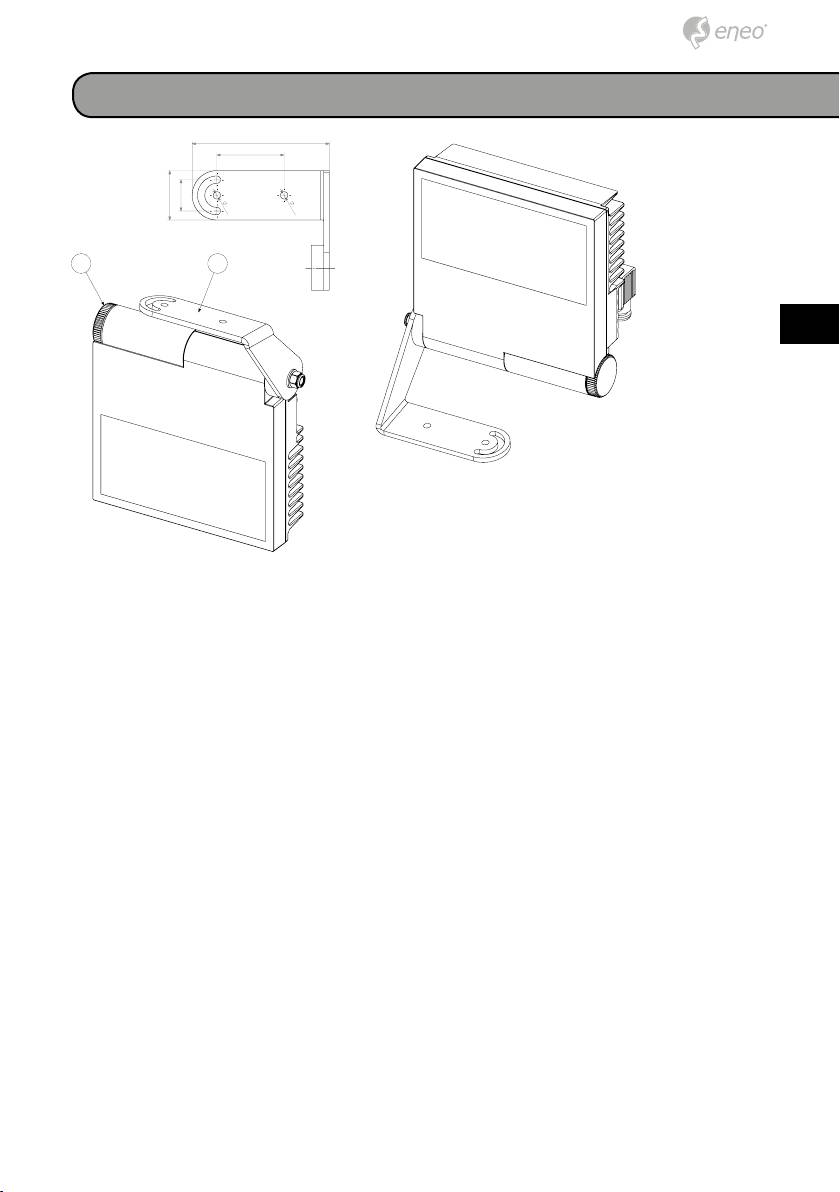
Ceiling or parapet mounting
60
44
28
6,5
6,5
AB
DE
EN
FR
PL
RU
• Install the illuminator in a properly airy zone.
• Place the bracket ⓐ in the desired position against the ceiling or para-
pet.
• To make this operation easier, it is possible to loosen the knurled hand-
wheel ⓑ or in case the nut opposite to the handwheel, and rotate the
bracket ⓐ as to the illuminator.
• Mark the position of mounting holes.
• Make the mounting holes, taking into consideration the type of material,
which the wall or the ceiling is made of, and the type of fixings to be
used.
• Mount the bracket ⓐ to the ceiling or parapet in a firm way.
• If loosened during the bracket installation, please remember to tighten
the knurled handwheel ⓑ and/or the nut opposite to the handwheel.
17
122.5
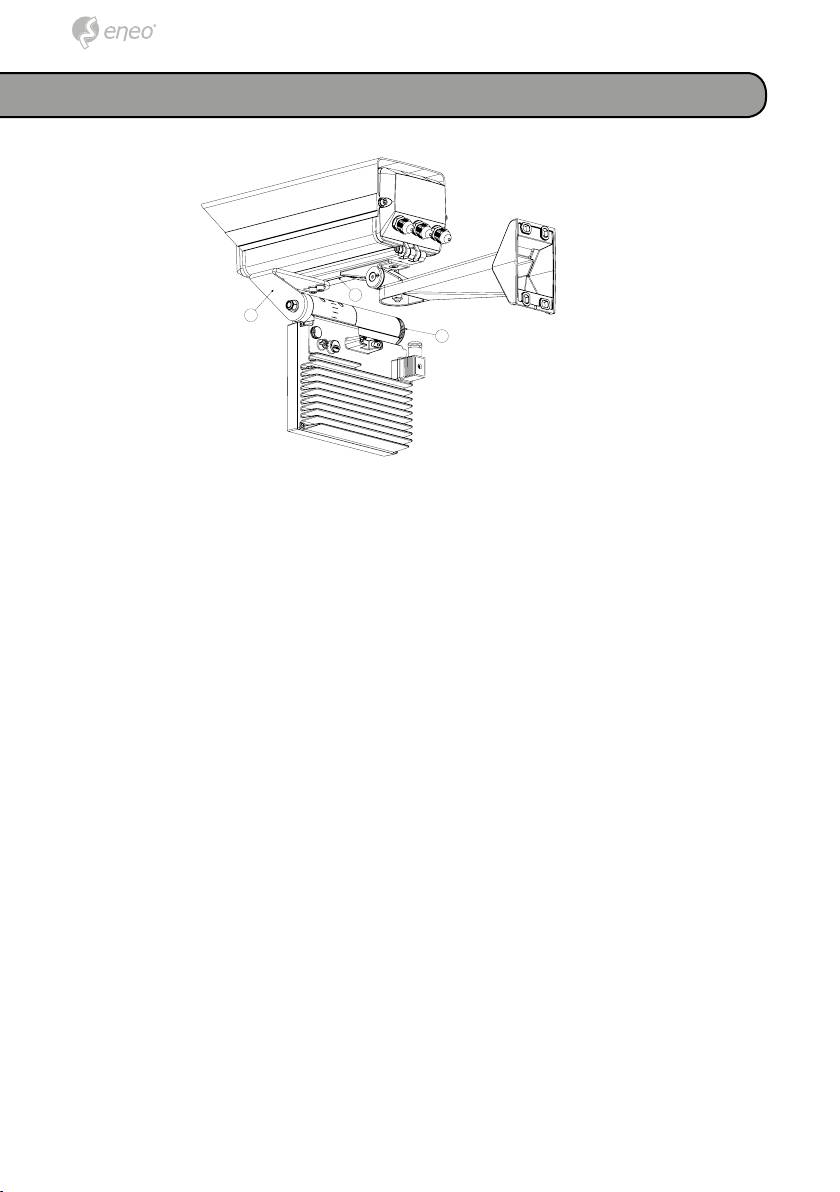
Mounting to a camera housing
C
A
B
• Install the illuminator in a properly airy zone.
• To make the nuts positioning inside the external slide easier, we recom-
mend loosening the housing fastening screws, and sliding it on the
external slide ⓒ while keeping it hanging on the slide.
• Place the illuminator bracket ⓐ in the desired position, under the exter-
nal slide ⓒ or, where possible, under the housing basis.
• To make this operation easier, it is possible to loosen the knurled hand-
wheel ⓑ or in case the nut opposite to the handwheel, and rotate the
bracket as to the illuminator.
• Mount the illuminator to the external slide ⓒ in a firm way, or where
possible, at the housing basis.
• Place back and close the housing body, direct the illuminator in the
desired position, and fasten the whole.
• If loosened during the bracket installation, please remember to tighten
the knurled handwheel ⓑ and/or the nut opposite to the handwheel.
18
Table of contents
- DE EN FR PL RU
- DE DE EN EN FR FR
- DE DE
- DE DE EN EN FR FR PL PL RU RU
- DE DE EN EN FR FR PL PL
- DE DE
- DE EN FR
- DE
- DE EN FR PL RU
- DE EN FR PL
- DE
- DE DE EN EN FR FR PL PL RU RU
- DE DE
- DE DE EN EN FR FR PL PL RU RU
- DE DE EN EN FR FR PL PL
- DE DE
- DE DE EN EN FR FR PL PL RU RU
- DE DE
- DE DE EN EN FR FR PL PL RU RU
- DE DE EN EN FR FR PL PL
- DE DE
- DE DE EN EN FR FR
- DE DE
- DE DE EN EN FR FR PL PL RU RU
- DE DE EN EN FR FR PL PL
- DE DE
