
Eizo FlexScan S1501-B: Displaying the Screen
Displaying the Screen: Eizo FlexScan S1501-B
English
4
Prior to use Installation TroubleshootingSetting/Adjustment
Displaying the Screen
Press to turn on the monitor.
1
The monitor’s power indicator lights up blue.
Turn on the PC.
2
The screen image appears.
When turning on the monitor and PC for the rst time with the analog signal, the Auto Adjustment
function works to adjust the clock, phase, and display position automatically.
Attention
• Turn off the monitor and PC after using them. Unplugging the power cord completely shuts off power
supply to the monitor.
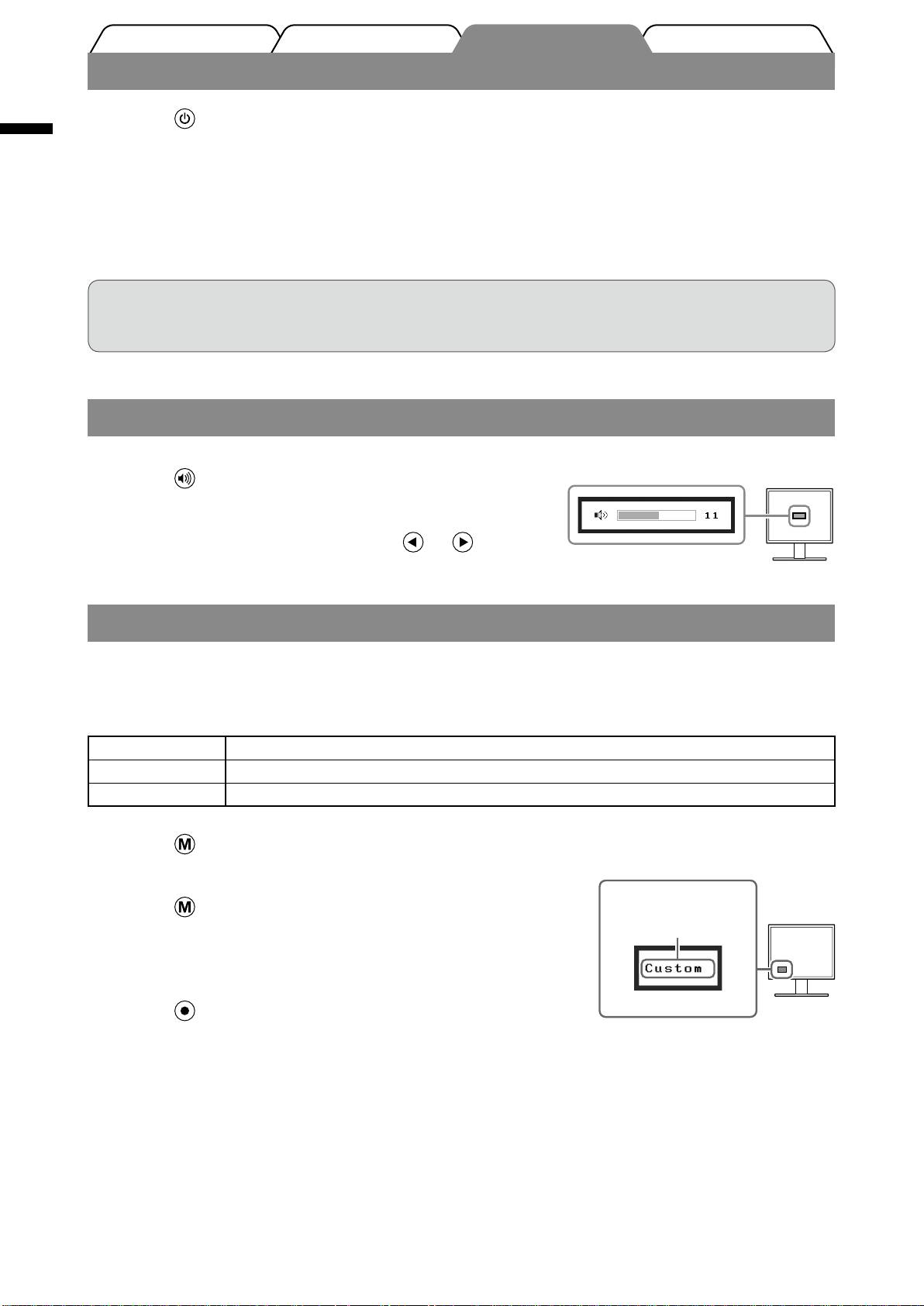
Adjusting Speaker Volume
Speaker volume adjustment screen
Press
1
.
The speaker volume adjustment screen appears.
Adjust the speaker volume with or
2
.
Selecting Display Mode
FineContrast allows you to select the best display mode easily according to monitor’s application.
For details of FineContrast, refer to the User’s Manual on the CD-ROM.
FineContrast Mode
Custom Available for making desired setting.
sRGB Suitable
for color matching with sRGB compatible peripherals.
Text Suitable
for displaying texts for word processing or spreadsheets.
Press
.
1
FineContrast mode name
The FineContrast mode appears.
Displays the
Press again while the FineContrast
2
current mode.
mode is displayed.
Each time the button is pressed, the mode on the screen
switches. (Refer to the FineContrast Mode table.)
Press at the desired mode.
3
The selected mode is set.
Table of contents
- Controls and Functions
- Connecting Cables
- Displaying the Screen
- Adjusting Brightness
- No-Picture Problem
- Bedienelemente und Funktionen
- Kabel anschließen
- Bild wiedergeben
- Bildschirmhelligkeit einstellen
- Problem: Kein Bild
- Commandes et fonctions
- Connexion des câbles
- Afchage de l’écran
- Ajustage de la luminosité
- Problème de non-afchage d’images
- Controles y funciones
- Conexión de los cables
- Visualización de la pantalla
- Ajuste del brillo
- Si no se muestra ninguna imagen
- Comandi e funzioni
- Collegamento dei cavi
- Visualizzazione dello schermo
- Regolazione della luminosità
- Problema Nessuna immagine
- Reglage och funktioner
- Att ansluta kablarna
- Visa skärmen
- Ställa in skärmens ljusstyrka
- Ingen bild visas
- Χειριστήρια και λειτουργίες
- Σύνδεση καλωδίων
- Εμφάνιση της οθόνης
- Ρύθμιση φωτεινότητας
- Πρόβλημα "Καθόλου εικόνα"
- Средства управления и их назначение
- Подключение кабелей
- Отображение экрана
- Настройка яркости экрана
- Отсутствует изображение на экране
- 控制和功能
- 连接电缆
- 选择显示模式
- 执行高级设定/调整
- 无图片的问题
- MEMO
