
Apple LED Cinema Display (27): Using Your Display Using the Built-in iSight Camera and Microphone
Using Your Display Using the Built-in iSight Camera and Microphone: Apple LED Cinema Display (27)
Table of contents
- Getting Started
- Setting Up Your Display
- Setting Up Your MacBook with the Lid Closed
- Using Your Display Using the Built-in iSight Camera and Microphone
- Setting Up Sound Input and Output
- Setting Up Your Apple LED Cinema Display as an Additional Display Adjusting the Resolution, Brightness, and Color
- Using the USB Ports and Security Slot
- Using a VESA Mounting Solution with Your Display Care and Safety
- WARNING: Use only the power cord that came with your display. The power cord has
- Ergonomics
- Troubleshooting Your Display
- More Troubleshooting Information Learning More, Service, and Support
- Specications
Using Your Display
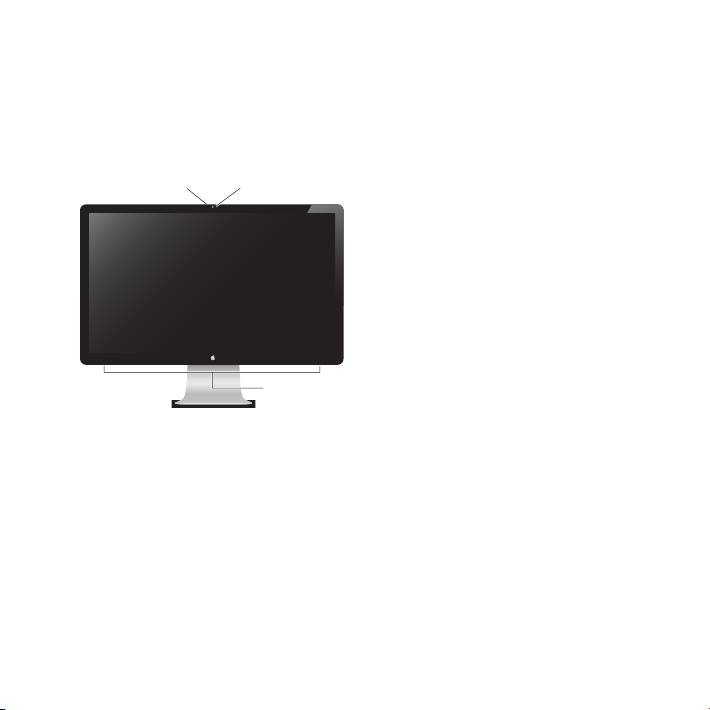
Your Apple LED Cinema Display has a built-in iSight camera, microphone, and speaker
system. The USB connection between the display and your computer is required for
these features.
Microphone
Speaker system
9English
Built-in
iSight camera
Using the Built-in iSight Camera and Microphone
You can use the built-in iSight camera and microphone to capture still images, video,
and sound using applications such as iChat, iMovie, and Photo Booth.
To set up the camera and microphone with iChat:
1 Click the iChat icon in the Dock to open the iChat application.
2 Choose iChat > Preferences, and then click Audio/Video.
3 Choose Display iSight from the Camera pop-up menu.
4 Choose Display Audio from the Microphone pop-up menu.
Top 10 manuals
100.00
NZXT HALE90 1000W99.99
Samsung SM-R38099.97
AEG BSB 18C99.97
Dell 2700W99.97
Smeg KSEC70X99.96
Beurer HDE 4099.96
Pyramida KH 50 v.299.96
MSI CSM-H81M-P3299.96
AEG HR 562799.95
Melissa 640-048