
Xoro HTC 2225D: Troubleshooting
Troubleshooting: Xoro HTC 2225D
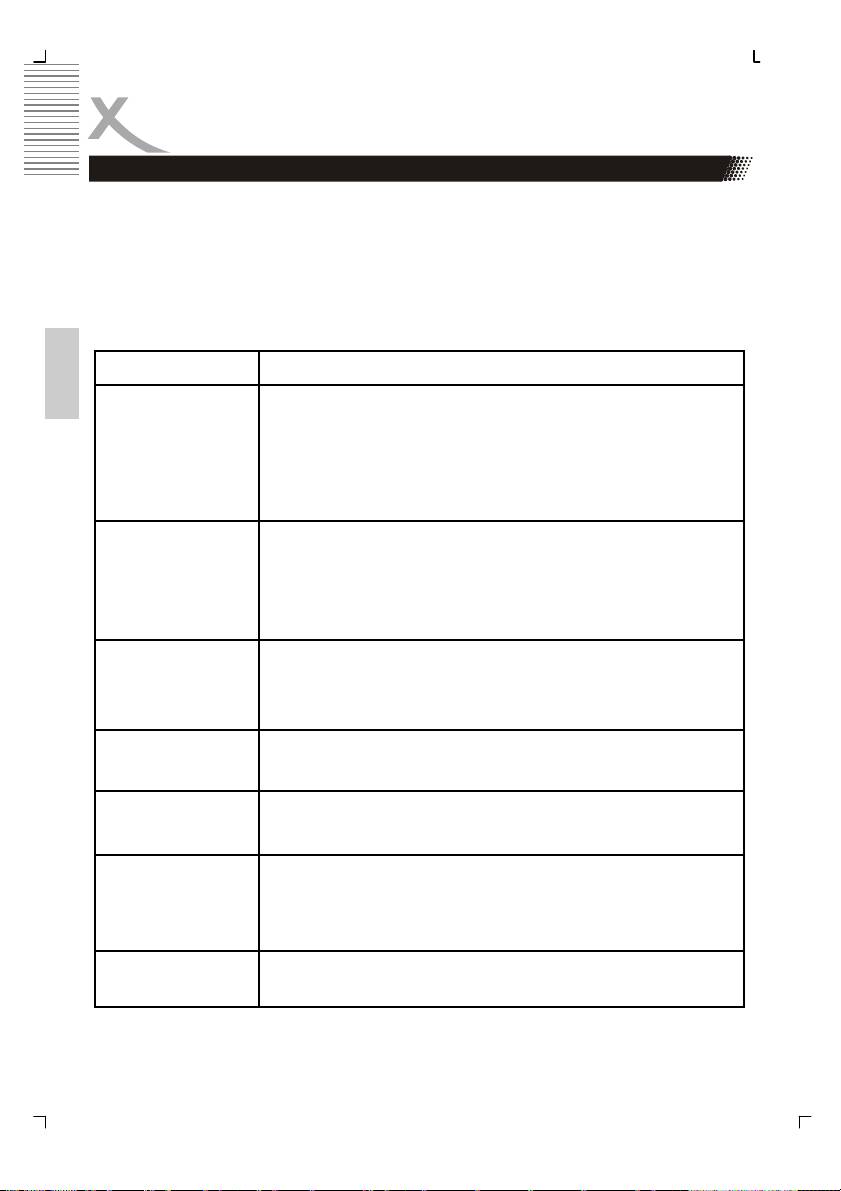
Troubleshooting
Check the following guide for the possible cause of a problem before contacting service.
Technical Support of Xoro/MAS:
• Tel.: 040/77 11 09 17
• Internet: www.xoro.de/support.htm
Problem Solution
English
TV won’t switch on
• Check the mains cable is connected properly to both the mains
supply and the mains adapter
• Check the cable from the mains adapter is connected properly
to the set.
• The electronic circuit may have reset. Pull the plug out, wait for
60 seconds, then plug back again.
No picture
• Check the aerial or other input is connected properly.
• Check that the correct input is selected, using the SOURCE
button or the GENERAL menu.
• Check the brightness and contrast settings in the VIDEO or PC
menu.
No sound
• Check that the VOLUME isn’t turned down, or the MUTE but-
ton pressed.
• Check that the audio cables are connected to the correct in-
puts.
Picture is wrong
• Check that the correct input is selected, using the TV/AV but-
colour
ton or the GENERAL menu.
The picture is un-
• Check that the settings in the PC menu match the video output
stable when used
settings of the PC.
with a PC
There are a few
• High resolution LCD screens often have a small number of
coloured spots on
faulty pixels.
the screen
• This is normal and within the bounds of our quality control
checks.
Picture with wrong
• The LCD has the wrong aspect ratio. Please press the Size
scaling
button to switch the aspect ratio from 16:9 to 4:3.
16
Table of contents
- Sicherheitshinweise
- Inhaltsangabe
- Anschlüsse
- Bedienelemente
- VERBINDEN
- Fernbedienung
- LCD Menü
- Problembehandlung
- DVB-T Modus
- Problemlösung DVB-T
- DVD-Player
- DVD-Player SETUP
- Problemlösung DVD-Player
- Spezifikationen
- Safety Information
- Contents
- In the Box
- Connection
- Connecting Up
- Connection
- Remote Control
- LCD Menu
- Troubleshooting
- DVB-T Mode
- DVB-T Others
- Troubleshooting DVB-T
- DVD-Player
- DVD Player Setup
- Troubleshooting
- Specification
- CONTENU
- CARACTÉRISTIQUES
- CONNECTIQUE
- TÉLÉCOMMANDE
- FONCTIONNEMENT TV
- DÉPANNAGE TV
- MODE TNT
- DÉPANNAGE TNT
- FONCTIONNEMENT DVD
- DÉPANNAGE GÉNÉRAL
- SPÉCIFICATIONS
- Información de Seguridad
- CONTENIDO
- CONEXÍON
- CONECTAR
- CONTROL REMOTE
- EL MENÚ
- SOLUCION DE PROBLEMAS
- FUNCIONAMIENTO BÁSICO
- Problemas
- OPERACIÓN DEL DVD
- SETUP DEL DVD
- PROBLEMAS
- Specifications
- XORO by MAS Elektronic AG
