
Saturn ST-KS7801: KITCHEN SCALES INTRODUCTION OF USING AND IN- STALLING THE BATTERIES ADVICE FOR USE AND CARE KEY FUNCTION OPERATION WEIGHTING STEP ERROR DISPLAY INTRODUCTION TECHNICAL DATA SET
KITCHEN SCALES INTRODUCTION OF USING AND IN- STALLING THE BATTERIES ADVICE FOR USE AND CARE KEY FUNCTION OPERATION WEIGHTING STEP ERROR DISPLAY INTRODUCTION TECHNICAL DATA SET: Saturn ST-KS7801
Table of contents
- KITCHEN SCALES INTRODUCTION OF USING AND IN- STALLING THE BATTERIES ADVICE FOR USE AND CARE KEY FUNCTION OPERATION WEIGHTING STEP ERROR DISPLAY INTRODUCTION TECHNICAL DATA SET
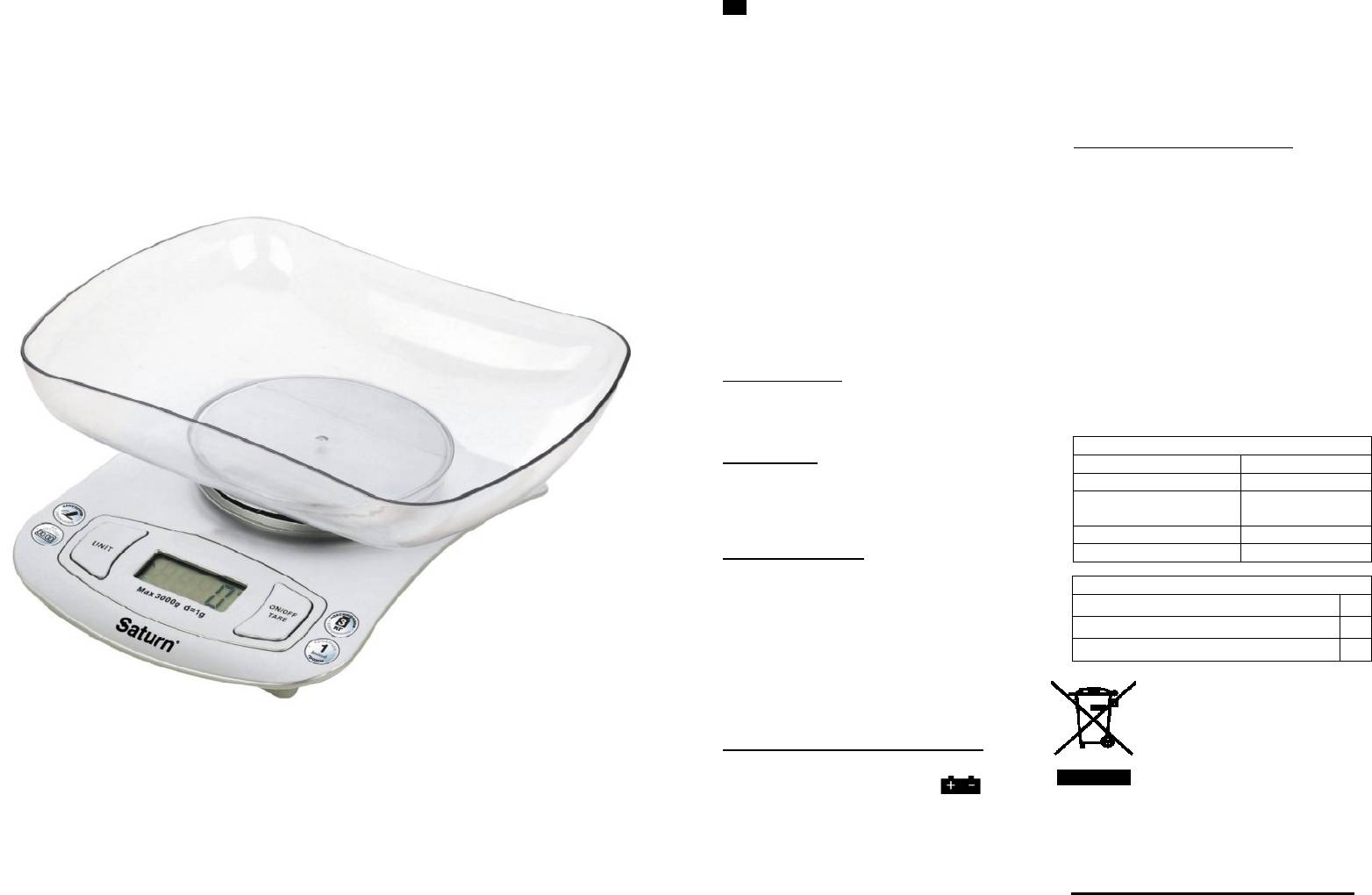
2
3
GB
KITCHEN SCALES
INTRODUCTION OF USING AND IN-
STALLING THE BATTERIES
Dear Buyer!
§ Use 1 lithium battery
We congratulate you on having
§ When change the batteries, please
bought the device under trade name
open the battery cover on the back, put
«Saturn». We are sure that our de-
1 lithium battery in the battery case
vices will become faithful and relia-
(make the positive poles towards), then
ble assistance in your housekeep-
close the battery cover tight.
ing.
Avoid extreme temperature chang-
ADVICE FOR USE AND CARE
es. Rapid temperature change (e.g.
§ Put the scale on a clean and flat table.
when the unit is moved from freez-
§ The max. weight of the scale is 3 kg.
ing temperature to a warm room)
§ To ensure the life of the scale, do not
may cause condensation inside the
put the scale under wet, hot & cold con-
unit and a malfunction when it is
dition.
switched on. In this case leave the
§ The product belongs to high precision
unit at room temperature for at
electronic weighing apparatus, please
least 1.5 hours before switching it
do not press or drop the scale otherwise
on.If the unit has been in transit,
the scale is easy to damage.
leave it indoors for at least 1.5
§ If the scale surface is dirty, please
hours before starting operation
clean the scale with soft cloth, do not
use any chemical detergent and allow
For the purpose of using and maintain-
water to get inside the scale.
ing the kitchen scale, please read this
§ The product is for family weighing
instruction completely before operating.
only, do not use for legal trade.
§ If the result appears improperly,
KEY FUNCTION
please check about whether the batter-
§ ON/OFF key: Power on, Power off
ies and the touching point contact well.
§ TARE key: Tare function
Replace for new batteries if used for a
§ UNIT key: Unit exchange (g, oz, kg,
long time already, then try again.
lb)
OPERATION
§ Take out the scale, and open up the
battery cover, install the batteries to the
battery case.
§ Put the scale on a flat table, and en-
sure it steady.
WEIGHTING STEP
1. Under the state press the key of
“ON/OFF” to power on, the scale will be
zero “0.00” appear on the display after
3 seconds.
2. Under the weight state, put the
container on the glass, LCD will show
the weight of container.
3. Press the key “TARE”, LCD shows
zero. Тhen put the food into container,
Environment friendly dis-
the weight will appear on the display.
posal
4. Press the key of “ON/OFF” again,
You can help protect the
power off.
environment!
Please remember to respect
ERROR DISPLAY INTRODUCTION
the local regulations: hand in
§ When the scale is over loaded, the
the non-working electrical
“EEEE” will appear on the display.
equipments to an appropri-
§ When the screen shows “ ”, it
ate waste disposal centre.
means that the power isn’t enough,
The manufacturer reserves the
please change the batteries as soon as
right to change the specification
possible.
and design of goods.
§ When the screen shows “OUTZ” or
“UNST”, and power off. It means the
object over loaded or unsteady.
TECHNICAL DATA
Capacity
3 kg
Graduation
1 g
Battery
1 lithium bat-
tery
Work temperature
5
0
C - 40
0
C
Display
LCD, 4 units
SET
Scales
1
Instruction Manual
1
Package
1


