
Vaddio HE120 Operating Instructions: Changing the direction of the nameplate
Changing the direction of the nameplate: Vaddio HE120 Operating Instructions
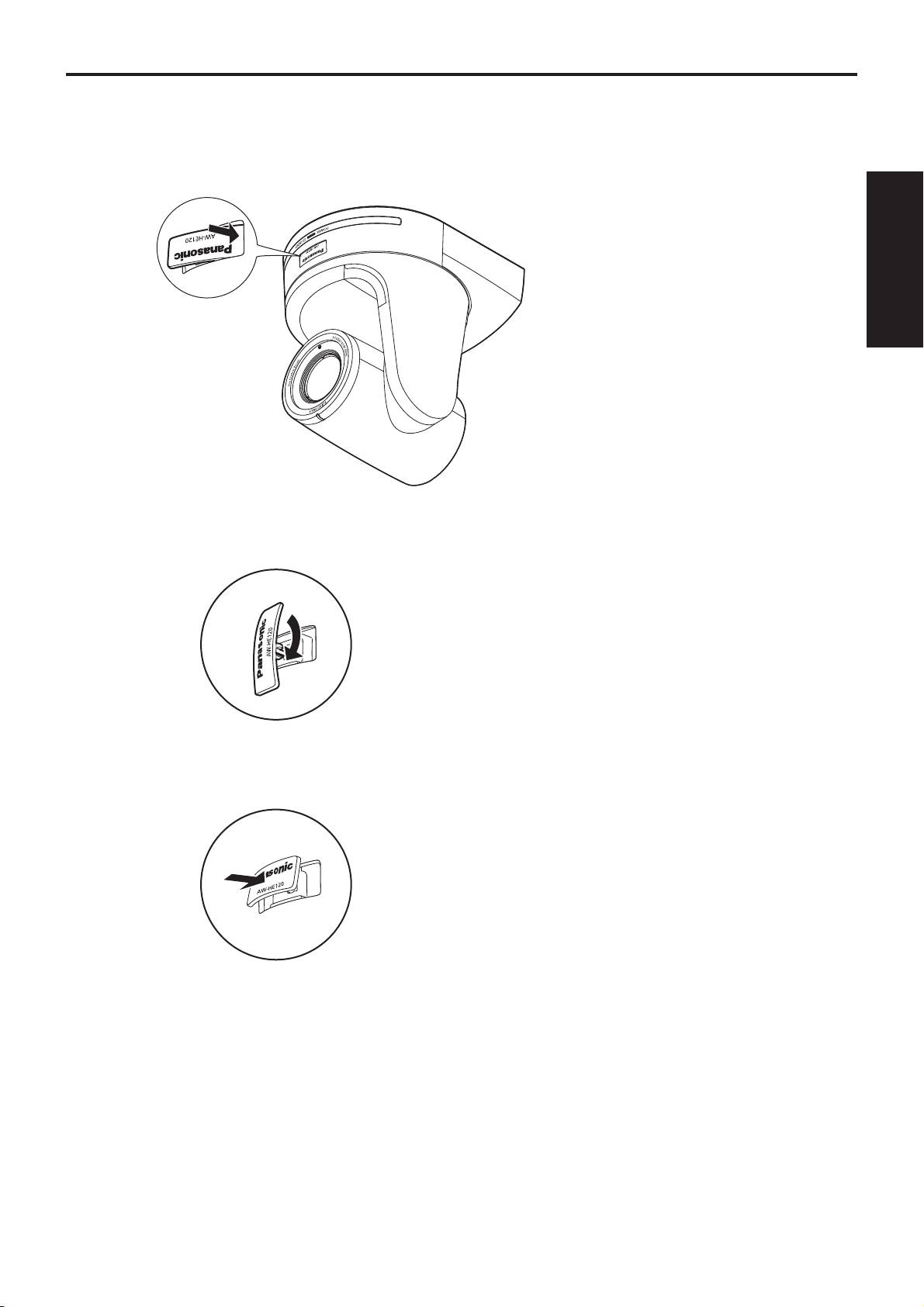
Changing the direction of the nameplate
When the unit is mounted on the ceiling, its nameplate will be upside down.
The direction of the unit’s nameplate can be changed.
1 Push in the part indicated by the arrow, and pull out the nameplate.
Installation
Instructions
2 Change the direction of the nameplate.
3 Push the nameplate back into place.
13
Table of contents
- Operating Instructions
- Contents
- Read this first!
- Installation precautions
- How to install and connect the unit
- Changing the direction of the nameplate
- Removing the camera
- Stand-alone installation (when the mount bracket is going to be used)
- Stand-alone installation (when the mount bracket is not going to be used)
- Connections
- Appearance
- Read this first! (For AW-HE120WP, AW-HE120KP)
- Read this first! (For AW-HE120WE, AW-HE120KE)
- Caution for AC Mains Lead
- Before use
- Characteristics
- Controller supported
- Operating precautions
- Concerning the wireless remote control (optional accessory)
- Parts and their functions
- Setting the remote control IDs
- Network settings
- Troubleshooting
- Specifications
- Index
Top 10 manuals
100.00
NZXT HALE90 1000W99.99
Samsung SM-R38099.97
AEG BSB 18C99.97
Dell 2700W99.97
Smeg KSEC70X99.96
Beurer HDE 4099.96
Pyramida KH 50 v.299.96
MSI CSM-H81M-P3299.96
AEG HR 562799.95
Melissa 640-048