
Planar PD7010: INSERTING THE REMOTE CONTROL BATTERIES
INSERTING THE REMOTE CONTROL BATTERIES: Planar PD7010
INSERTING THE REMOTE CONTROL BATTERIES
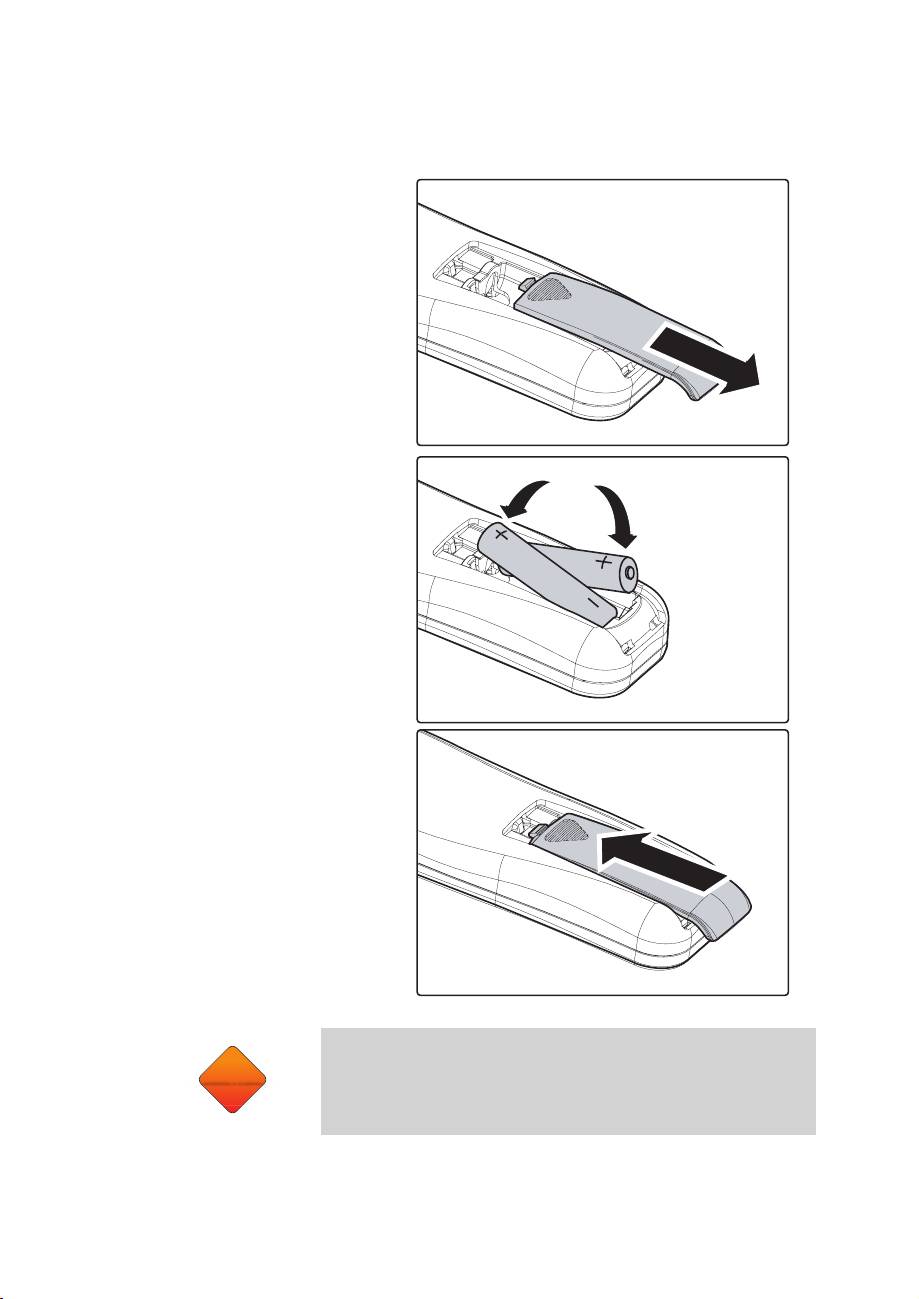
Remove the battery com-
1.
partment cover by sliding
the cover in the direction of
the arrow.
Insert the supplied batteries
2.
taking note of the polarity
(+/-) as shown here.
Replace the cover.
3.
CAUTION
6
CAUTION
1. Only use AAA alkaline batteries.
2. Dispose of used batteries according to local ordinance
regulations.
3. Remove the batteries when not using the projector for
prolonged periods.
Table of contents
Top 10 manuals
100.00
NZXT HALE90 1000W99.99
Samsung SM-R38099.97
AEG BSB 18C99.97
Dell 2700W99.97
Smeg KSEC70X99.96
Beurer HDE 4099.96
Pyramida KH 50 v.299.96
MSI CSM-H81M-P3299.96
AEG HR 562799.95
Melissa 640-048