
HyperX Cloud II Wired Gaming Headset (Black & Red): instruction
Class: Household, kitchen appliances, electronics and equipment
Type:
Manual for HyperX Cloud II Wired Gaming Headset (Black & Red)
User Manual
HyperX non-registered “TM” version
TM
< Reversed Print
< Web
< Reversed Web
HyperX Cloud II Headset
Find the language and latest documentation for your HyperX Cloud II Headset here.
HyperX Cloud II Installation Guide
. . . . . . . . . . . . For instructions in English
. . . . . . . . . . . . . . . . . . Para instrucciones en español
. . . . . . . . . Für Anleitungen in Deutsch
. . . . . . . . . . . . . . . . . . Pour des instructions en français
. . . . . . . . . . . . . . . . . . Per le istruzioni in italiano
. . . . . . . . . . . . Por as instruções em português
. . . . . . . . . . . . . . . . . . Instrukcje w jezyku polskim
. . . . . . . . . . . . . . . . . . Для инструкции на русском
. . . . . . . . . . . . . . . . . . Turkce talimatlar icin
. . . . . . . . . . . . . . . . . . Japanese
. . . . . . . . . . . . . . . . . . Thai
. . . . . . . . . . . . . . . . . . Українська
. . . . . . . . . . . . . . . . . . Vietnamese
Simpli ed Chinese . . . . .
Traditional Chinese . . . .

Document No. 480KHX-HSCP001.A01
HyperX Cloud II Headset
Page 1 of 11
HyperX Cloud II Headset
Part Numbers:
KHX-HSCP-GM (Gun Metal)
KHX-HSCP-PK (Pink)
KHX-HSCP-RD (Red)
Document No. 480KHX-HSCP001.A01
HyperX Cloud II Headset
Page 2 of 11
Introduction
Optimized for pro-gaming, HyperX Cloud II Headset (KHX-HSCP-xx) is a high-quality communicating device that
delivers superior sound, style and comfort. It uses an adjustable, soft-padded leatherette headband and features
a closed-cup design for enhanced bass reproduction and minimal sound leakage. The HyperX Cloud II headset is
HiFi capable and delivers a durable design for the most rugged gaming environments and is compatible with
tablets and smartphones for mobile use.
What’s Included:
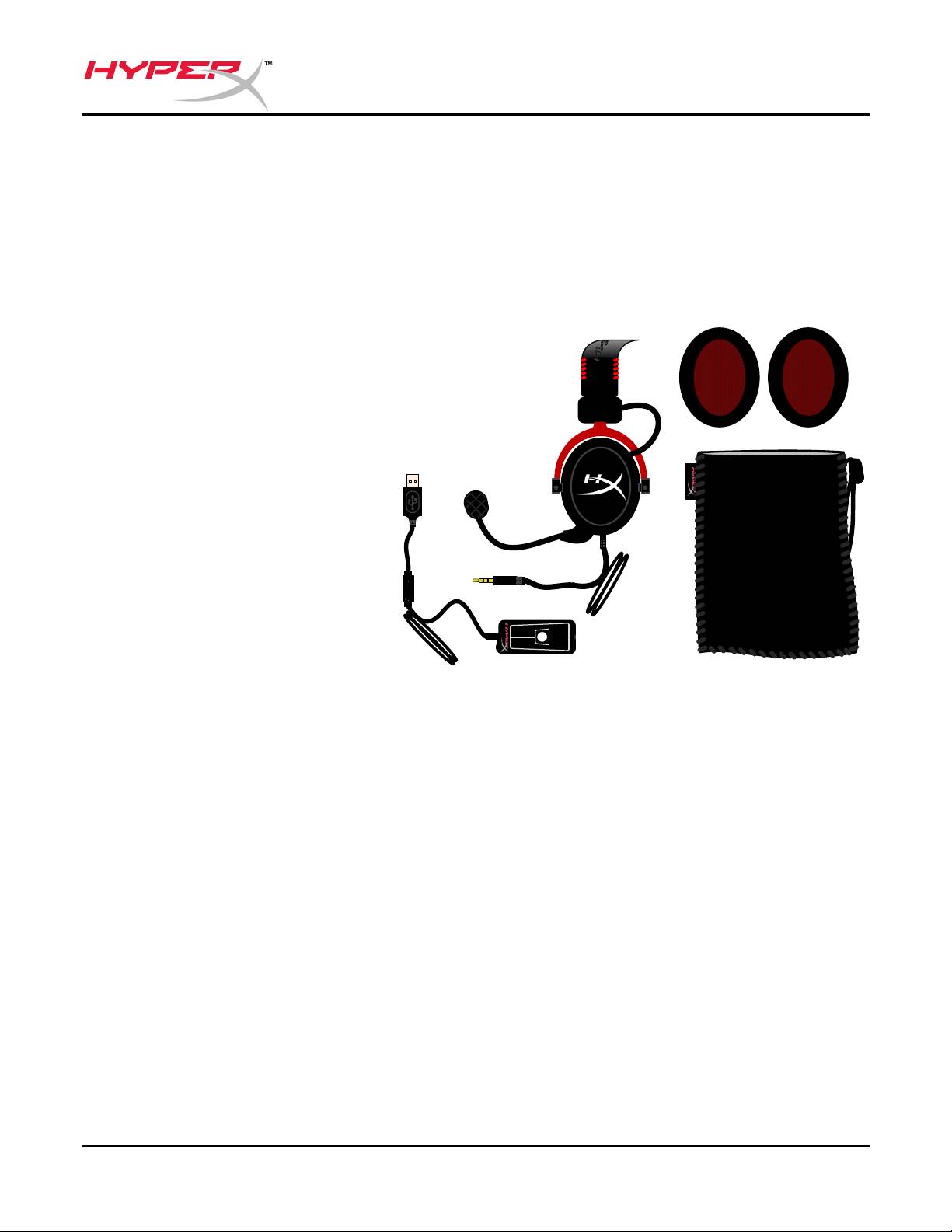
• 1 HyperX Cloud II Headset
• 1 Detachable Microphone
(attached to headset)
• 1 spare set of velour ear cushions
• 1 USB control box
• 1 Mesh bag
" "
1
7.
+
+
Package Contents
Features:
• Hi-fi capable 53mm drivers for supreme audio quality
• 15-25 KHz frequency response (earphones)
• Detachable microphone (quick and easy to plug/unplug for music-only purposes)
• Solid aluminum construction for durability and stability
• Super-soft padded leatherette headband and leatherette padding on cups
• Closed cup design for enhanced bass-reproduction and sound leakage

Document No. 480KHX-HSCP001.A01
HyperX Cloud II Headset
Page 3 of 11
Technical Specifications:
Headset
• Transducer type: Dynamic 53mm with Neodynium Magnets
• Operating principle: Closed
• Frequency response: 15Hz-25KHz (earphones)
• Nominal impedance: 60 ohm per system
• Nominal SPL: 98+/-3dB
• T.H.D: < 2%
• Power handling capacity: 150mW
• Sound coupling to the ear: Circumaural
• Ambient noise attenuation: approx.20 dBA
• Headband pressure: 5 N
• Weight with microphone and cable: 320g
• Cable length and type: 1m + 2m extension
• Connection: Mini stereo jack plug (3.5MM)
Microphone
• Microphone Transducer type: Condenser (back electret)
• Operating principle: Pressure gradient
• Polar Pattern: Cardioid
• Power supply: AB powering
• Supply voltage: 2V
• Current consumption: Max 0.5 mA
• Nominal impedance: ≤2.2 k ohm +/- 30%
• Open circuit voltage at f = 1 kHz 20 mV / Pa
• Frequency response: 50 - 18,000 Hz (microphone)
• T.H.D: 2% at f = 1 kHz
• Max. SPL: 105dB SPL (THD ≤ 1.0% at 1KHz)
• Microphone output: -39+/-3dB
• Dimensions: 6*5mm
• Length mic boom: 150MM(include gooseneck)
• Capsule diameter: 6mm
Document No. 480KHX-HSCP001.A01
HyperX Cloud II Headset
Page 4 of 11
Overview
A
BF
D
C
G
E
" "
1
7.
+
+
H
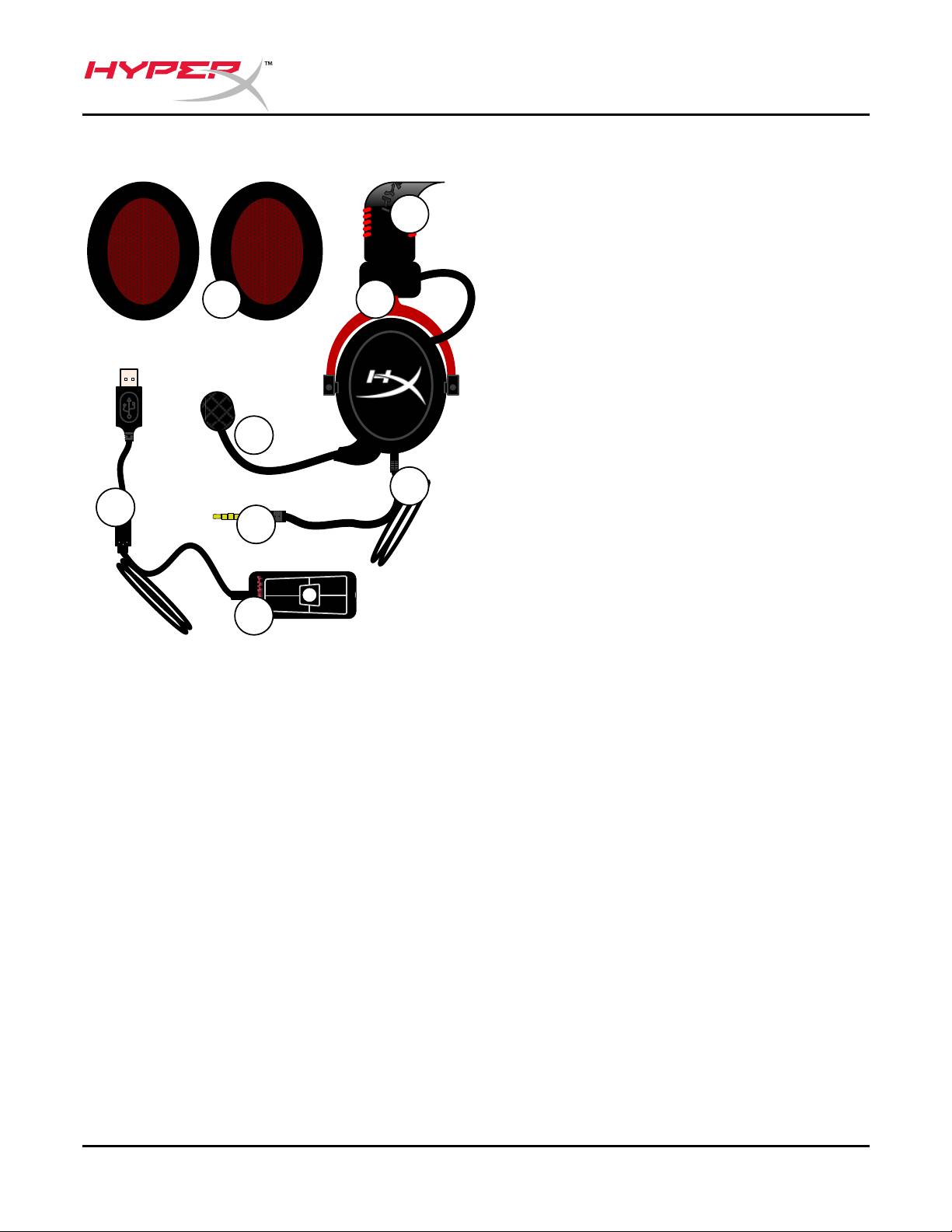
A. Leatherette headband w/ HyperX
logo
B. Aluminum arm to adjust headband
C. Attached cable w/ 3.5mm input
jack
D. Detachable microphone with
adjustable arm and condenser
E. 3.5mm audio input jack
F. Extra set of ear cushions
G. Control box cable w/ USB
connector and control box (letter H)
H. USB Control box w/ volume
controls and 7.1 audio button
Document No. 480KHX-HSCP001.A01
HyperX Cloud II Headset
Page 5 of 11
Usage (Direct Connect) with No Control Box
Connect your headset directly to your computer, game console, or other device (phone or
tablet) that has a 3.5mm audio jack.
Document No. 480KHX-HSCP001.A01
HyperX Cloud II Headset
Page 6 of 11
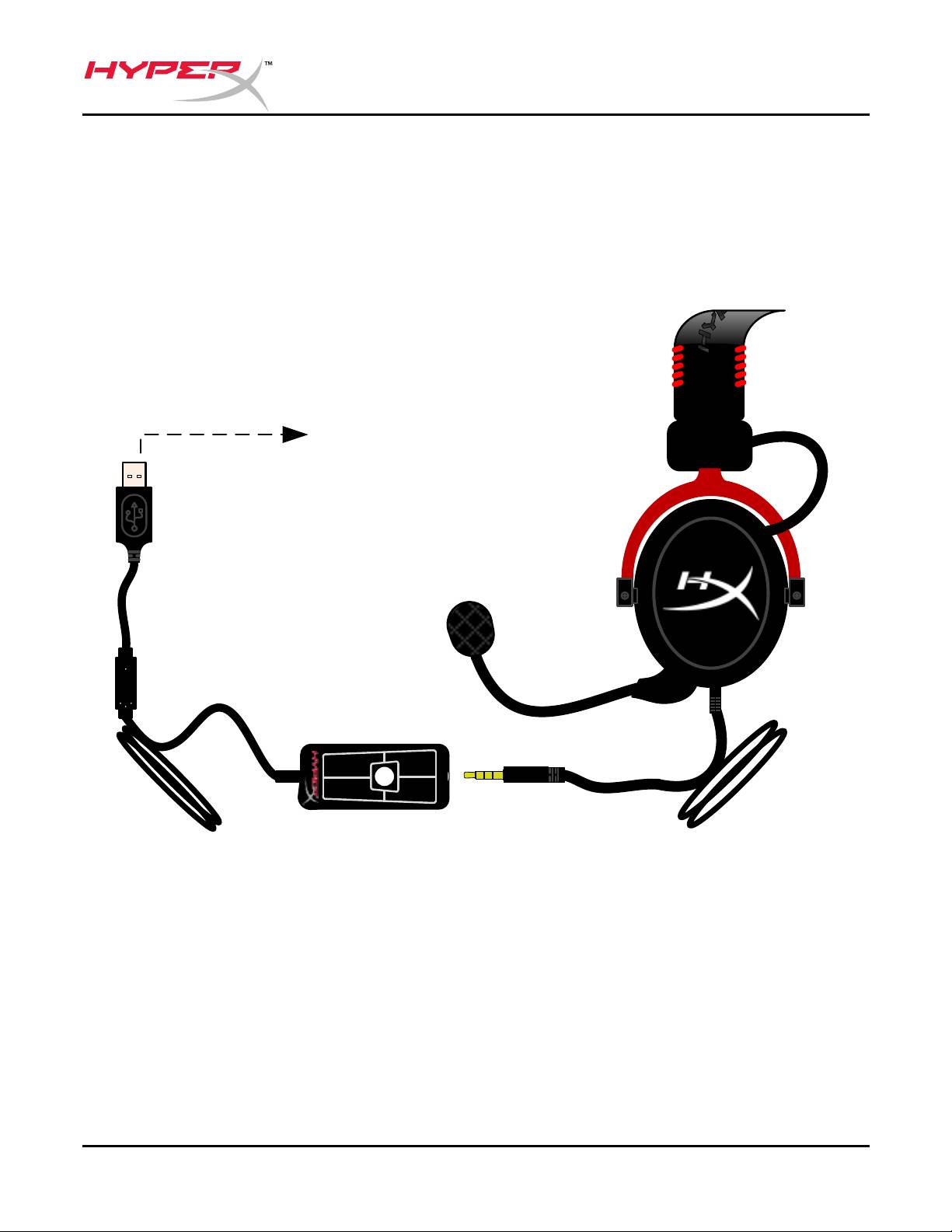
Usage (with Control Box)
Connect the headset’s 3.5mm audio jack to the input jack on the USB control box. The USB
control box then connects to a computer using the USB connector on the end of the
control box.
- -
7.1
+
+
Using Control Box

Document No. 480KHX-HSCP001.A01
HyperX Cloud II Headset
Page 7 of 11
To ensure that HyperX Cloud II is the default audio device, you must follow these
instructions:
For Windows:
1. Open up Control Panel and select Hardware
and Sound and then select Sound.
2. If the “HyperX 7.1 Audio” is not currently the
default audio device, right-click on the option
and select “Set as Default Device.”
3. This should place a green check mark next to
the default audio device.
Figure 1 – Control Panel
Figure 2 – Right-Click Default Audio Figure 3 – Default Sound Device
Repeat the same steps for the microphone portion
of the headset, located under the “Recording” tab
(also found in the Sound program in Control Panel.)

Document No. 480KHX-HSCP001.A01
HyperX Cloud II Headset
Page 8 of 11
To ensure that HyperX Cloud II is the default audio device, you must follow these
instructions:
For Mac:
1. Click the Apple menu and select
“System Preferences” from the
drop-down menu.
2. In “System Preferences”, click on
the ‘Sound’ icon.
3. Click on the Input tab and select
“HyperX 7.1 Audio” for default sound
input.
4. Click on the Output tab and select
“HyperX 7.1 Audio” for default sound
output.
Figure 2 – System Preferences
Figure 1 – Apple Menu
Figure 3 – Sound Preferences
Document No. 480KHX-HSCP001.A01
HyperX Cloud II Headset
Page 9 of 11
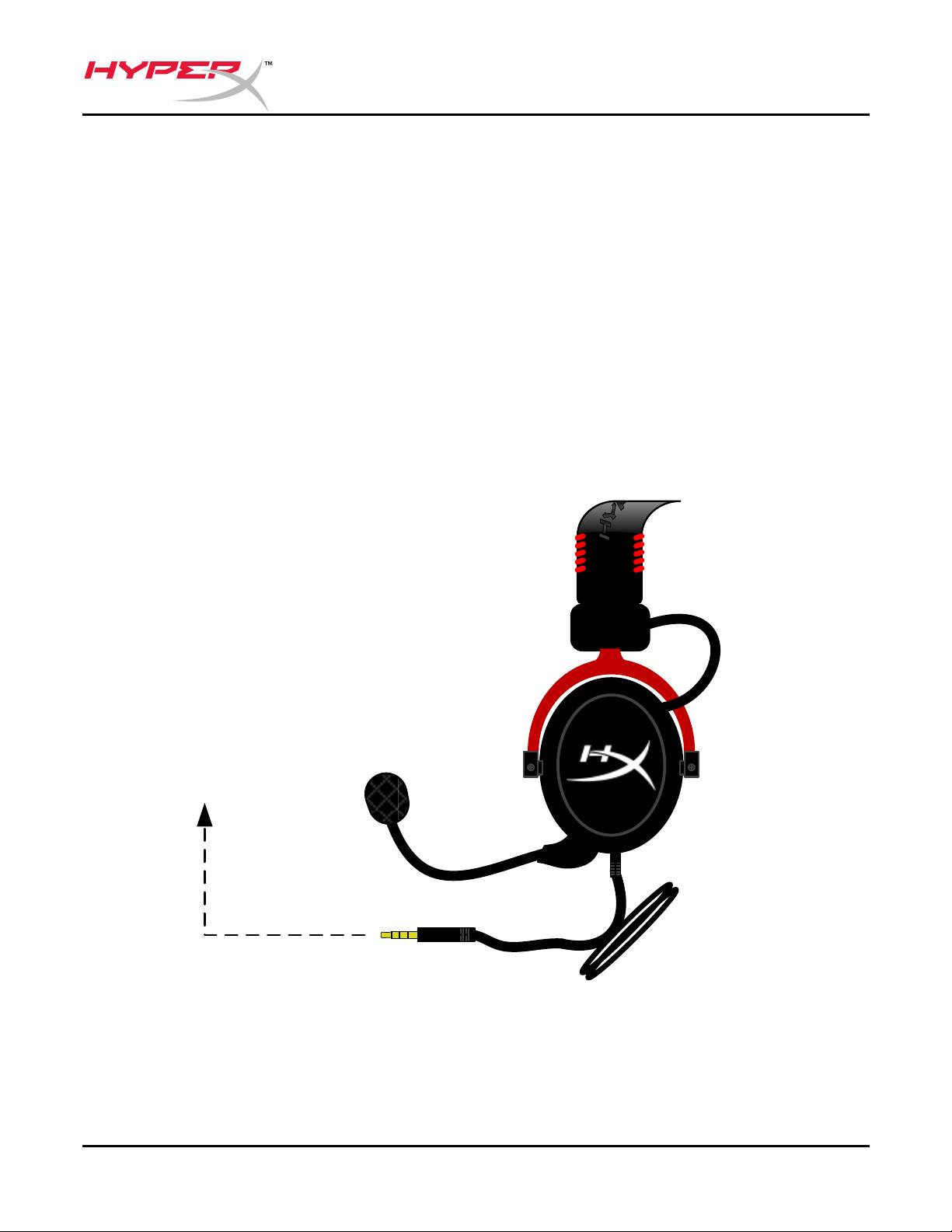
Usage (PlayStation® 4)
®
®
For optimal use with PlayStation
4 (PS4
), unplug the headset jack from the USB control box
and connect audio jack on the headset directly to the PS4 game controller and follow these
steps:
®
1. Turn on your PS4
game console.
2. Navigate to the Settings Menu and select it.
3. Highlight the ‘Devices’ menu option and select it.
4. Scroll down to ‘Audio Devices’ and select it.
5. Choose ‘Output to Headphones’ and select ‘All Audio.’
PlayStation 4
(USB Control Box not needed)
®
Hyp
erX Cloud II with PS4
Document No. 480KHX-HSCP001.A01
HyperX Cloud II Headset
Page 10 of 11
®
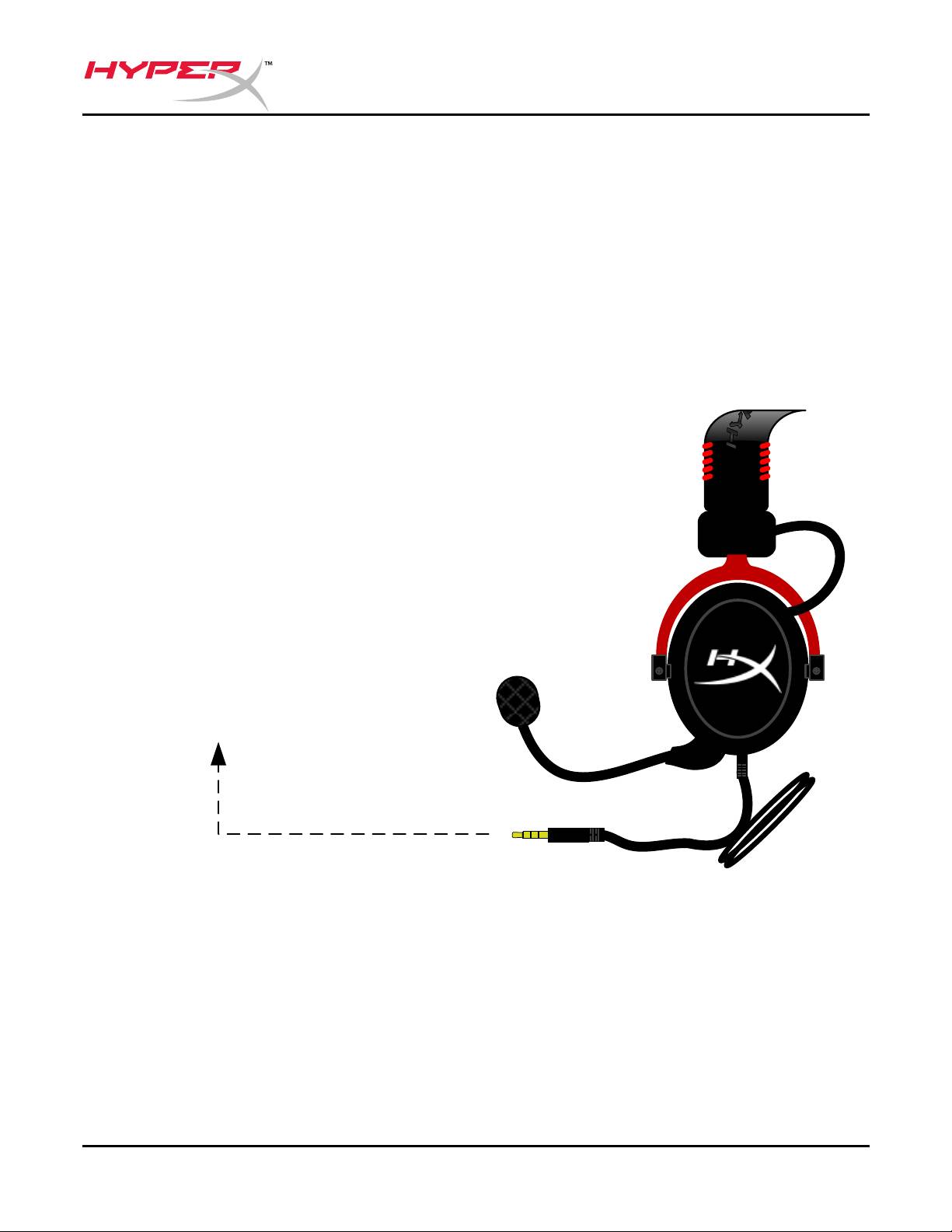
Usage (Xbox
One)
®
To use the HyperX Cloud II headset with Xbox
One, you will need the Xbox One adapter
®
(sold separately) that plugs into the Xbox
One controller (pictured below.) Because this
adapter has built-in volume controls, you will remove the USB control box (that came with your
HyperX Cloud II headset) and connect directly to the Xbox One controller.
Xbox One, requires controller adapter
(Adapter sold separately)
(USB Control Box not needed)
®
Usi
ng with Xbox
One
Document No. 480KHX-HSCP001.A01
HyperX Cloud II Headset
Page 11 of 11
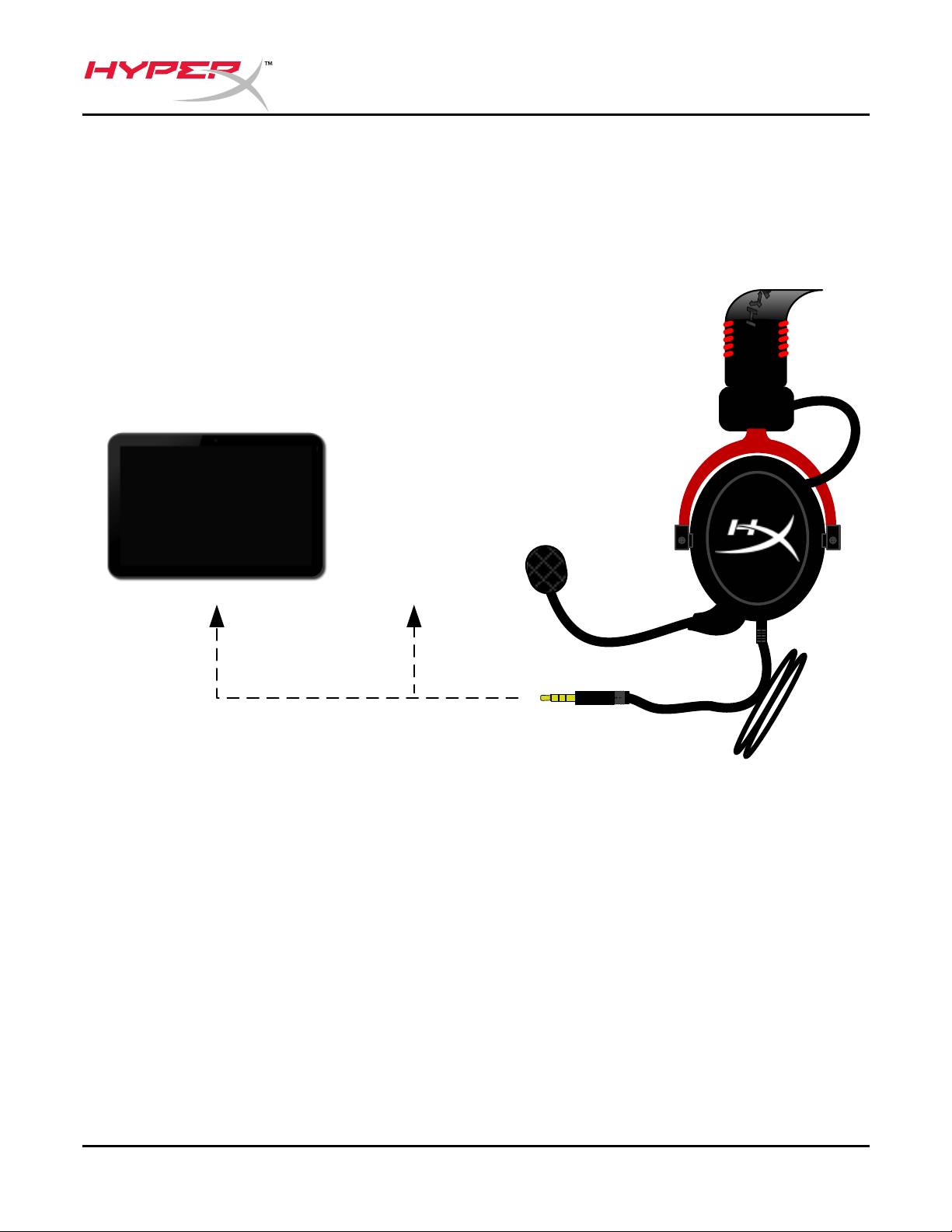
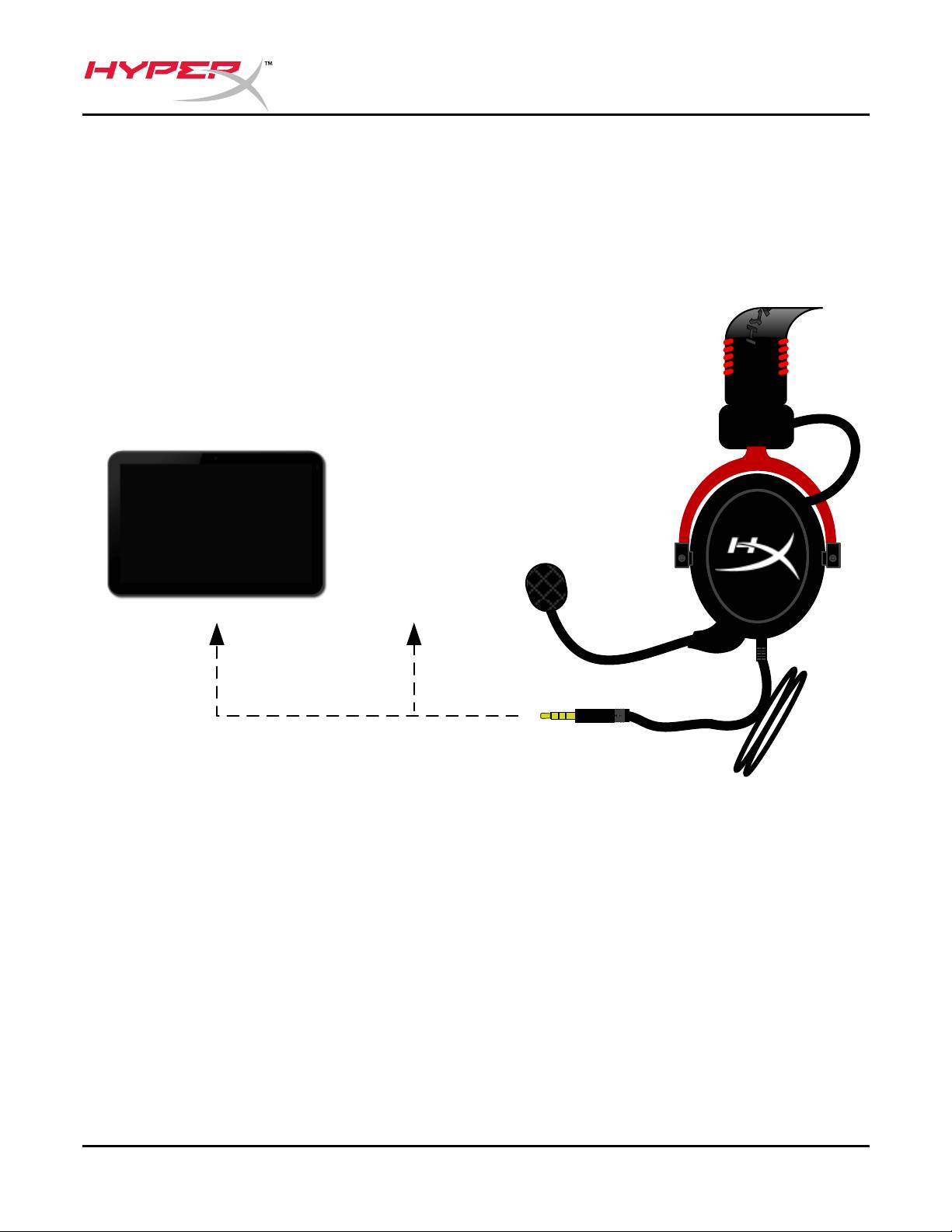
Usage with Mobile Device (Phone or Tablet)
To use the HyperX Cloud II headset with a mobile device, unplug the USB control box and
plug the 3.5mm headset jack directly into the audio jack on your phone or tablet.
Mobile (Phone / Tablet)
(USB Control Box not needed)
Figure 1.14 – Using with mobile device (phone or tablet)
Table of contents
- HyperX Cloud II Headset
- Auriculares HyperX Cloud II
- HyperX Cloud II Headset
- Casque-micro HyperX Cloud II
- Cuffie HyperX Cloud II
- Headset HyperX Cloud II
- Zestaw słuchawkowy HyperX Cloud II
- Гарнитура HyperX Cloud II
- HyperX Cloud II Kulaklık
- HyperX Cloud II ヘッドセット
- HyperX Cloud II
- Гарнітура HyperX Cloud II
- Tai nghe HyperX Cloud II
- HyperX Cloud II 机
- HyperX Cloud II 耳機
