
Planar PD7060: REMOTE CONTROL FUNCTIONS
REMOTE CONTROL FUNCTIONS: Planar PD7060
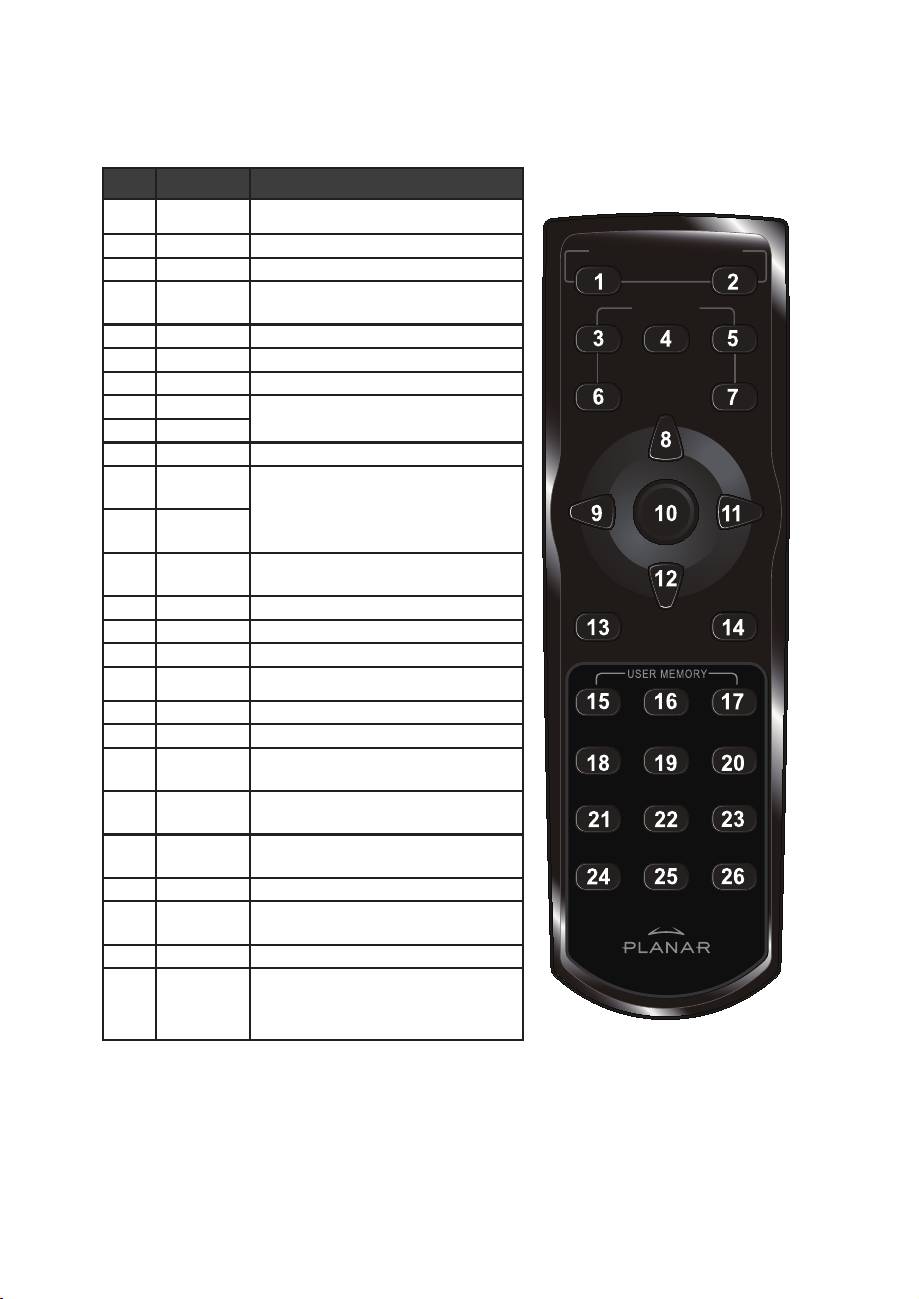
REMOTE CONTROL FUNCTIONS
ITEM LABEL DESCRIPTION
1 Power On Turns projector power on
2 Power Off Turns projector power off
ON ─ POWER ─ OFF
3 Source 1 User confi gurable (Default: HDMI)
4 Source 2 User confi gurable (Default:
SOURCE
Component)
5 Source 3 User confi gurable (Default: DVI-D)
1
23
6 Source 4 User confi gurable (Default: PC)
7 Source 5 User confi gurable (Default: Video)
45
8 Up cursor
Navigates and changes settings in
9 Left cursor
the OSD
10 Enter Changes settings in the OSD
11 Right cur-
Navigates and changes settings in
sor
the OSD
12 Down cur-
sor
13 Exit Exits OSD menus or menu selection
fi elds
14 Menu Opens the OSD
15 Hot Key 1 User memory setting 1
16 Hot Key 2 User memory setting 2
17 Hot Key 3 User memory setting 3
18 Contrast Adjusts screen contrast
19 Brightness Adjusts screen brightness
20 Aspect
T
oggles aspect ratio: 16:9 →
ratio
Letterbox → 4:3 → Native
21 Gamma Toggles gamma: Film → Video →
Cinema → PC → Photo
22 Overscan Toggles overscan: Off → Crop →
Zoom
23 Keystone Adjusts keystone
24 Auto Automatically synchronizes display
settings in RGB mode
25 Blank Makes the screen blank
26 LED Turns back LED light on and off
5
